AM-JACKAL-35 / JULY 2020
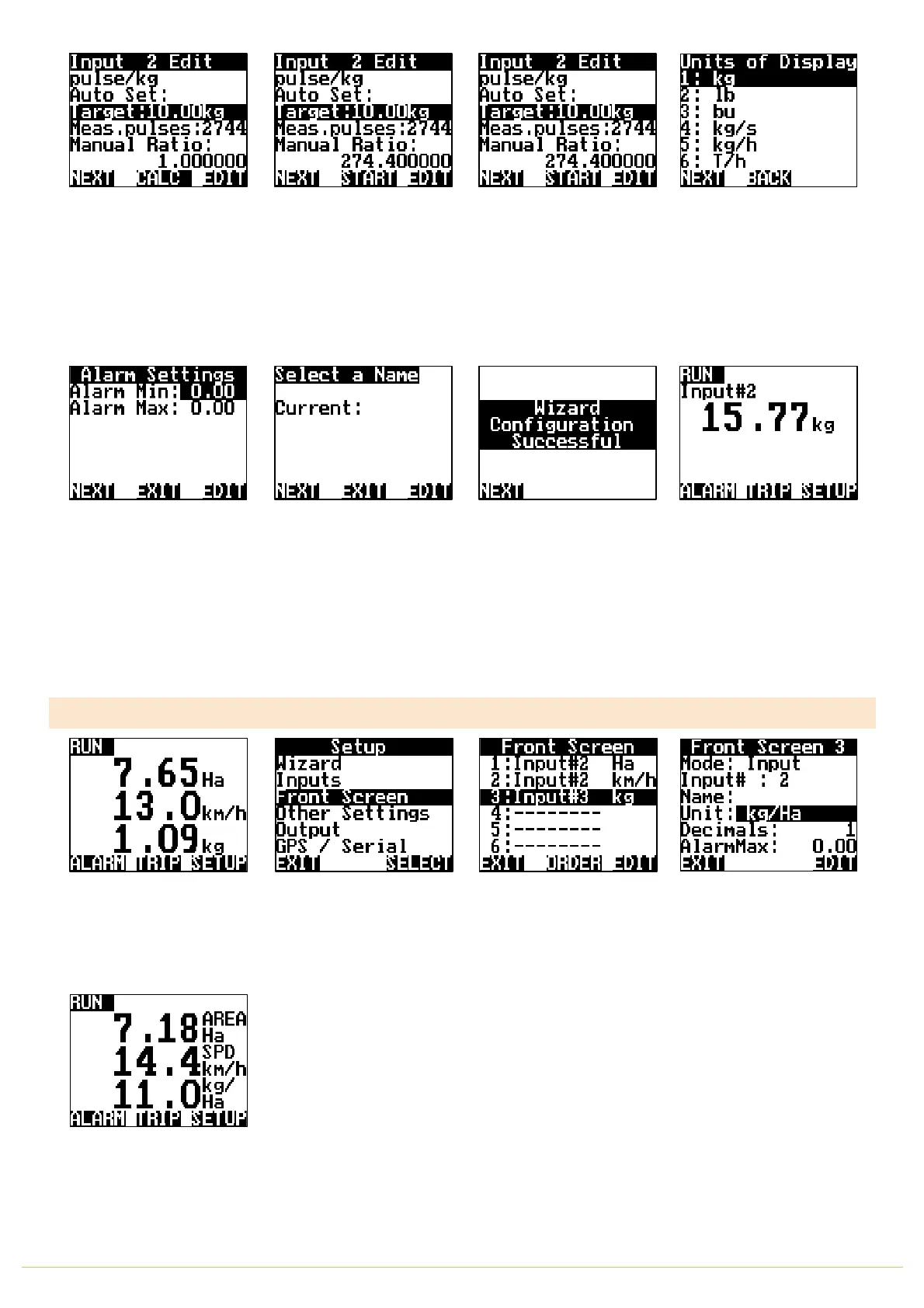
When the scales measure the
desired test volume, i.e.
10kg, stop the Bin/Tank.
Press STOP
Press
CALC.
This will divide
the measured amount by the
number of pules registered.
MANUAL RATIO
will now be
updated to reflect the
calibration factor.
Press
NEXT
It’s recommended to do this
test 3 times to get an average
pulse count per kg
Using the
NAV
buttons
select how you would like
the Unit of Display to be
displayed on the front
screen. I.e.
kg
Press
NEXT
You have the option to set
Alarm Min/Max points if
required. Using the NAV
buttons select &
EDIT
as
required. Press
NEXT
Name the input if you desire,
Press
EDIT
or Press
NEXT
The Wizard is now complete.
Press
NEXT
You will be returned to the
Front Screen.
kg will now accumulate
2. Follow the setup guide on PAGE 21 for “Speed/Area Meter setup
3. Follow the steps as described below
SETUP SOLID (KG/HA)
From the front screen press
SETUP
Highlight FRONT SCREEN &
press SELECT
Highlight the line in which
the Metering sensor is
connected to.
e.g. 3: Input#3 kg
Press EDIT
Highlight UNIT & press EDIT
to change the unit to kg/Ha.
Change the Decimals
displayed if desired also
THIS ENDS THE SETUP
FOR RATE METER SETUP
AS kg/Ha
Press EXIT 3 times to return
to the front screen.
Jackal will now display the
flow rate as L/Ha with Area &
Speed



 To Next Page