AM-JACKAL-35 / JULY 2020
FLOW METER SETUP (WIZARD)
The Jackal can be configured to monitor liquid products. If only one input is used the Jackal
main screen will display the flow information of your choice. If the Jackal is also setup and
installed with a Wheel Sensor input, the Jackal can be setup to display L/Ha for example.
NB: AT NO STAGE CAN THE JACKAL MONITOR TAKE INTO ACCOUNT MULTIPLE
SPRAY SECTIONS TURNING ON/OFF. TALK TO US ABOUT THE JACKAL CONTROL SERIES.
Sensors Required
• 3 Wire Flow Sensor (Square Wave)
Available Connections: Refer to Installing Sensors from PAGES 9-11
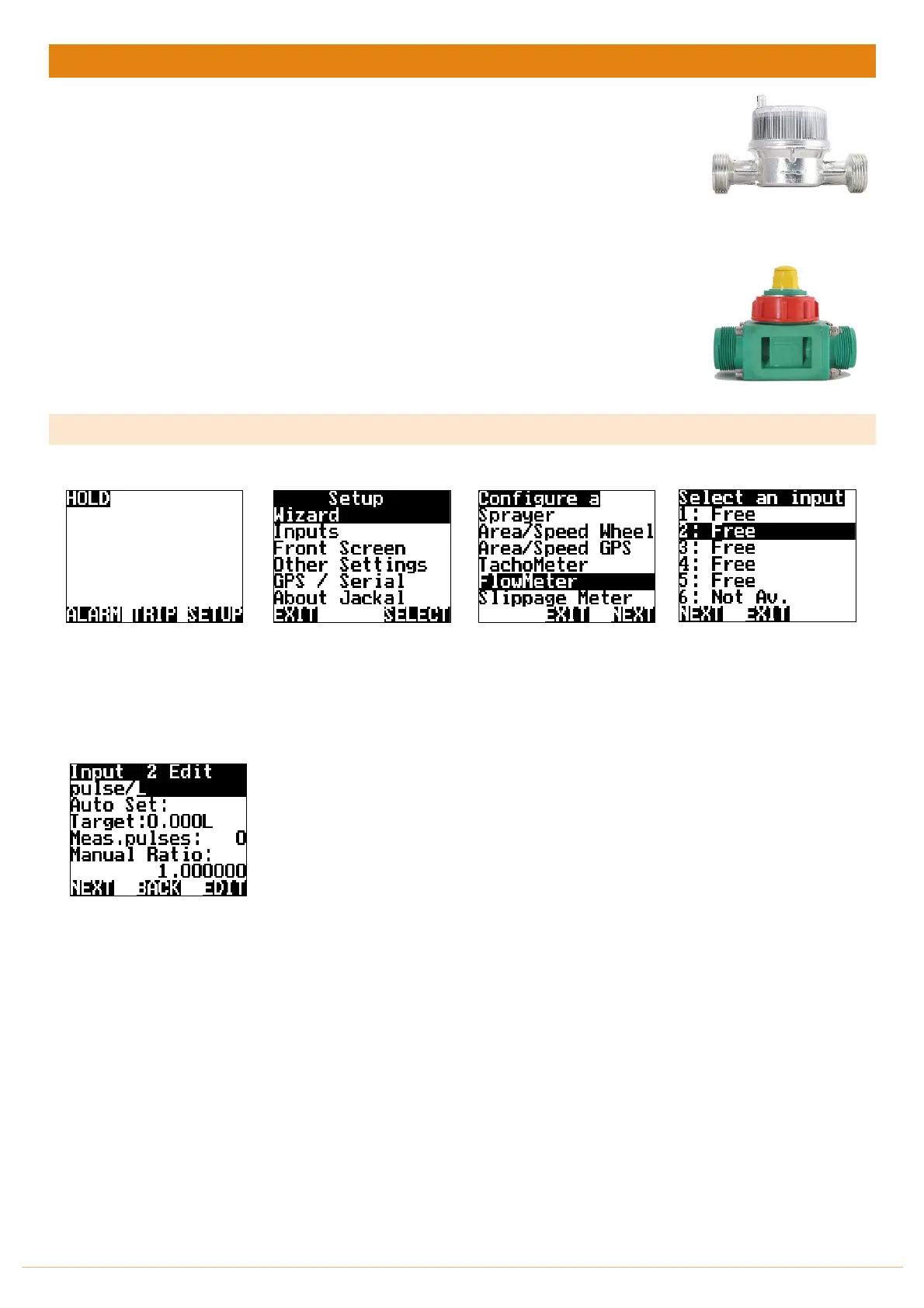
The example uses Input 2 – Polmac Flow Sensor
SETUP
From the front screen press
SETUP
Highlight WIZARD and press
SELECT
Highlight FLOWMETER and
press NEXT
Highlight and select the
appropriate sensor INPUT as
described above and press
NEXT
Choose your
calibration method
Edit the unit of Pulse or leave
as is.
Auto Set > PAGE 28
Manual Ratio > PAGE 29



 To Next Page