AM-JACKAL-35/ JULY 2020
INSTALLATION
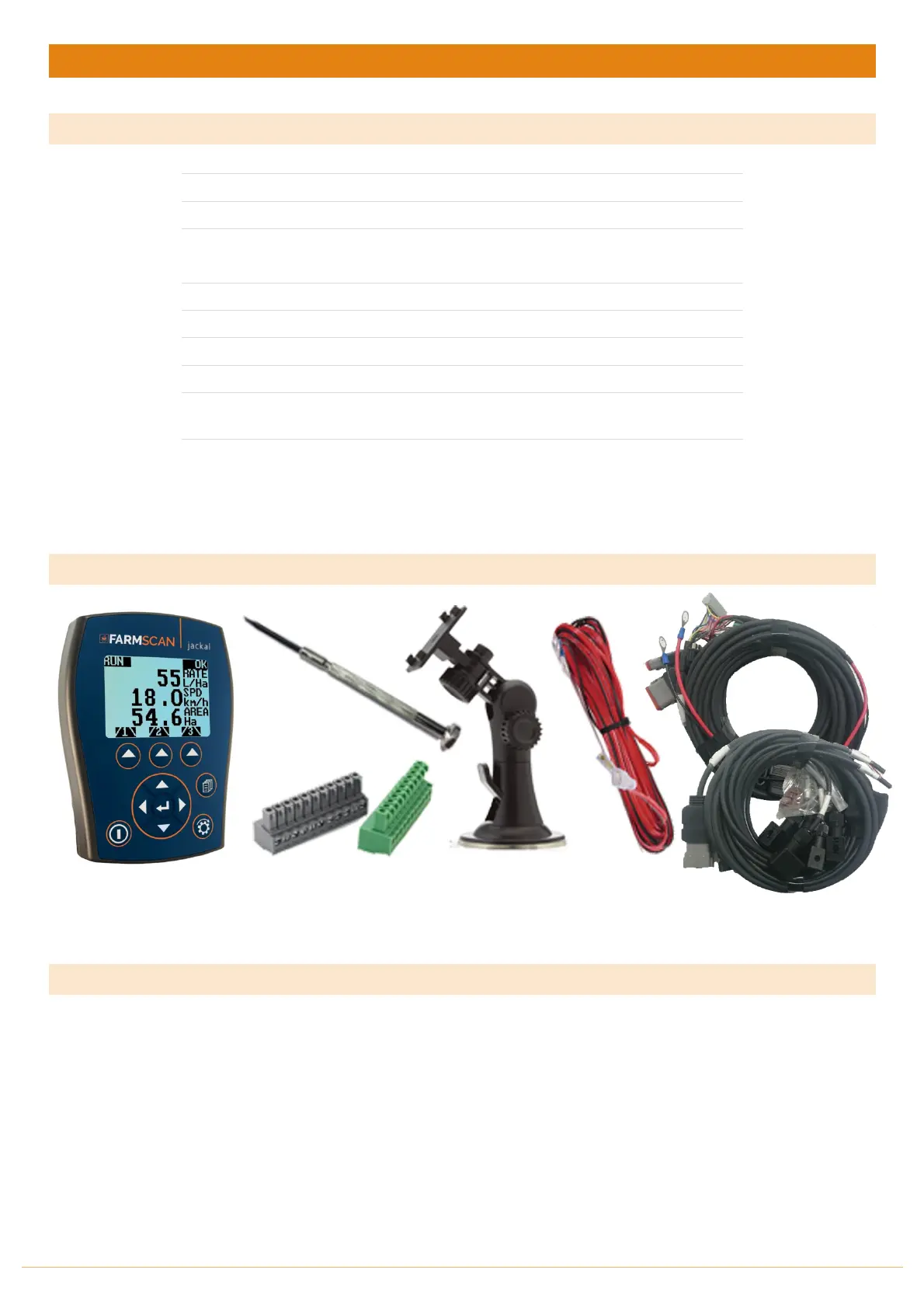
PARTS LIST
11 Way Input Plug
Green & Grey
Jackal Tractor
Harness 5m
Jackal Section
Harness 5m
^ Items
NOT
supplied when purchased as full spray control kit
* Items supplied if full control kit purchased
PARTS PICTORIAL
An additonal AC-4501/EXT – 10m extensions is available for purchase to extend the Parts 6 & 7 over a longer
implement.
MOUNTING & INSTALLATION
The Jackal Monitor & Spray Controller is
provided
with a
suction window mount. An optional RAM
style is also available for purchase at an additional cost. Farmscan Part No: AH-407-RAM
Slide
mount
onto unit and push
sideways
to lock into place. Make sure you hear a c
lick
of the
mount
locking
into
place.
Place in a
convenient position
on the
windscreen
and using the
toggle
lever
pictur
ed above (Item 2),
push all the way to the
bottom
until lever locks into
position.
Note:
Monitor should
be
mounted
in a clearly visible
position
in the cab for the
operator, but
not in
a
position where
it is
subject
to
intense
heat or
moistur
e.



 To Next Page