AM-JACKAL-35 / JULY 2020
RATE MONITOR – LIQUID
The Jackal can be setup to display an application rate when using both
a speed & flow input.
Rates can be displayed in common formats such as L/Ha
Sensors Required:
• Wheel Sensor/GPS for Speed & Area calculation
• Flow meter (any style) to display Litres
Available Connections: Refer to Installing Sensors from PAGES 9-11
SETUP LIQUID (L/HA)
1. Follow the setup guide on page 21 for “Speed/Area Meter setup”
2. Follow the setup guide on page 27 for “Flow Meter Setup”
3. Follow the steps as described below
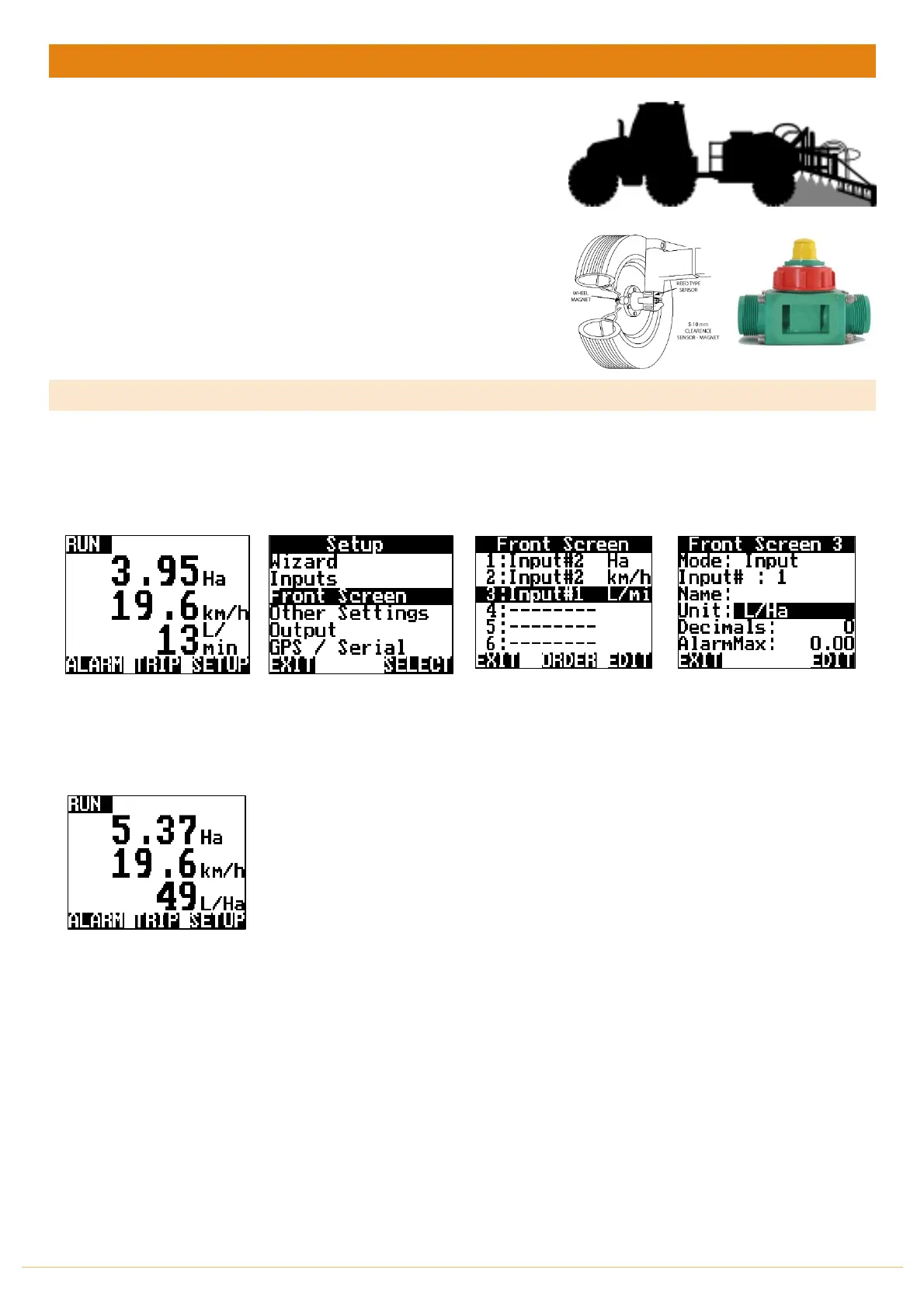
From the front screen press
SETUP
Highlight FRONT SCREEN &
press SELECT
Highlight the line in which
the Flow Meter is connected
to.
e.g. 3: Input#3 L/min
Press EDIT
Highlight the UNIT & press
EDIT to change the unit to
L/Ha.
At no stage can the Jackal
take into account multiple
sections turning on an off
and adjusting the Ha to suit.
This feature is only available
in the Jackal Spray Control
configuration
Press EXIT 3 times to return
to the front screen.
Jackal will now display the
flow rate as L/Ha with Area &
Speed
THIS ENDS THE SETUP FOR RATE METER SETUP AS L/Ha



 To Next Page