AM-JACKAL-35/ JULY 2020
BATCH METER (JACKAL CONTROL ONLY)
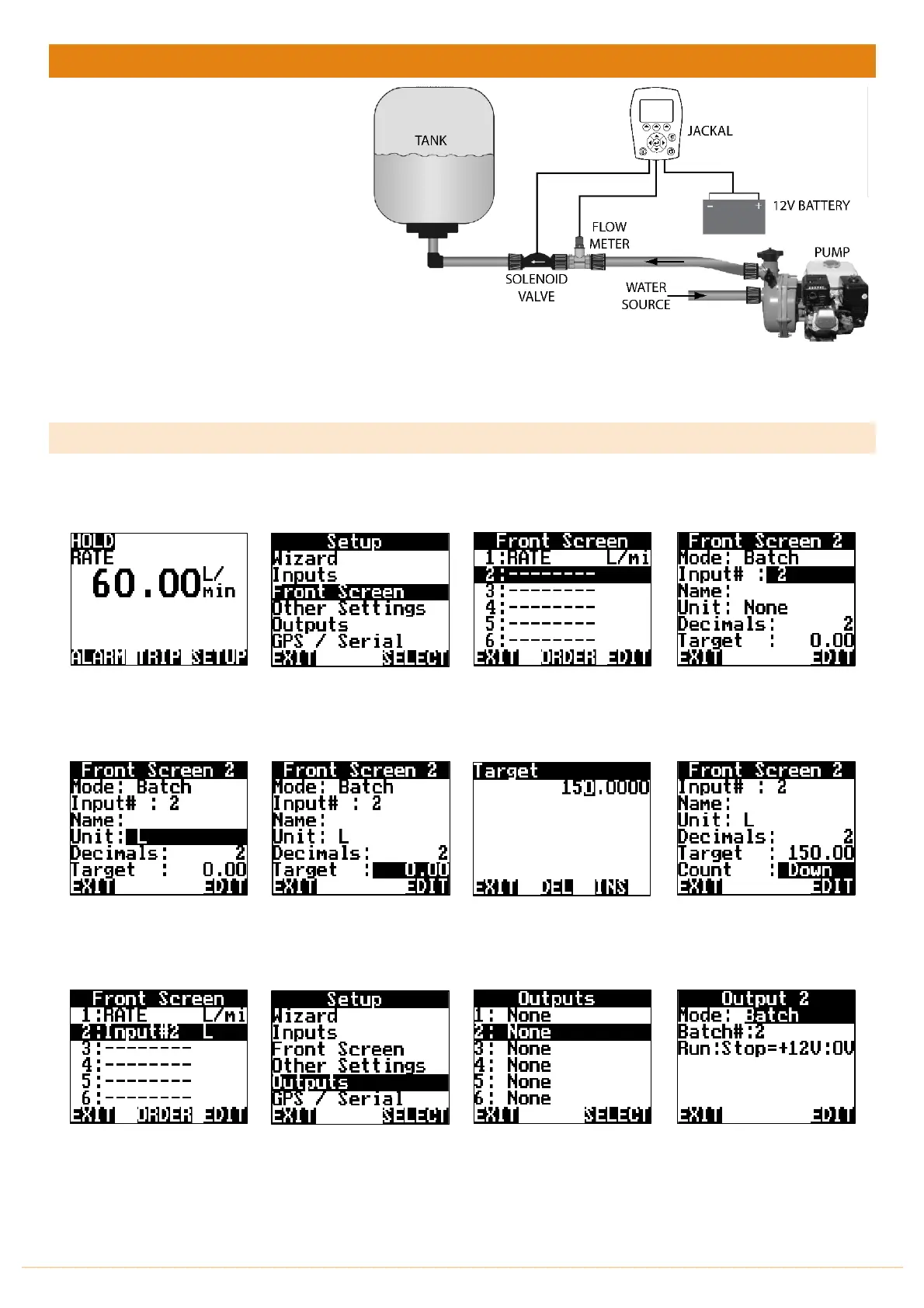
The Jackal can be configured as a Batch
Meter to use a flow sensor and optional
solenoid valve to meter liquid volumes &
cease flow. The output of the Jackal is
suitable for direct connection to a 12V
solenoid valve.
Sensors Required:
• Flow meter (any style)
• 1501 (Optional, from Farmscan) or
any 12V Solenoid Valve
Available Connections: Refer to Installing Sensors from PAGES 9-11
NB: The Jackal must be unlocked for controller for batch function to work.
SETUP
1. Follow the setup guide on PAGE 27 for “Flow Meter Setup”
From the front screen press
SETUP
Highlight FRONT SCREEN &
press SELECT
Select an UNUSED
front screen position & press
EDIT
Press EDIT to select BATCH.
NB: INPUT # should match
flow meter input. Change if
necessary (Normally 2)
Highlight UNIT & press EDIT
to change Unit to L
Highlight TARGET & press
EDIT to change the batch
volume required.
Using the NAV buttons enter
the volume required.
Press
EXIT
when done
Using the NAV buttons press
DOWN
and
EDIT
the
COUNT
to batch
UP
or
DOWN
.
Press
EXIT
when done
Press
EXIT
again
CONTIUNE INSTRUCTIONS IF
A SOLENOID IS INSTALLED OR
SKIP TO OPERATION
Highlight OUTPUTS & press
SELECT
Highlight 2: None & Press
SELECT to edit Output 2
Press EDIT and change the
MODE to BATCH



 To Next Page