AM-JACKAL-35 / JULY 2020
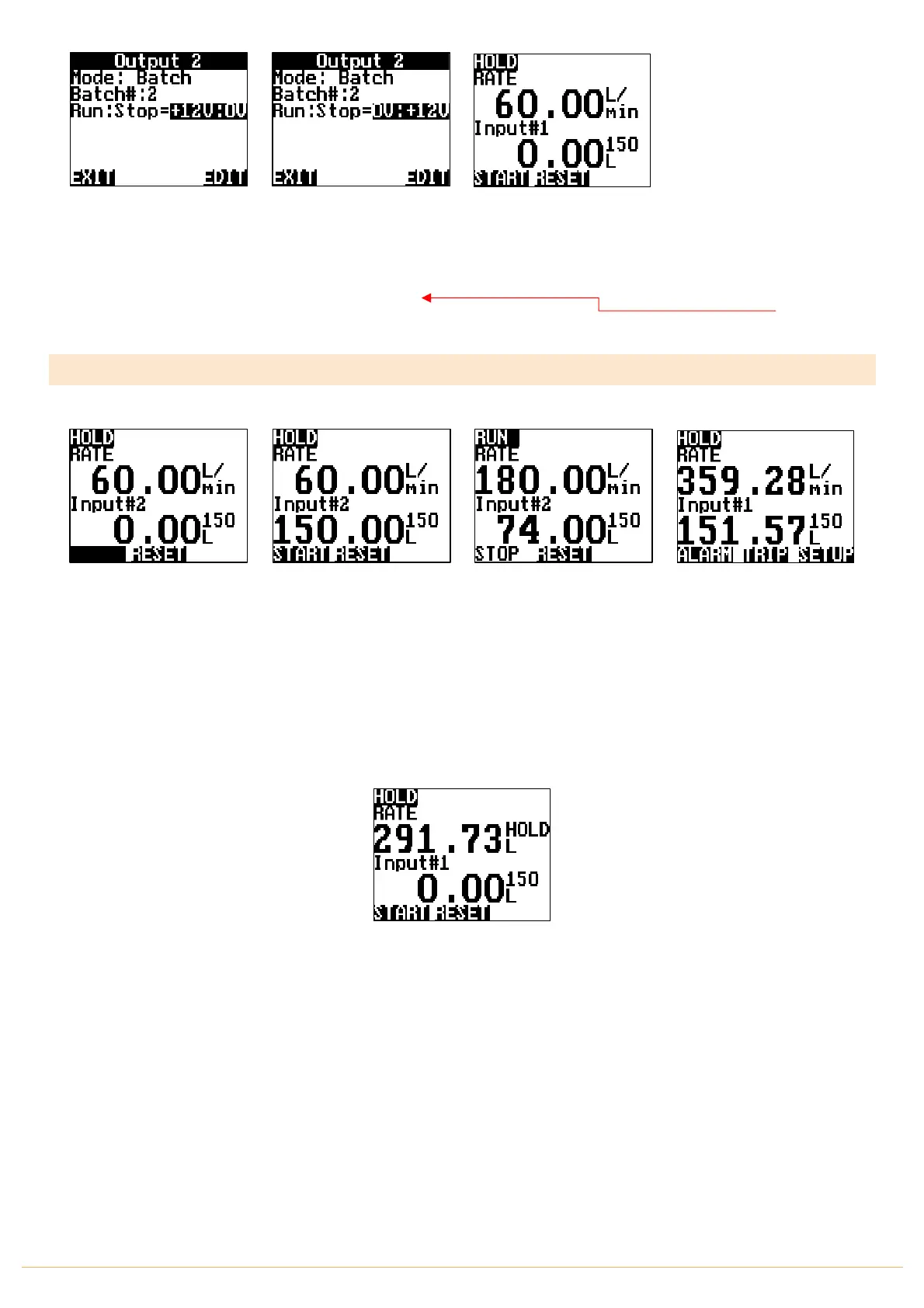
Highlight & EDIT the
Run:Stop value to
0V:+12V
Highlight & EDIT the Run to
Stop voltage.
The option allows the output
selected to pull from:
+12v to 0V or
0v to 12v
Press EXIT 3 times to return
to the Front Screen
IF YOU FIND DURING THE
FIRST BATCH OR ON STARTUP
YOUR SOLENOID IS WORKING
IN REVERSE – CHANGE THE
RUN:STOP VALUE
OPERATION
Start by pressing the PAGE
button and toggle between
ALARM TRIP SETUP
To
IIIIIIII RESET
Press RESET to clear the
count value followed by
START.
Water will flow and the
batch will start to either
count UP or count DOWN as
selected.
START will toggle to STOP if
you need to restart a batch.
RUN/HOLD also performs
the same action
Press RESET if required.
If you need to keep a record
of your batch, press the
PAGE button and press the
TRIP button to save.
More about TRIPS on
PAGE 40
TIP: If you want to see a Total Litres displayed (rather than
L/Min) – Change the FRONT SCREEN value from L/Min to L
Refer to the Flow Meter Setup
All Values can be reset or saved when using the TRIP
functions
THIS ENDS THE SETUP FOR A LIQUID BATCH METER



 To Next Page