AM-JACKAL-35/ JULY 2020
FRONT SCREEN (ORDER)
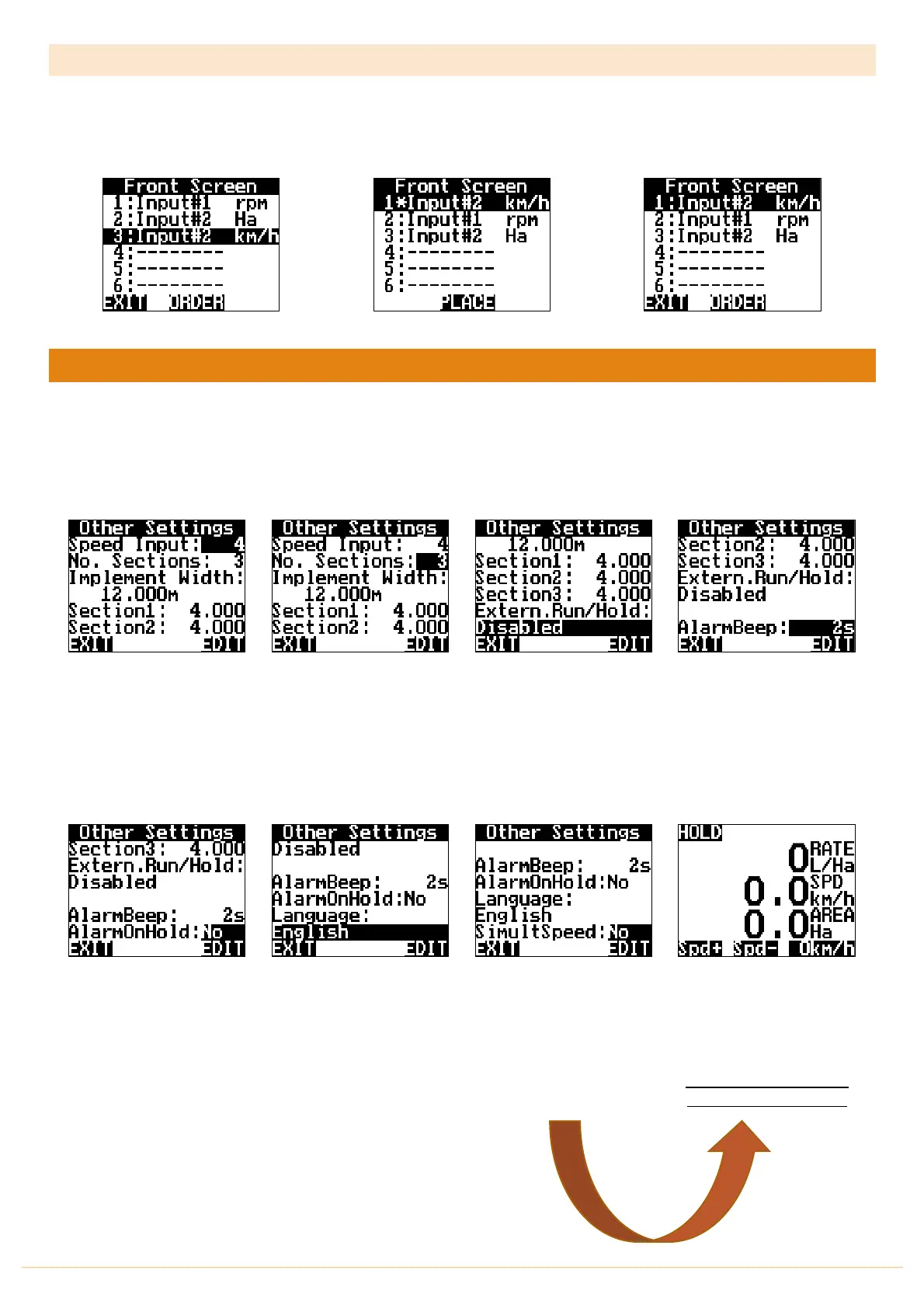
The front screen menu allows you to order the front screen line items. Highlight the line you wish to move, press
ORDER (a * will appear to the left) then press PLACE to accept when you have chosen the new order.
OTHER SETTINGS
RUN SCREEN > SETUP > OTHER SETTINGS
Other Settings is used to edit the following options.
Quicky EDIT the Speed Input
Quickly
EDIT
the
Implement
width
,
Number of Sections
&
Individual Section Widths
Enable/Disable
External
Run/Hold Function (As
described on
PAGE 11-12
)
By changing the Alarm Beep
(in seconds) you can define
how long audible “Beeps”
can be heard during the
Alarm alert before
acknowledgment is required.
Press EDIT to change these
options.
EDIT
the
AlarmOnHold
from
YES/NO. This option allows
you to have alarms active
while the Jackal is ON HOLD
Change the Jackal to your
local Language by pressing
EDIT
Simulate Speed allows you to
test the Jackal while
stationary.
When the feature is enabled
YES
- return to the front
screen to reveal a manual
speed adjust.
If the feature does not
appear. Press the PAGE
button reveal the new
option. Adjust your speed to
the test rate required.
** Return to the menu to
disable when finished **



 To Next Page