AM-JACKAL-35/ JULY 2020
GPS/SERIAL
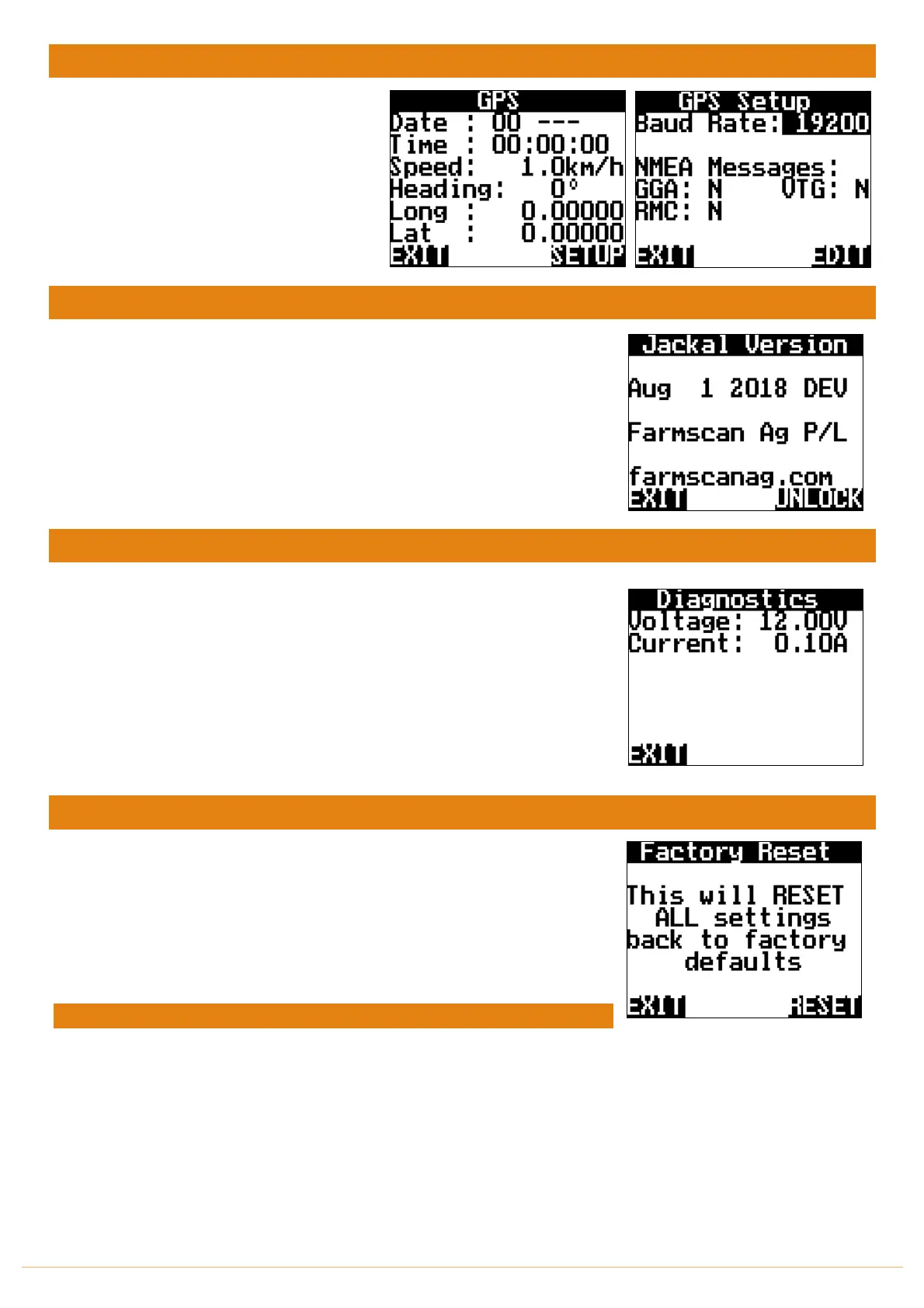
The GPS/Serial menu allows you to confirm
that the GPS connected to the Jackal is
function correctly.
By pressing the SETUP followed by EDIT,
confirm the correct strings and Baud rate.
The NMEA messages will change from N to Y
ABOUT JACKAL
Displays the Firmware version that’s installed on the Jackal.
This screen also allows you to UNLOCK your Jackal to further functionality.
Please contact Farmscan should you wish to purchase an unlock code.
DIAGNOSTICS
This screen provides the following information:
• Voltage Displays a live input voltage to the Jackal.
• Current Displays live Current draw on the Jackal.
• Input “x” When inputs are enabled, they will also
be displayed for easy diagnostics.
FACTORY RESET
WARNING
This screen allows you to return the Jackal to factory defaults.
All values will be lost after pressing RESET.
Power cycle the Jackal to confirm all settings are reset.



 To Next Page