AM-JACKAL-35 / JULY 2020
TACHOMETER - RPM METER SETUP (WIZARD)
The Jackal can display an rpm (Revolutions per minute) which is useful for
monitoring fans or shafts. Available in slow & fast options.
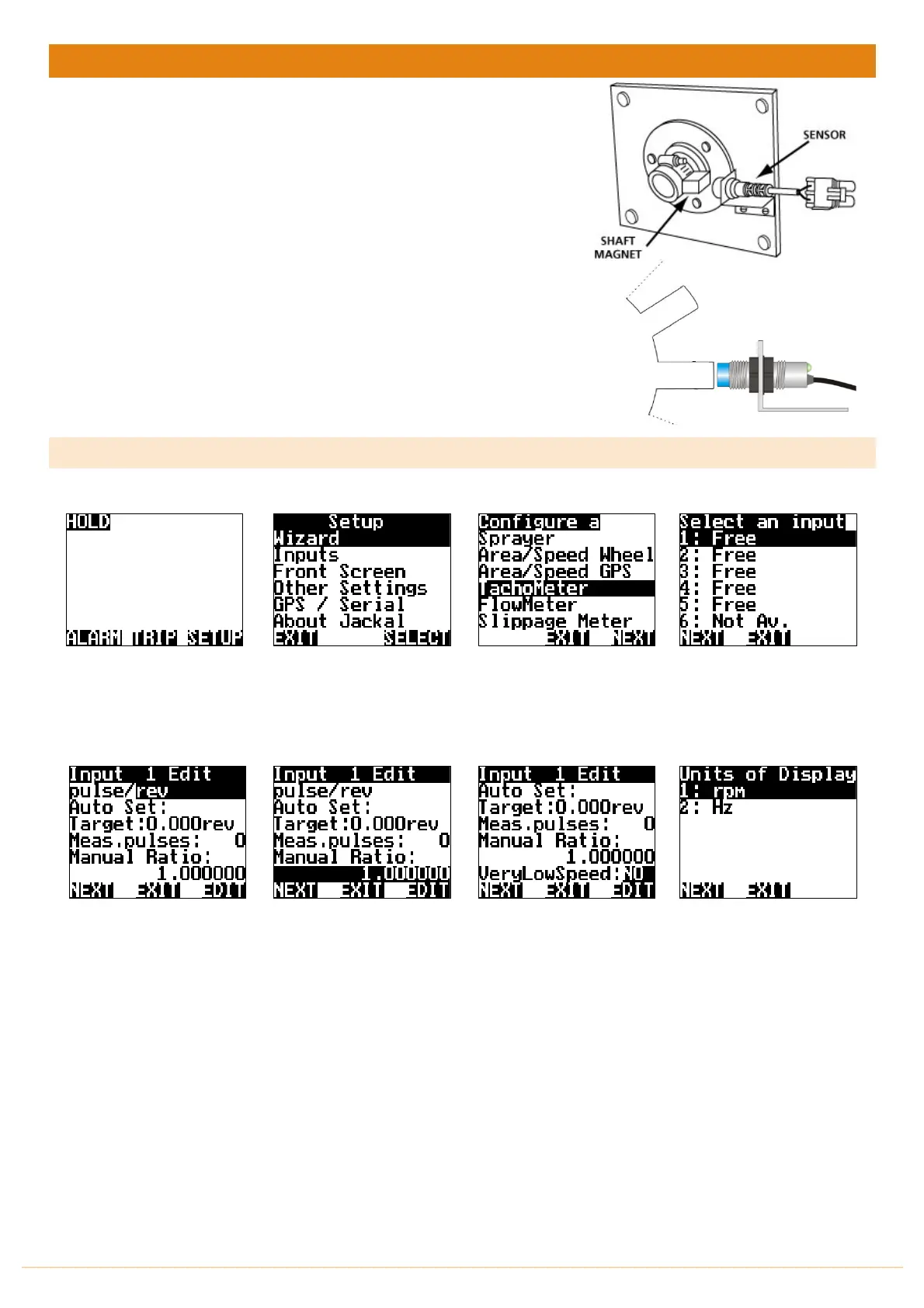
NB: THERE SHOULD BE A 5-10MM CLEARANCE
BETWEEN SENSOR AND MAGNET OR 4MM BETWEEN PROX
AND PICKUP
Sensors Required
• Shaft Sensor pickup 2 (Reed) or 3 wire (Proximity)
• Magnet (Used with 2 & 3 wire sensor)
Available Connections: Refer to Installing Sensors from PAGES 9-11
SETUP
From the front screen press
SETUP
Highlight WIZARD and press
SELECT
Highlight TACHOMETER and
press NEXT
Highlight and select the
appropriate sensor INPUT
and press NEXT
Leave the default value of
pulse/rev and press NEXT
Select
MANUAL RATIO
Select
EDIT
The manual ratio is the
number of magnets or bolt
heads/teeth (for proximity).
In most cases the ratio will be
1.
or Press NEXT
FOR LOW RPM
(1rpm-20rpm)
Press the DOWN button and
change VeryLowSpeed from
NO to YES by pressing EDIT
Press NEXT when done
Leave the default value of
RPM.
Select NEXT



 To Next Page