AM-JACKAL-35 / JULY 2020
GENERIC WIZARD
The generic wizard allows to manually setup your Jackal in a customised method. You can also setup the Jackal to
your requirements without using the wizard and navigating each menu by enabling and calibrating each port as
required. Refer to the previous wizard guides to assist with manual setup.
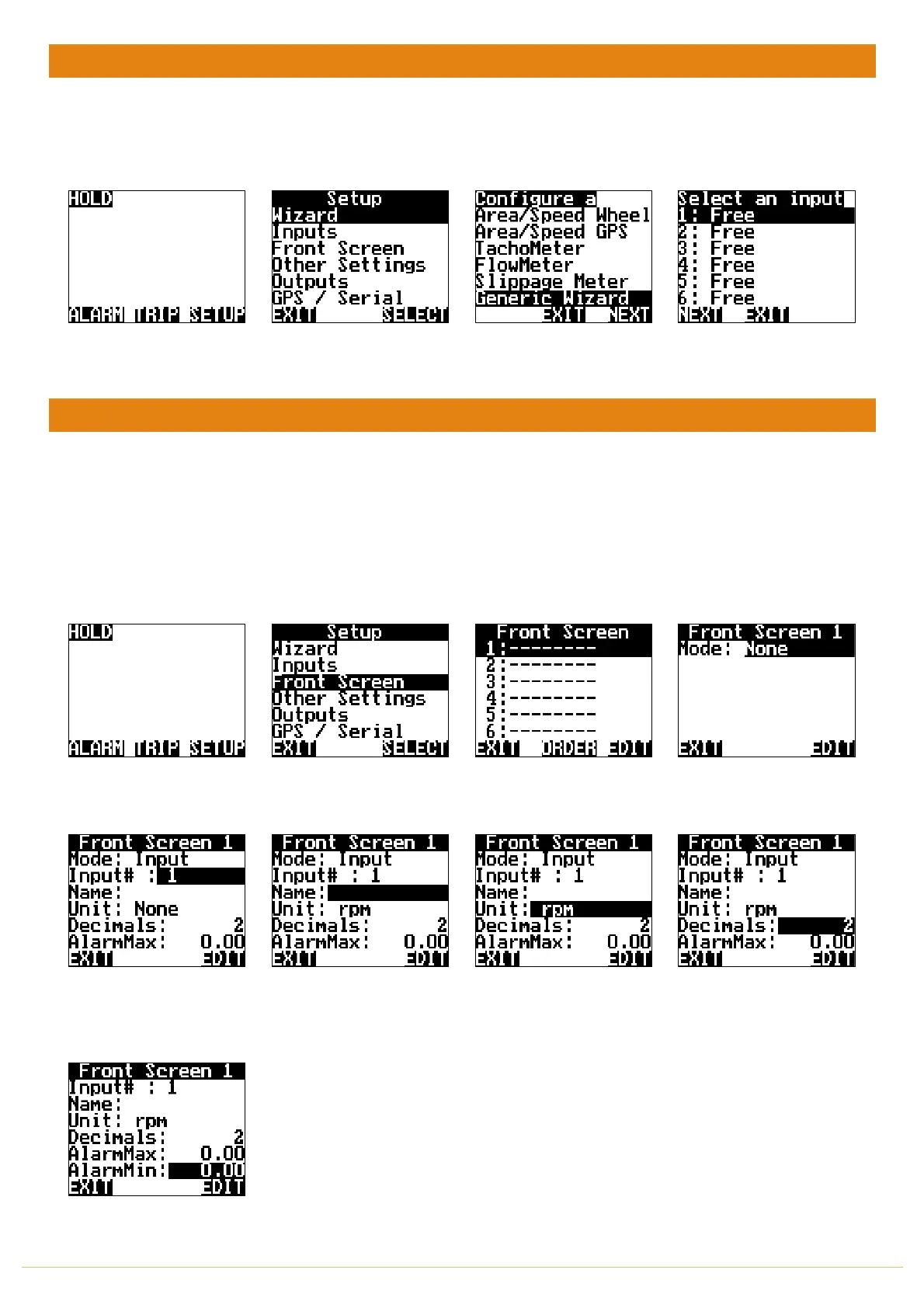
From the front screen press
SETUP
Highlight WIAZRD & press
SELECT
Highlight GENERIC WIZARD
& press SELECT
Highlight the appropriate
port the sensor is connect to
and press NEXT
FRONT SCREEN
RUN SCREEN > SETUP > FRONT SCREEN
When your inputs have been enabled and calibrated you can now choose to display the values in our chosen formats
on the front screen. You can have up to 3-line items per page and viewable at all times. If more lines are added you
can use the
NAV
buttons to scroll through each screen.
NB: Selectable units realte to the input type. E.g: Input 1 setup as a rev/pulse could display rpm or hz as the unit
From the front screen press
SETUP
Highlight FRONT SCREEN &
press SELECT
Highlight the line you want
to display the first value &
press EDIT
Press EDIT to enable the line
mode
Highlight INPUT # and press
EDIT to associate the
calibrated INPUT to the line
Highlight NAME and EDIT the
input name for easy
indetifaction. Eg Shaft
Highlight UNIT and press
EDIT to select the approprate
unit associated with the
calibrated input
Highlight DECIMALS and
press EDIT to change the
number of decimals
displayed on the front screen
Highlight and EDIT the Max &
Min Alarm settings if
required



 To Next Page