AM-JACKAL-35 / JULY 2020
AREA & SPEED METER SETUP (WIZARD)
The Jackal can display Speed & Area in any combination of km/Ha or mph/acre.
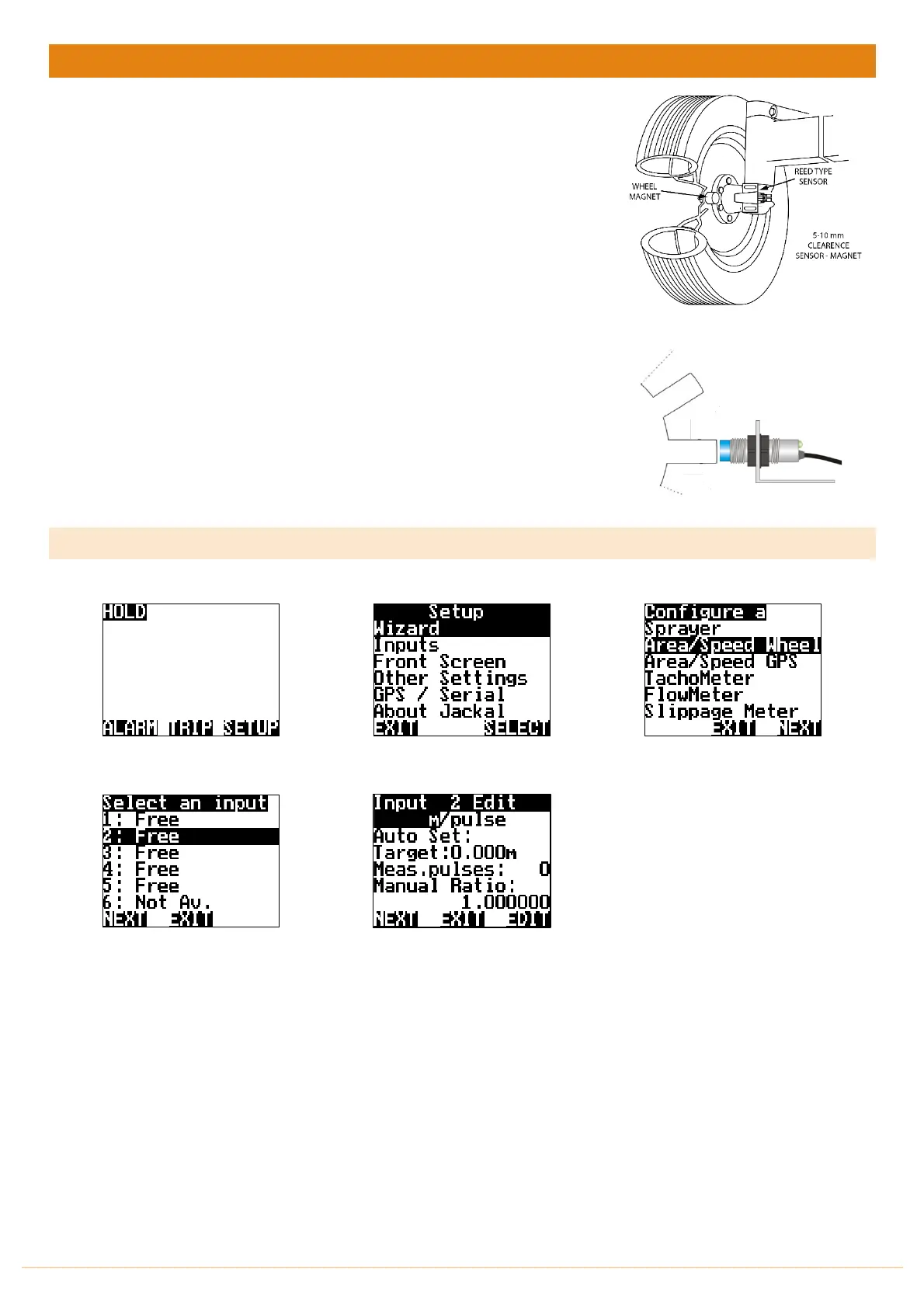
A pickup can be mounted either on a wheel hub or shaft. (Example image right)
NB: THERE SHOULD BE A 5-10MM CLEARANCE BETWEEN SENSOR AND
MAGNET WHEN 2 WIRE SENSORS ARE USED.
NEW STYLE, PROXIMITY SENSORS REQUIRE 4MM SENSING DISTANCE.
THE PICKUP CAN BE MAGNETIC OR RAISED BOLT HEAD.
Sensors Required:
• Wheel sensor pickup 2 (Reed) or 3 wire (Proximity)
• Magnet (Used with 2 & 3wire sensor)
Available Connections: Refer to Installing Sensors from PAGES 9-11.
NB: The Implement harness has 3 wires by default. If using our standard wheel
sensor kit, please only use the black & colored wire. The RED (Positive) does not
need to be connected. – Trim this back or cover with heat shrink to prevent
shorting out.
SETUP
From the front screen press SETUP
Highlight WIZARD and press SELECT
Highlight Area/Speed Wheel and
Press NEXT
Choose your
calibration method
Highlight the INPUT number the speed
is connected into the back of Jackal &
press NEXT
Leave the unit of pulse calibration
method as M
Auto Set > PAGE 22
Manual Ratio > PAGE 23



 To Next Page