AM-JACKAL-35 / JULY 2020
CALIBRATION (MANUAL RATIO)
1. Ensure that the sensor and pickup are end-end before continuing
2. Mark bottom centre of tyre on which the sensor is fitted and mark ground in corresponding position
3. Drive ONE full rotation of the wheel, returning the mark point on tyre to bottom centre
4. Measure between the two points.
o This is your Manual Ratio (Example 1.24m)
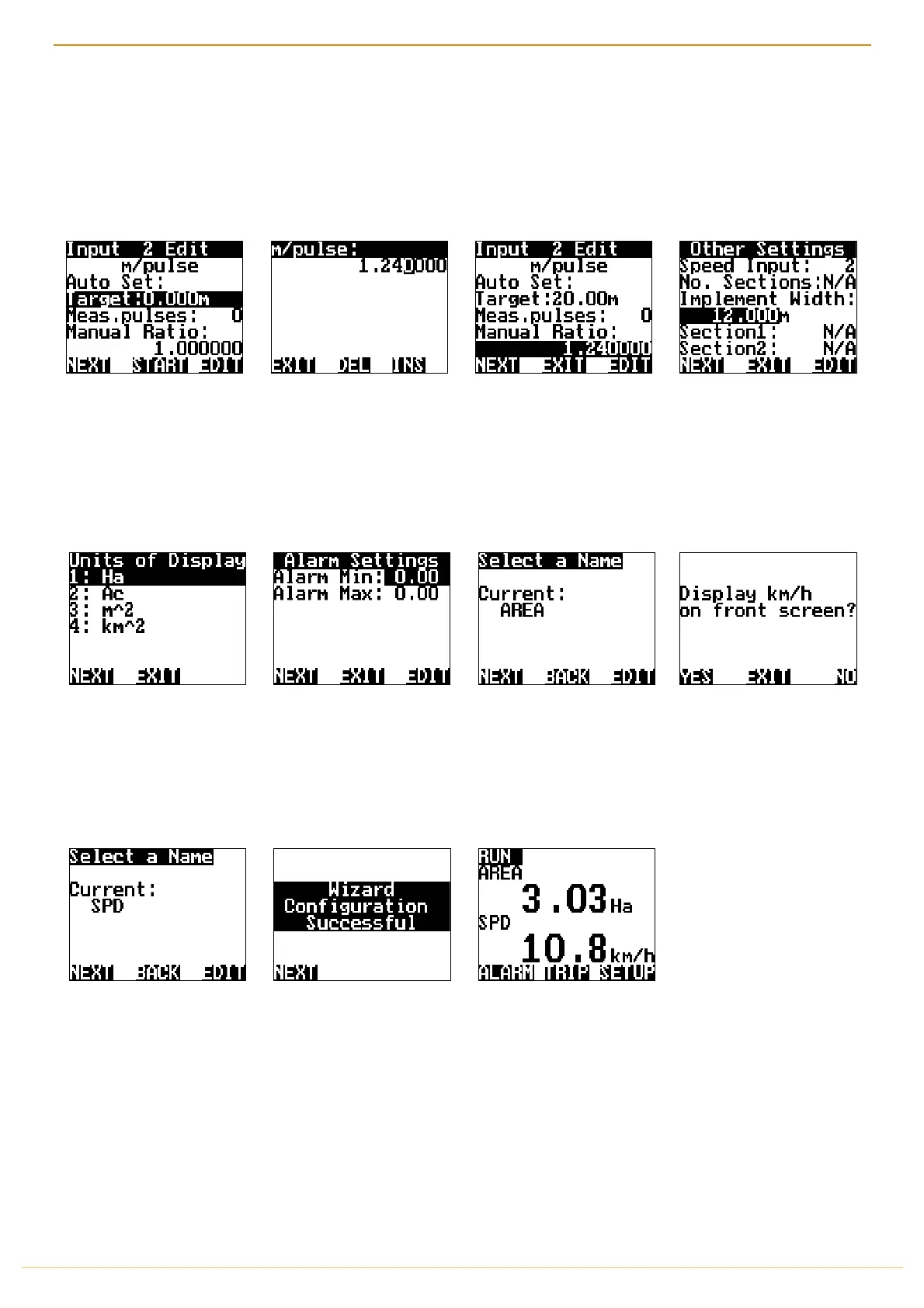
Select
MANUAL RATIO
Select
EDIT
Using the
NAV
buttons enter
your measured distance. i.e.
1.240000
Press
EXIT
when done.
Using the
NAV
buttons and
pressing
EDIT
enter your
implement width in (m). e.g.
12m
Press
NEXT
Using the
NAV
buttons select
how you would like the area
to be displayed on the front
screen.
Press
NEXT
You have the option to set
Alarm Min/Max points if
required. Using the
NAV
buttons select and
EDIT
as
required. Press
NEXT
Change the input name if you
desire, Press
EDIT
Press
NEXT
Select either YES or NO to
display Speed on the front
screen with the area
covered.
Change the input name if you
desire, Press
EDIT
,
Press
NEXT
Press
NEXT
to finalise the
Wizard and return to the
front screen
THIS ENDS THE MANUAL RATIO SET WIZARD SETUP FOR SPEED/AREA METER



 To Next Page