AM-JACKAL-35 / JULY 2020
CALIBRATION (MANUAL SET)
Manual set allows for the manual input of a known pulse per litre (PPL) factor. The pulse per litre factor can be
obtained from the flow meter manufacture or from the plastic tag attached to the flowmeter.
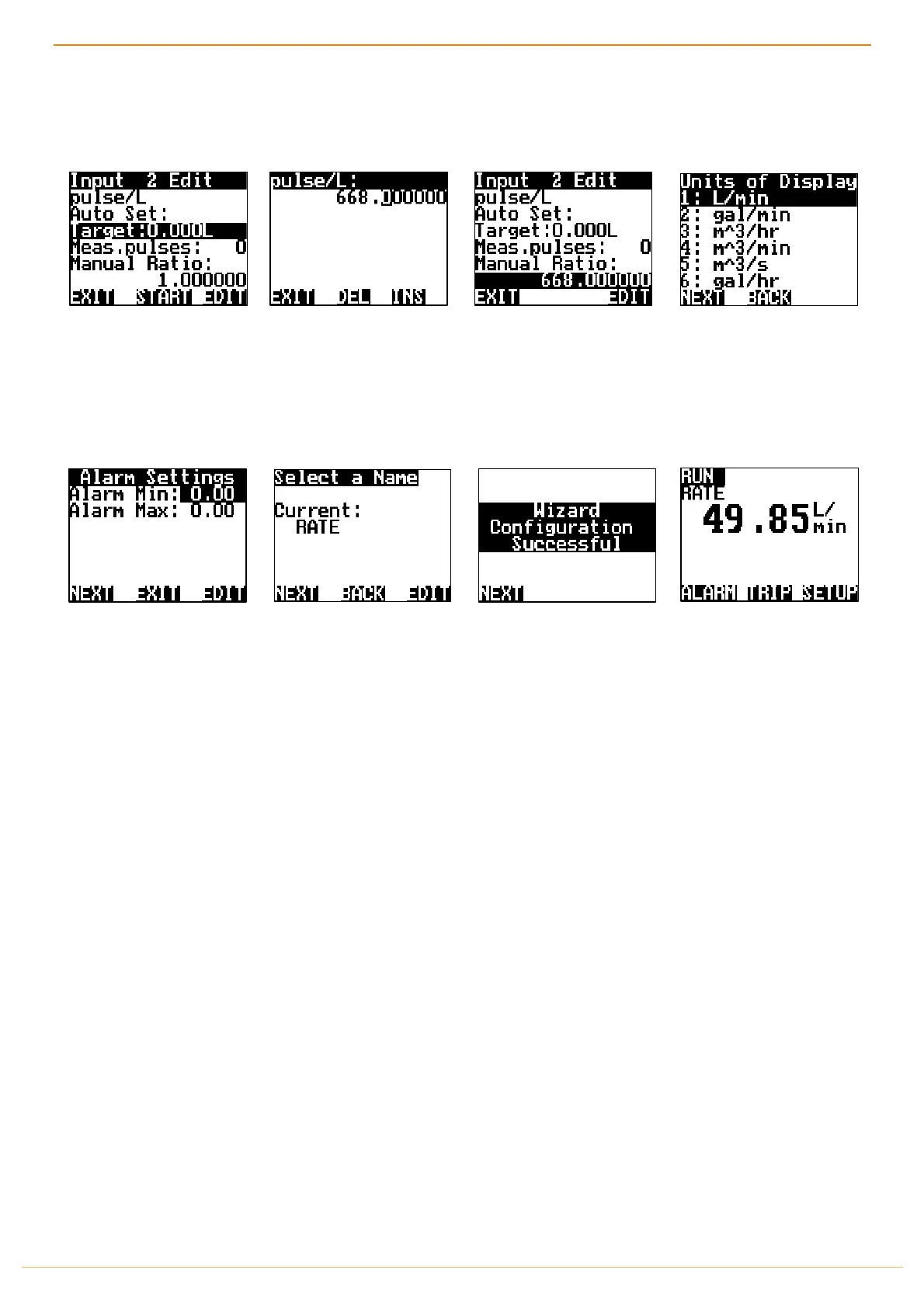
Highlight 1.000000 under
MANUAL RATIO
& press
EDIT
Using the NAV buttons enter
the PPL factor as displayed on
the flow meter tag.
i.e. 91.2
Press
EXIT
when done.
Press
NEXT
to accept the new
manual ratio (PPL)
Using the NAV buttons
select how you would like
the UOD to be displayed on
the front screen.
Press
NEXT
You have the option to set
Alarm Min/Max points if
required. Using the NAV
buttons select &
EDIT
as
required. Press
NEXT
Name the input if you desire,
Press
EDIT
or Press
NEXT
The Wizard is now complete.
Press
NEXT
You will be returned to the
Front Screen.
THIS ENDS THE MANUAL CALIBRATION WIZARD SETUP FOR FLOW METER
** IT IS ADVISED TO CHECK YOUR MANUAL CALIBRATION BY MEASURING OUT A KNOWN QTY TO CONFIRM PPL**
THIS CAN BE DONE BY COMPLETING THE CALIBRATION AUTO SET ON THE PREVIOUS PAGE (28)



 To Next Page