AM-JACKAL-35 / JULY 2020
CALIBRATION (LIVE READOUT)
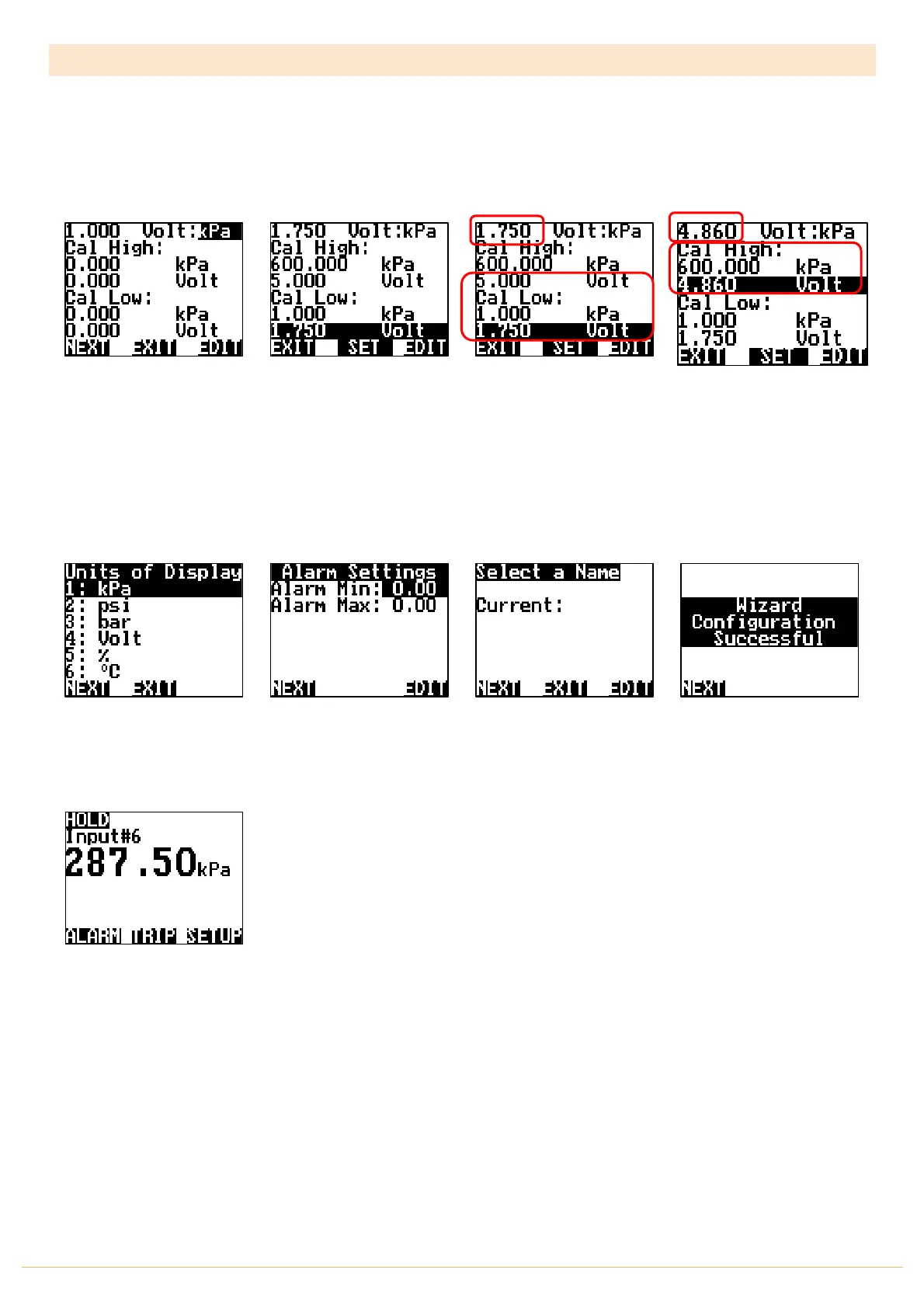
The Jackal also allows for a semi-automatic setup when the voltage values are unknown for a particular voltage
input. A live voltage readout is displayed in the top left-hand side when the sensor is active.
Follow the previous 5 steps, followed by:
Press EDIT to change the
unit. kPa,psi,bar,Volt,%,˚C.
i.e. kPa
Engage the implement
and/or adjust the pressure
manually to the low point the
sensor will need to operate
in.
The voltage will now be
displayed. e.g. 1.75v.
In the above example we can
set the minimum of 1kPa by
HIGHLIGHTING & EDITTING
the values as required.
Press SET. This will copy the
live voltage into the CAL LOW
voltage point
Repeat the previous 2 steps
for the CAL HIGH values
Highlight or confirm the UOD
(Unit of Display)
e.g. kPa
Press NEXT when done
You have the option to set
Alarm Min/Max points if
required. Using the NAV
buttons select &
EDIT
as
required. Press
NEXT
Name the input if you desire,
Press
EDIT
or Press
NEXT
The Wizard is now complete.
Press
NEXT
You will be returned to the
front screen
THIS ENDS THE AUTO SETUP FOR A VARAIBLE VOLTAGE INPUT SENSOR (LIQUID)



 To Next Page