15
SAVE TO BANK
Selecting SAVE TO BANK saves the current parameters to a user-selected preset slot in one of the 100 banks.
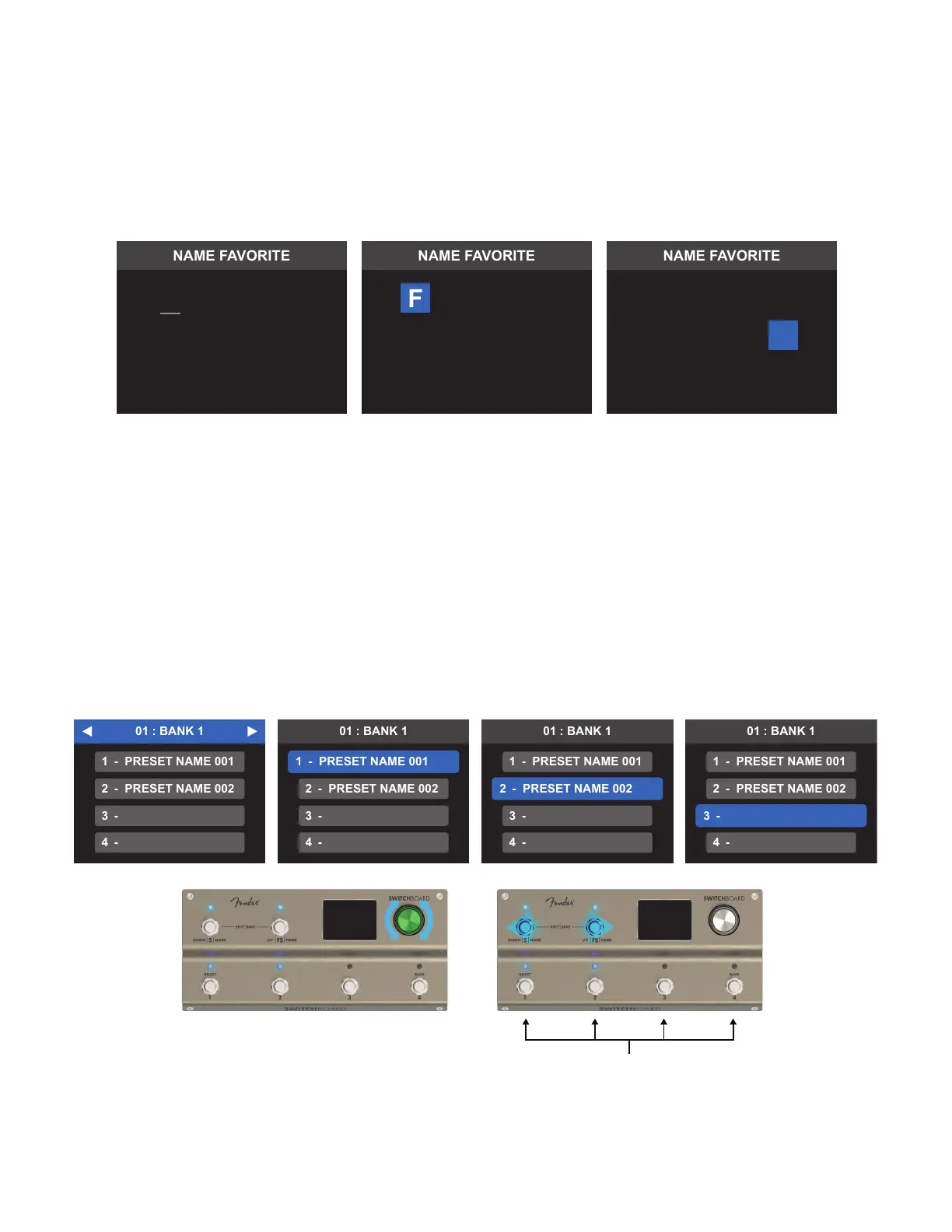
The user is prompted to select a save location for the preset using the BANK NAVIGATION screen. The LEDs
above Footswitch 5 and Footswitch FS will illuminate in cyan, indicating they can be used to scroll through
banks; the LEDs above footswitches 1-4 will ash blue if corresponding preset slots 1-4 are currently full.
To assign the save location using the encoder, turn it to locate the desired bank and press it to conrm. Then
turn and press again to select the preferred preset slot.
To assign the save location using the footswitches, use Footswitch 5 and Footswitch FS to scroll to the desired
bank, then press the footswitch (1-4) that corresponds to the desired preset slot in the bank. To exit without
saving, press and hold the encoder.
SAVE TO FAVORITES
Selecting SAVE TO FAVORITES saves the current parameters in the next available favorite slots. The NAME
FAVORITE screen will appear with the autogenerated name FAVORITE ###, in which ### shows the next avail-
able Favorite slot number it will be saved to.
To rename the favorite, use the encoder or footswitches to scroll through and select up to 15 characters. When
nished, press and hold the encoder or press Footswitch 4 (BACK) and open the SAVE CONFIRMATION menu.
Select SAVE AND RETURN to save the new favorite and return to LOOP MODE.
On selecting the preset location option, the NAME PRESET screen will appear with the autogenerated pre-
set name PRESET #, where # is the preset slot in that bank. To rename and save the preset, use the encoder or
footswitches as previously described in the “Save to Favorites” section.
VA O R
F
ET 1
I
VA O R
ET 1
I
EL A N
C
OT
N E
SELECT PRESET SLOT 1-4
OR



 To Next Page