24
FAVORITES
Favorites act as global presets that can be saved in multiple banks. All instances of a favorite match in parameters,
and editing a favorite using the FAVORITES EDITOR will apply the changes to all instances of that favorite across
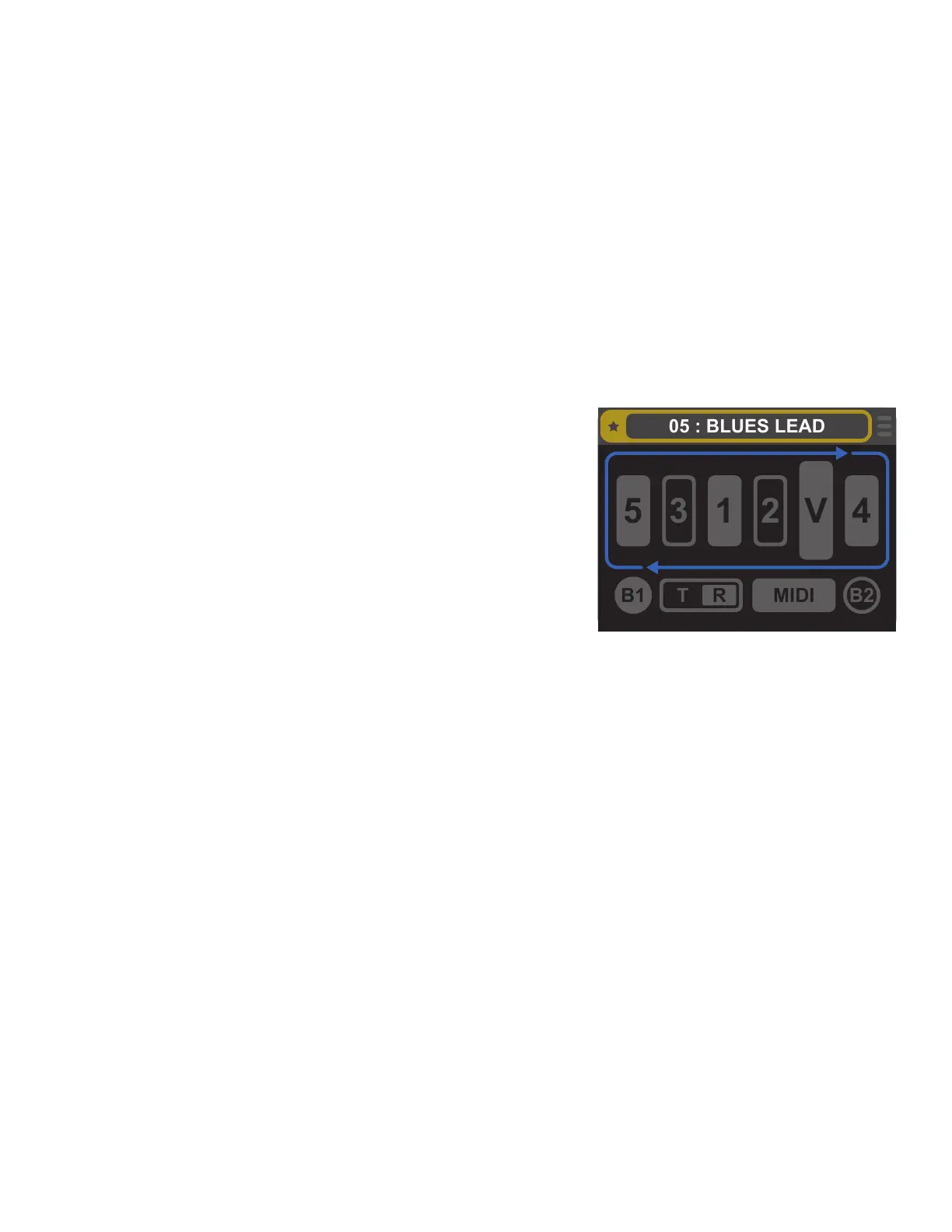
every bank. Switchboard features 100 available favorite memory slots. Favorites are indicated using the gold star
icon and a gold highlight around the favorite name when they’re selected in BANK MODE or being edited.
Favorites can be used to quickly duplicate the same tone across multiple banks. When updating a pedal or gui-
tar, changes can easily be made across all these favorites to accommodate the gear change without needing to
edit each individual preset.
Favorites can also be used as templates for quickly creating new personalized presets. Once loaded into a
bank’s preset slot, a favorite can be edited individually in the PRESET EDITOR. This is useful in instances when
maintaining the same pedal order and status (saved as a favorite) is preferred but specic MIDI settings for indi-
vidual presets (edited in PRESET EDITOR and saved as individual presets) are needed.
FAVORITES EDITOR
Favorites can be managed and edited using the FAVORITES EDITOR,
accessed through the EDIT MENU by selecting the EDIT FAVORITES
option and then selecting the desired Favorite slot for editing.
The FAVORITES EDITOR screen uses the same functionality and
icons and the PRESET EDITOR screen; the only dierence is the gold
box and star surrounding the name used to indicate the Favorite
being edited (right). Any changes saved during a FAVORITES EDITOR
session will be saved to all instances of that favorite across all banks.
CREATING FAVORITES
A new Favorite can be created in any of the three editor screens. In LOOP MODE EDITOR or PRESET EDITOR, sim-
ply select SAVE AS FAVORITE from the SAVE MENU when setting the parameters to preference. Switchboard will
save these parameters in the next available Favorite slot.
A new favorite can also be created using the FAVORITE EDITOR by selecting an empty favorite slot. Parameters
can be manually entered as they would be in PRESET EDITOR, using the encoder or the footswitches, or loaded
from a currently existing preset using the CLEAR OR REPLACE option in the FAVORITES SAVE MENU.
LOADING FAVORITES TO PRESET SLOTS
Favorites can be loaded to preset slots using the FAVORITES EDITOR or the PRESET EDITOR. To do so using the
FAVORITES EDITOR, select the SAVE MENU icon or press and hold the encoder. Select SAVE TO BANK, and when
prompted use the encoder or footswitches to assign the bank and preset slot to save the Favorite.
To load a favorite using the PRESET EDITOR, select the desired bank and preset slot for loading the Favorite from
the BANK MODE screen, and then enter the PRESET EDITOR. Select the SAVE MENU icon or press and hold the
encoder, and from the SAVE MENU options select CLEAR OR REPLACE. Then select REPLACE W/ FAVORITE; a
prompt will appear to make a selection from a list of all available Favorites. Use the encoder or footswitches to
select a Favorite to load into the current preset slot.



 To Next Page