29
FIRMWARE UPDATES
The rear-panel USB-C port is used to connect Switchboard to a computer for installing periodic rmware up-
dates available at fender.com/rmware/support.
FACTORY RESET
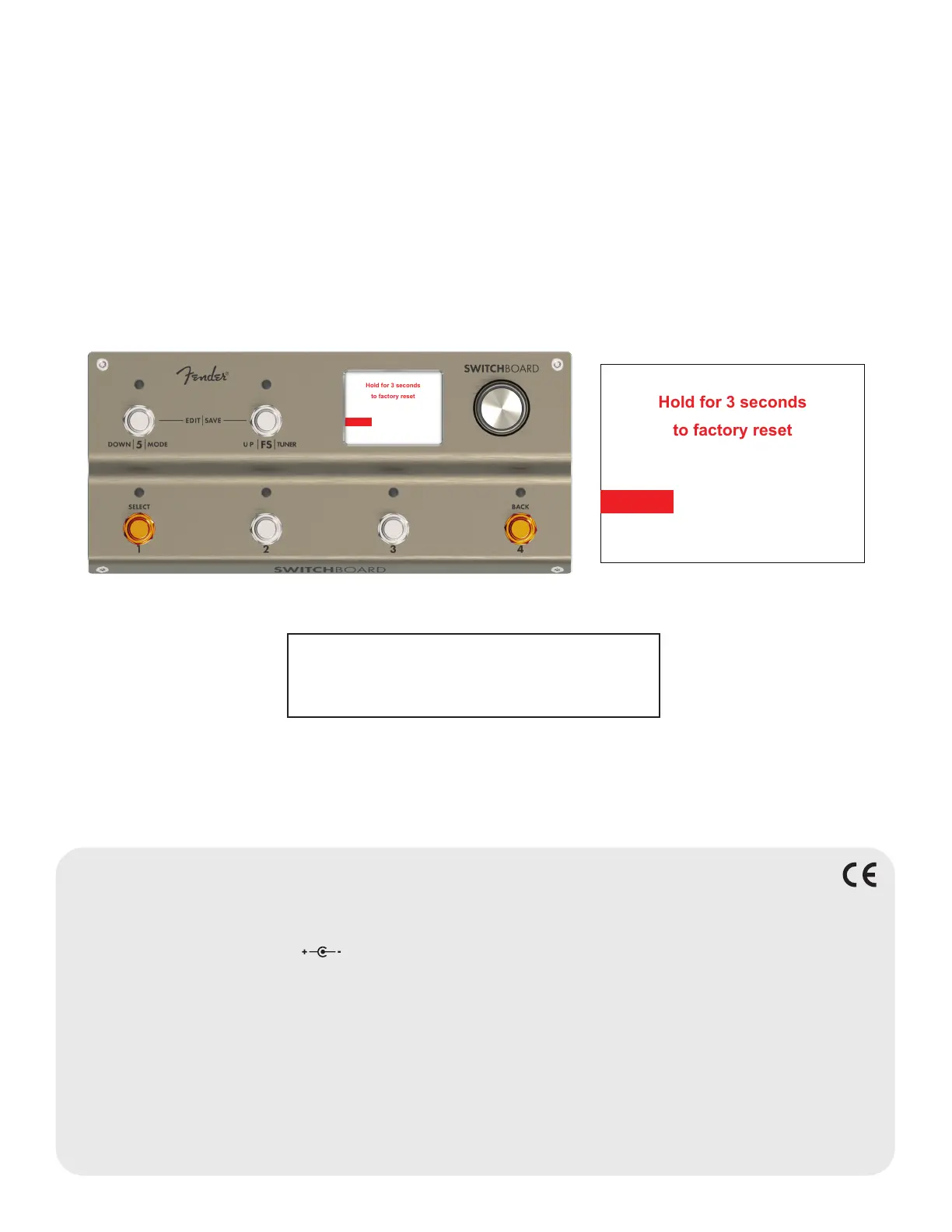
Performing a factory reset will delete all all user-saved presets and settings and will restore all Switchboard
default settings.
Initiate a factory reset by simultaneously pressing and holding footswitches 1 and 4 while powering Switch-
board up. A factory reset warning screen will then appear; continue holding footswitches 1 and 4 for three
seconds to complete the factory reset.
Hold for 3 seconds
to factory reset
Hold for 3 seconds
to factory reset
SPECIFICATIONS
TYPE PR 6246
POWER REQUIREMENTS 500mA @ 9VDC
MAXIMUM CURRENT DRAW 500mA
INPUT IMPEDANCE 1MΩ (input buffer ON)
OUTPUT IMPEDANCE 150Ω (input buffer OFF)
INDIVIDUAL LOOP IMPEDANCE 50Ω series (per active loop)
ACCESSORIES International voltage adaptor (included)
DIMENSIONS/WEIGHT Width: 9.53” (24.2 cm) Height: 2.72” (6.91 cm) Depth: 4.53” (11.5 cm) Weight: 3 lbs. (1.36 kg)
Product specifications subject to change without notice
For questions and troubleshooting,
contact a Fender specialist at:
1-800-856-9801 (U.S. toll free)
1-480-596-7195 (International)
Other language translations available www.at fender.com



 To Next Page