28
LED BRIGHTNESS
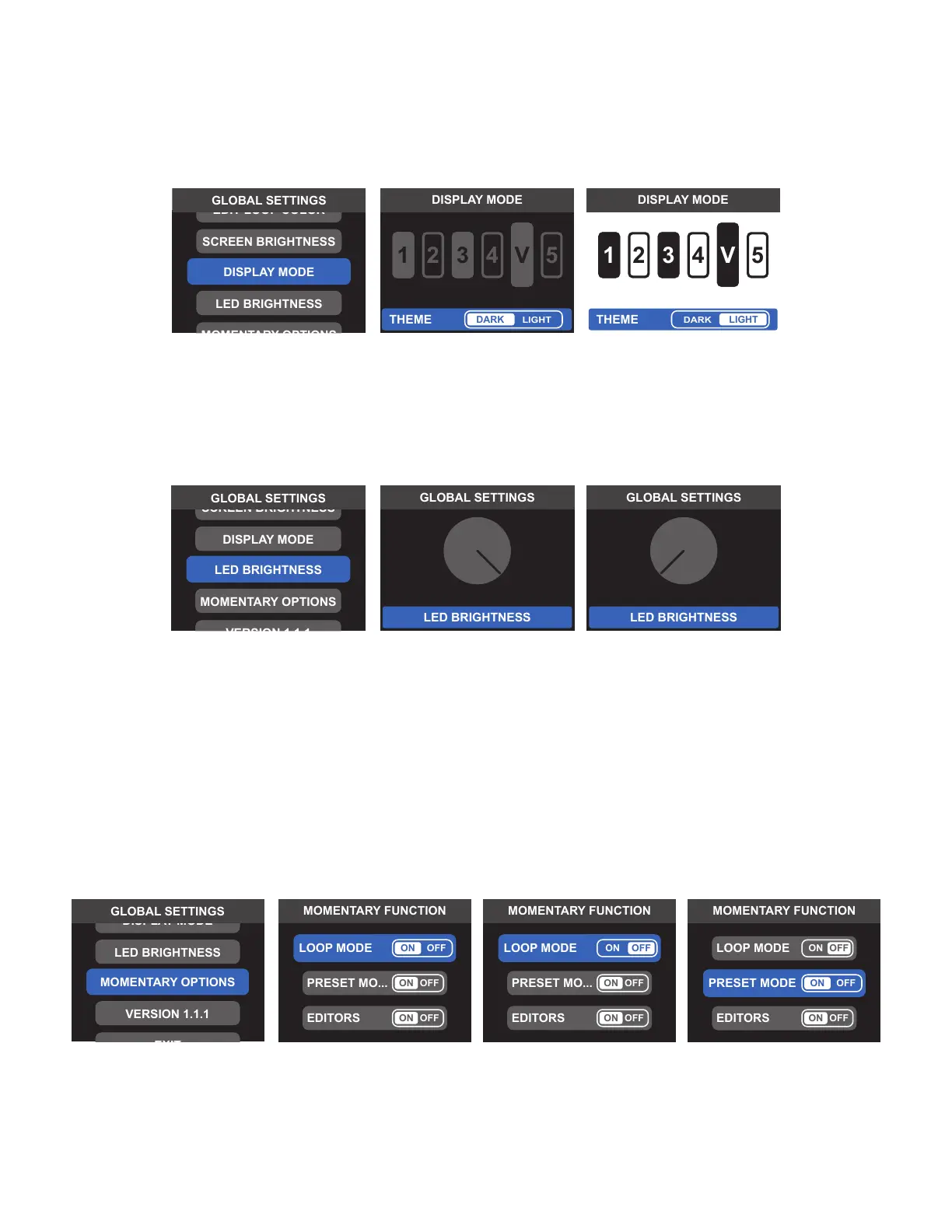
To set Switchboard’s LED brightness for optimal visibility in a variety of lighting situations, select LED BRIGHTNESS
from the GLOBAL SETTINGS menu. Use the encoder or footswitches to adjust the onscreen brightness control
knob; press the encoder or Footswitch 1 to save.
MOMENTARY OPTIONS
Footswitches 1-4 can be congured for momentary switching in each of the three modes (LOOP MODE,
BANK MODE and EDITOR MODE). To do so, select MOMENTARY OPTIONS from the GLOBAL SETTINGS menu
and use the encoder or footswitches to choose ON or OFF.
When set to ON, footswitches 1-4 act as both latching and momentary switches in the selected mode. To
engage momentary function, simply press and hold the footswitch. The corresponding loop or preset will be
engaged for as long as the footswitch is held down and will turn o automatically when the footswitch is re-
leased. Momentary function can be used to toggle loops on or o in LOOP MODE and EDITOR MODE. When
set to OFF, footswitches 1-4 only act as latching switches in the selected mode.
VERSION
Selecting VERSION in the GLOBAL SETTINGS menu displays Switchboard's current rmware version.
DISPLAY MODE
For optimal visibility in dierent lighting situations, Switchboard features two display modes for all screens and
menus—DARK THEME (default) is suited to most indoor settings; higher-contrast LIGHT THEME is suited to bright-
er lighting situations such as full sunlight outdoors. Select DISPLAY MODE from the GLOBAL SETTINGS menu and
use the encoder or footswitches to choose either theme; press the encoder or Footswitch 1 to conrm a selection.



 To Next Page