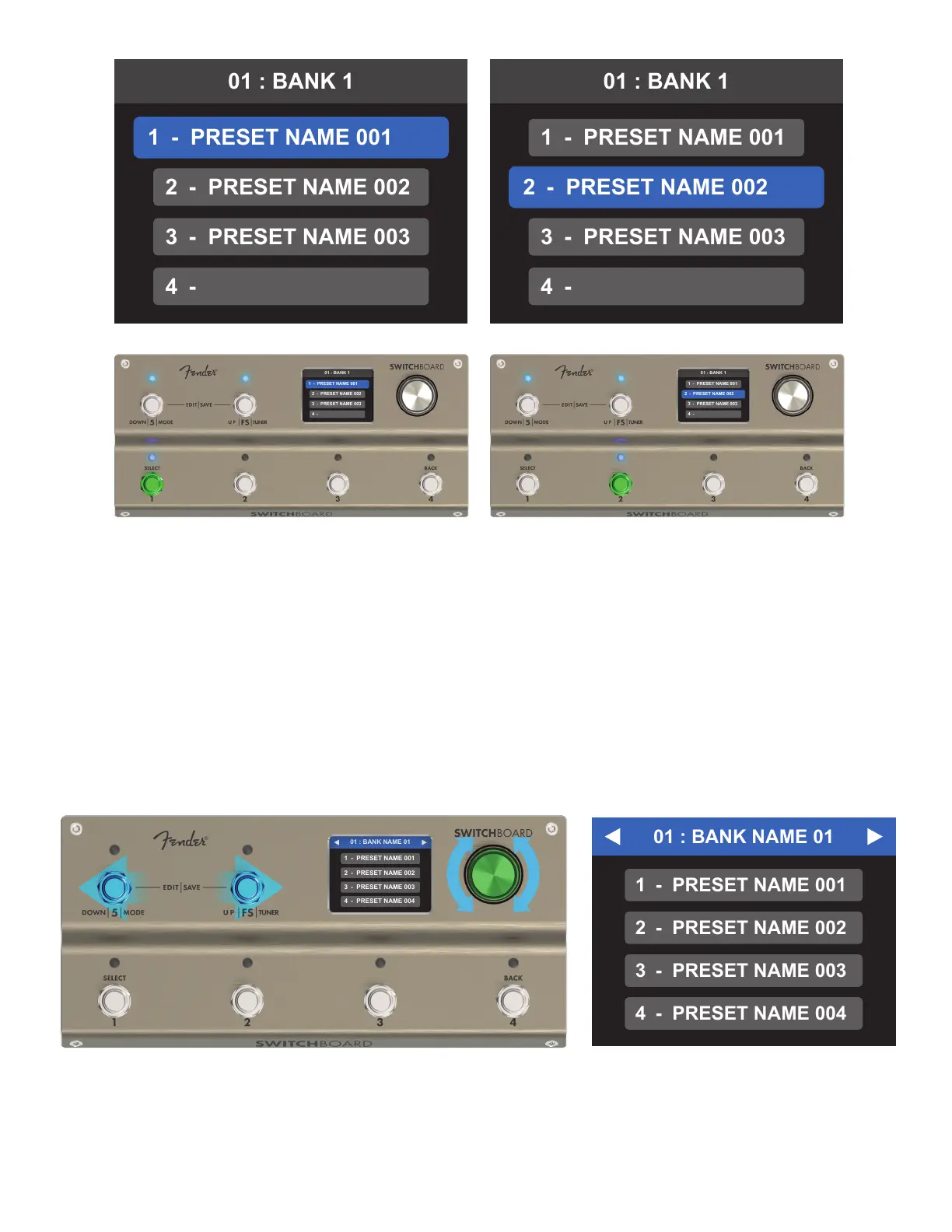
BANK MODE: SCROLLING
Scrolling through banks is done using the encoder or Footswitch 5 (down) and Footswitch FS (up). On scrolling
to a new bank, the screen will enter bank scrolling mode indicated by a blue color bar at the top with arrows
surrounding the bank name (right). The bank screen will remain in scrolling mode until a preset is selected.
17
When an empty preset slot is selected, default parameters load in which all loops are bypassed, the volume
pedal is on and both buers are on. Empty slots can thus be used as “clean” bypassed presets.
Footswitches 1-4 feature momentary capability to trigger their respective presets. To do this, simply press and
hold the footswitch; the corresponding preset will be engaged while the footswitch is held down and will revert
to the previously selected preset when released.
Scrolling can be done at any time in BANK MODE without aecting the currently active preset. The currently ac-
tive preset will remain active until a new preset is selected. The bank scrolling screen and footswitch LEDs will
indicate the currently active bank (which houses the active preset) and inactive banks as shown below and on
the following page.



 To Next Page