18
ACTIVE BANK
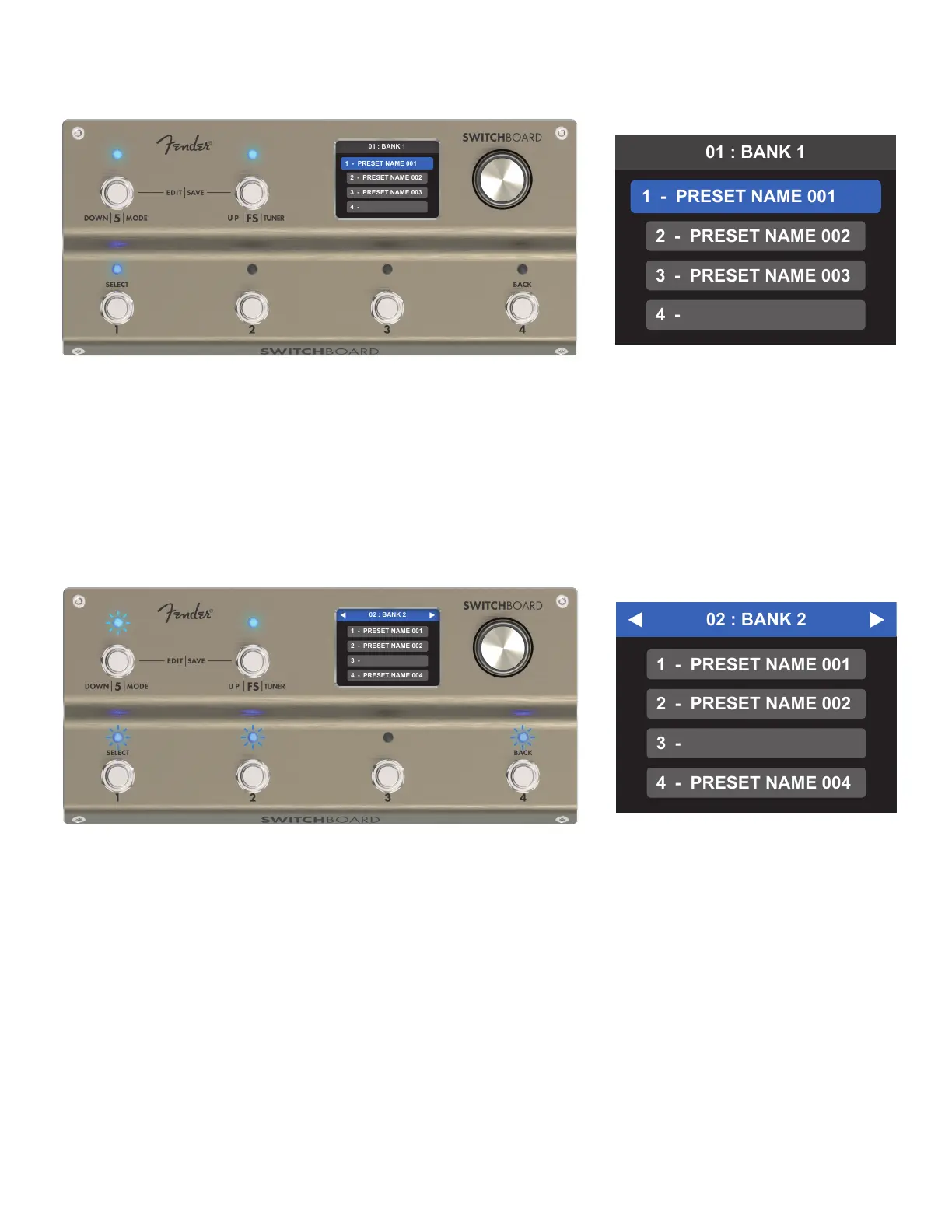
Inactive bank status is indicated by:
• All four preset slots appearing in smaller gray boxes.
• Flashing LEDs above footswitches 1-4 (corresponding to full preset slots).
• Flashing cyan LED above Footswitch FS or Footswitch 5, indicating the fastest route (up or down) back to
the bank containing the currently active preset.
QUICK TIP: To quickly return to the bank containing the currently active preset, enter and then immediately exit
the PRESET EDITOR. This returns the user to the currently active bank with the currently active preset selected.
As seen above, active bank status is indicated by:
• The currently active preset slot highlighted in blue.
• Steady illumination of the corresponding preset footswitch LED.
• Steady illumination in cyan of Footswitch FS and Footswitch 5 LEDs.



 To Next Page