23
BANK MODE: CREATING NEW PRESETS
In BANK MODE, navigate to the bank preferred for creating a new preset and select an empty preset slot using
footswitches 1-4. Once an empty preset is selected, enter the PRESET EDITOR by pressing Footswitch 5 and
Footswitch FS simultaneously. Empty presets parameters default to all loops placed in numerical order with
the volume pedal in position 5, all loops in OFF status, the FSTW jack conductor is set to Tip, and the input and
output buers on. Edit the various parameters to preference using the encoder and footswitches.
Once parameters are set to preference, press Footswitch 5 and Footswitch FS simultaneously to exit the PRESET
EDITOR screen and enter the SAVE MENU. Use the encoder or footswitches to select SAVE. When prompted to
Overwrite Preset, select YES. The new preset will be saved in the selected preset slot. If no name was dened
while editing in PRESET EDITOR, the name “Preset #” will be autogenerated, in which # is the preset slot number.
I. MENU ICON/SAVE MENU
Select the menu icon at top right in the preset screen to access the SAVE MENU (also accessible by pressing and
holding the encoder). Options are:
• SAVE: Overwrites current preset with updated parameters.
• SAVE A COPY: Creates a copy of the current preset into a bank and preset slot of choice.
• SAVE AS FAVORITE: Convert current preset into a new Favorite.
• CLEAR OR REPLACE: Empties preset slot or replaces current preset with a Favorite.
H. EDIT VOLUME PEDAL
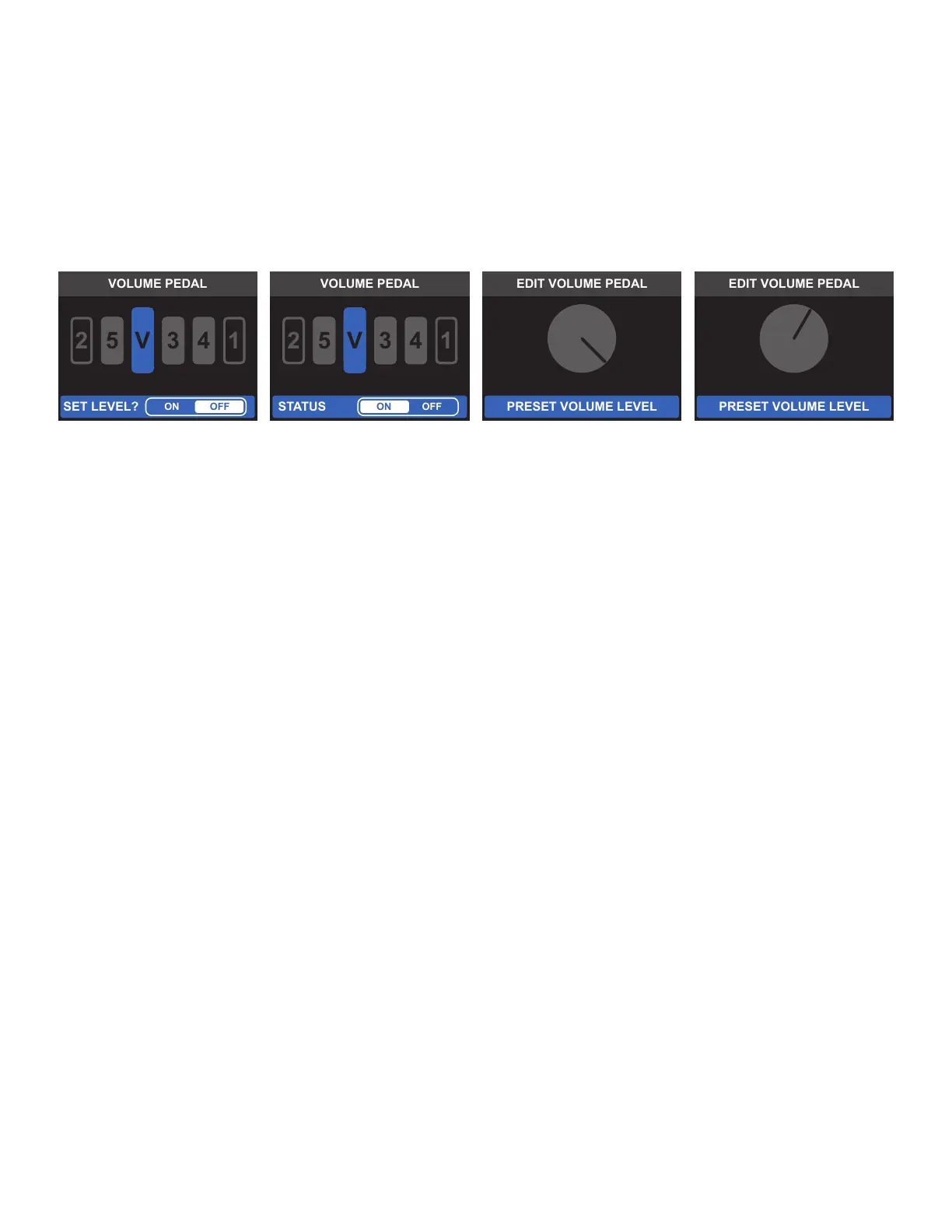
This menu option mirrors the function of LOOP MODE EDITOR, with the additional ability to hard-set the in-
ternal volume pedal level. Once set, this volume pedal level will be loaded when activating the preset, and the
expression pedal will no longer control the volume pedal. This feature can be used even when no EXP pedal is
connected to the EXP PEDAL input.
To set the volume pedal, rst select its location and status (when prompted to “SET LEVEL”, select ON). An
onscreen control knob will then appear. To select the preferred level, use the encoder, Footswitch 5 and
Footswitch FS, or an expression pedal. Press the encoder or Footswitch 1 to conrm the change.



 To Next Page