BASICS AND SETUP
SIGNAL PATH AND LOOPS
Switchboard gives the user complete control over
the signal path—the route a signal takes from an
instrument through eect pedals and other ele-
ments into an amp. The order of eects in a signal
path greatly aects the resulting tone; using ef-
fects loops, Switchboard can recongure the order
and status (ON or bypassed) of your pedals.
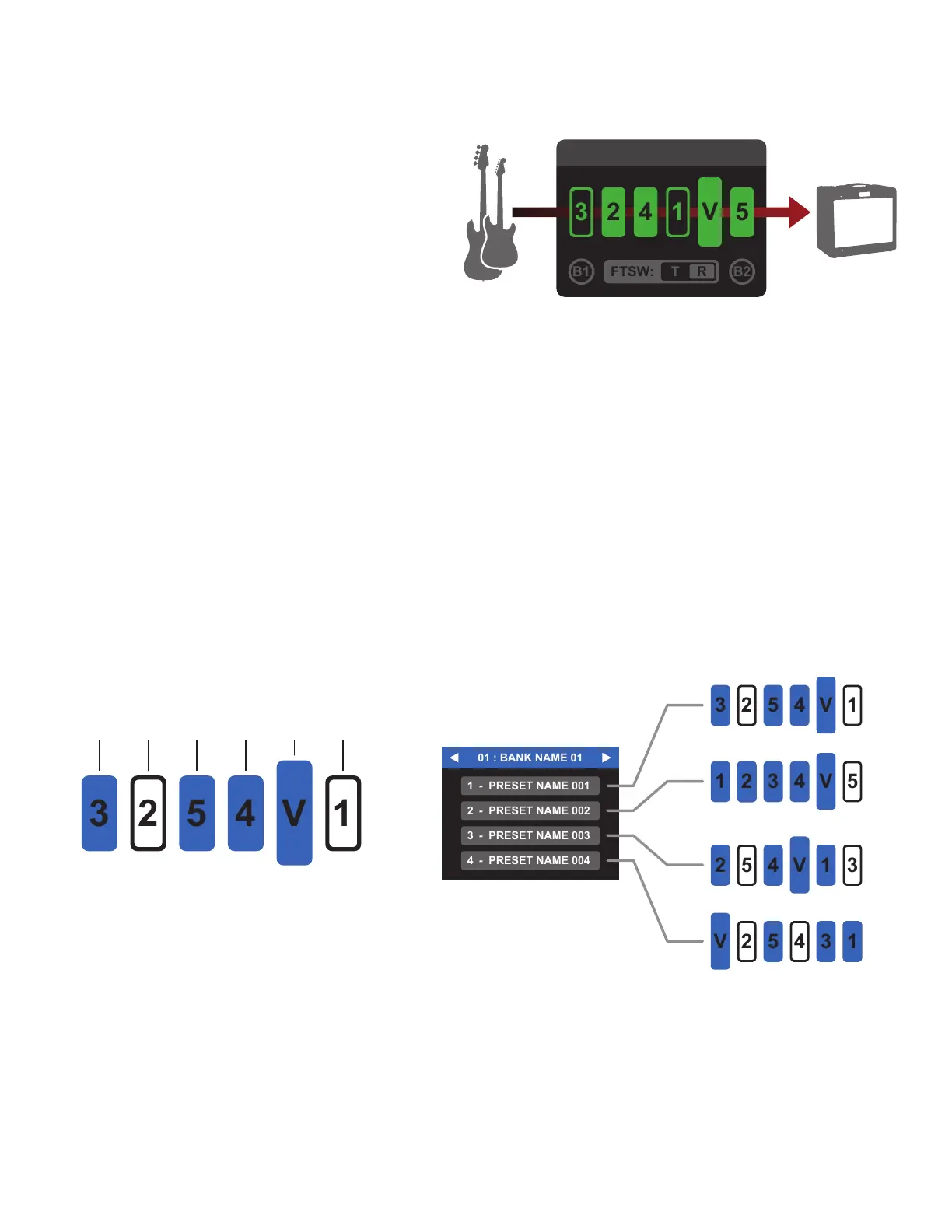
Switchboard shows the signal path using a graphic
display. Read left (input) to right (output), the order
and status of each eect loop is indicated using loop icons numbered 1-5, while the order and status of the
internal volume pedal is indicated by the Volume Pedal icon.
PRESETS AND BANKS
Switchboard saves signal paths and parameter combinations into 400 preset slots, each of which includes
the preset name, signal path arrangement, buer status, footswitch status and any assigned MIDI messages.
Presets are stored in groups of four called banks. Switchboard’s 100 banks can be named and are easily
scrolled through using foot controls in Bank Mode. Recalling presets lets the player rearrange the signal path
and turn multiples pedals on and o with the push of a single footswitch.
One example of organizing a bank is to name it after a particular song, then save up to four presets in it us-
ing names of specic sections of the song, such as INTRO, VERSE, CHORUS and SOLO.
3
PRESET
FA
VORITES
In addition to the 400 preset slots noted above, 100 more Favorite slots are available. Saving a preset as a
Favorite is a fast and eective way to use it in multiple banks simultaneously. Favorite presets are easily load-
ed into any preset slot across all banks, and all instances of a given Favorite are linked so that any changes
made in the Favorite editor automatically update in all preset slots where the Favorite is saved.
LOOP 3
ON
LOOP 2
OFF
LOOP 5
ON
LOOP 4
ON
VOLUME
PEDAL
ON
BASIC PRESET SAMPLE BANK
LOOP 1
OFF
SLOT 1 SLOT 2 SLOT 3 SLOT 4 SLOT 5 SLOT 6



 To Next Page