27
GLOBAL SETTINGS
EXP PEDAL CALIBRATION
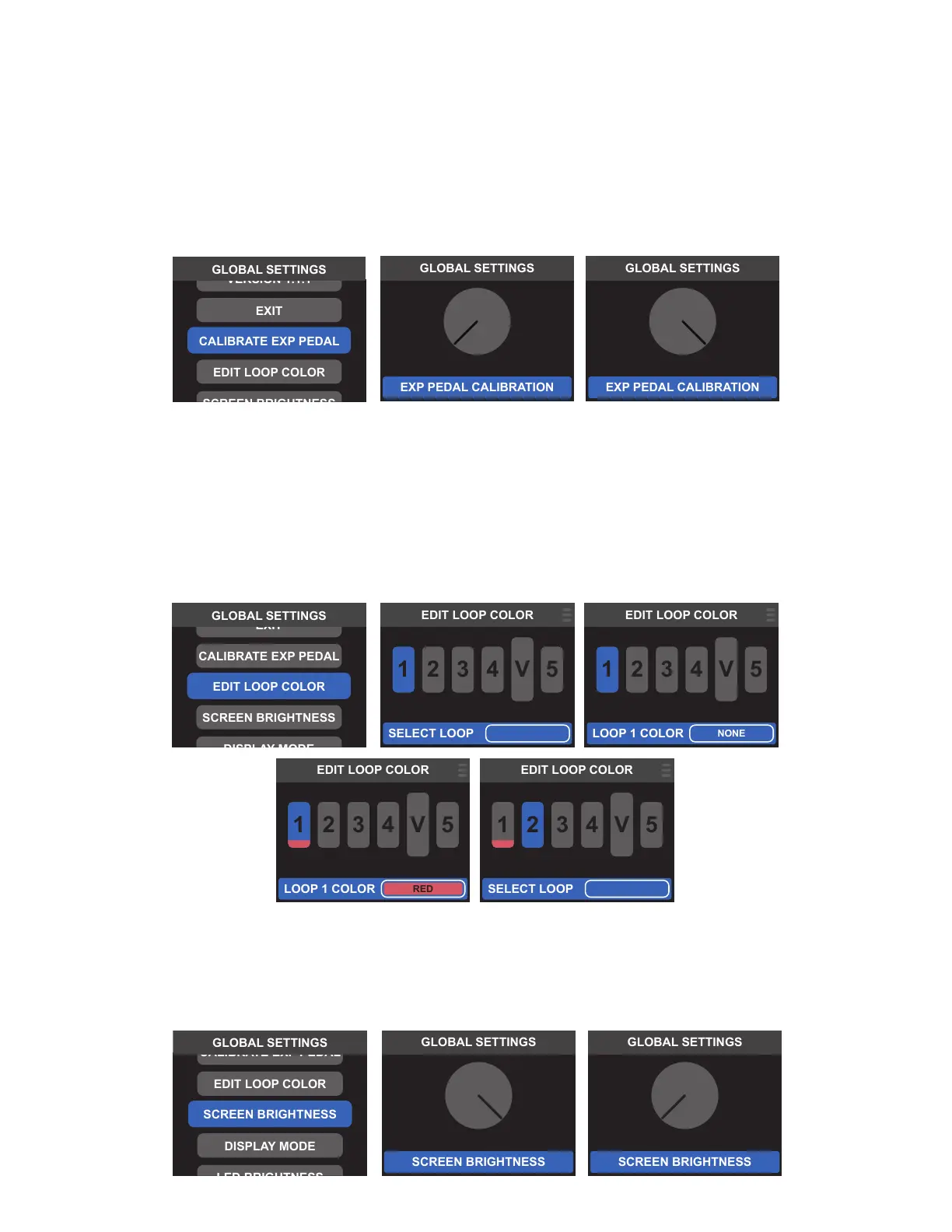
For optimal performance, Switchboard can be calibrated to work with a variety of external expression pedals. To
do so, rst ensure that an expression pedal is connected to the rear-panel EXP PEDAL input. From the GLOBAL
SETTINGS menu, select CALIBRATE EXP PEDAL to open the calibration screen, then open and close the expres-
sion pedal a few times to ensure that the on-screen control knob rotates along with the pedal. When the mini-
mum and maximum rotations of the onscreen control knob match the heel and toe positions of the expression
pedal, press the encoder or Footswitch 1 to conrm calibration.
LOOP COLOR
The user can assign a dierent color to each of the ve loops; the color is used for the onscreen loop icon and the
loop footswitch LED. The associated loop icon will show its assigned color ag any time it appears onscreen.
To assign a loop color, select EDIT LOOP COLOR from the GLOBAL SETTINGS menu. Then select the loop icon
to be edited by pressing its corresponding footswitch or by turning and pressing the encoder to highlight and
conrm its selection. Use the encoder or footswitches to scroll through and select among ve color options, then
press and hold the encoder or select the menu icon at top right to save.
SCREEN BRIGHTNESS
Switchboard’s LCD screen brightness can be adjusted for a variety of lighting situations. To do so, select SCREEN
BRIGHTNES from the GLOBAL SETTINGS menu and use the encoder or footswitches to adjust the onscreen
brightness control knob. Press the encoder or Footswitch 1 to save.



 To Next Page