Compared to the representation in section (
è
3.4.3 Parameter), the value ranges for the parameters
may be restricted by the specific Motion App. The specific value ranges for the Motion Apps are
described in the manuals for the various Motion Apps.
If a system parameter is outside the valid value range for a Motion App to be started because it was
set for another Motion App or with addressed target = 0, an error is returned if an attempt is made to
start the Motion App.
Example
The system parameter "Tubing internal diameter at (2)" (ID 14) should be parameterised in parameter
set 2 in order for a tubing internal diameter of 5.7 mm to be used from Motion App #04.
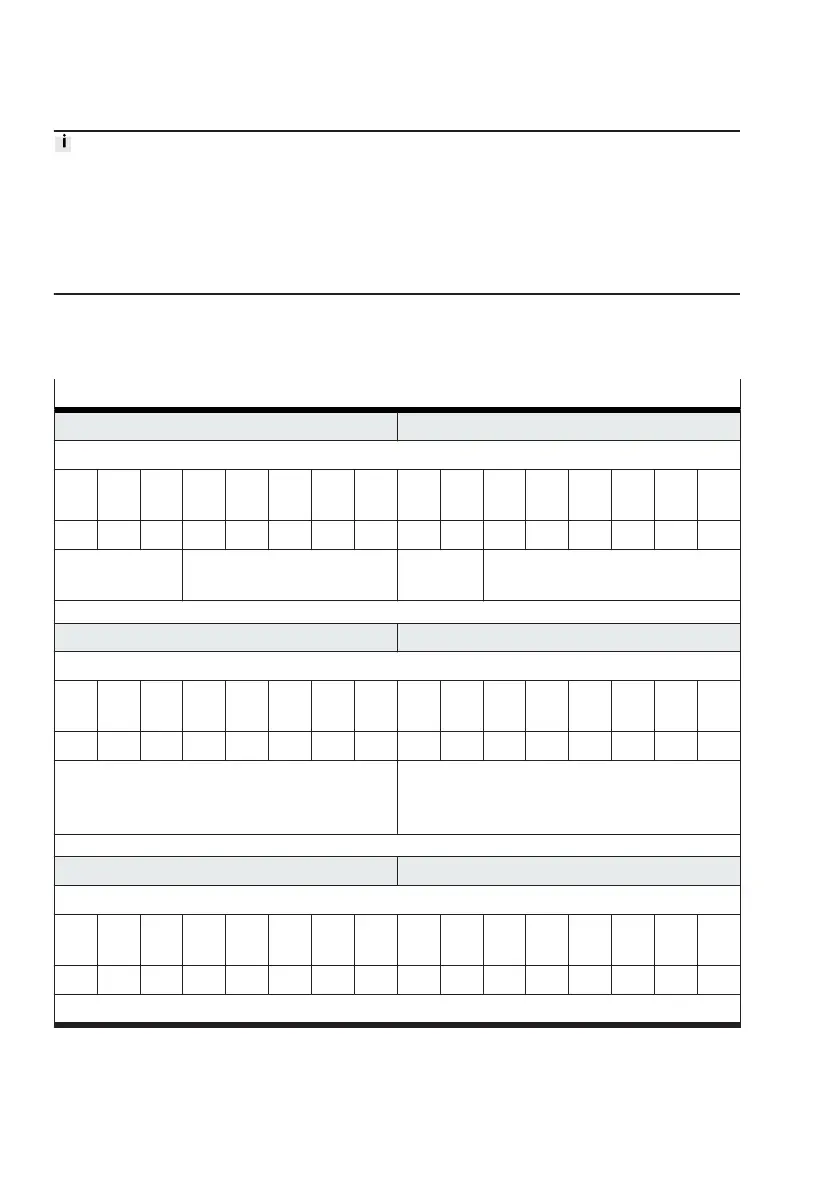
Example of setting the system parameter "Tubing internal diameter to (2)"
PDO byte 1 PDO byte 0
Command
Bit
7
Bit
6
Bit
5
Bit
4
Bit
3
Bit
2
Bit
1
Bit
0
Bit
7
Bit
6
Bit
5
Bit
4
Bit
3
Bit
2
Bit
1
Bit
0
0 0 1 0 0 0 1 0 ... ... 1 1 1 1 1 1
transfer control
= 1 (download)
channel = 2 (parameter set 2) – valve mode = 63 (transfer mode)
PDO byte 3 PDO byte 2
Parameter
Bit
7
Bit
6
Bit
5
Bit
4
Bit
3
Bit
2
Bit
1
Bit
0
Bit
7
Bit
6
Bit
5
Bit
4
Bit
3
Bit
2
Bit
1
Bit
0
0 0 0 0 1 1 1 0 0 0 0 0 0 1 0 0
index = 14 (parameter ID 14) adressed target = 4
(system parameter in compliance with value
range for Motion App #04)
PDO byte 5 PDO byte 4
Value
Bit
15
Bit
14
Bit
13
Bit
12
Bit
11
Bit
10
Bit
9
Bit
8
Bit
7
Bit
6
Bit
5
Bit
4
Bit
3
Bit
2
Bit
1
Bit
0
0 0 0 0 0 0 1 0 0 0 1 1 1 0 1 0
value = 570 (570 × 0.01 mm = 5.7 mm)
Tab. 119: Example of setting the system parameter "Tubing internal diameter to (2)"
The values are displayed in the corresponding sections of the input data (PDI) for confirmation
(
è
Tab. 60 Structure of the input data (PDI)).










 To Next Page