5-34
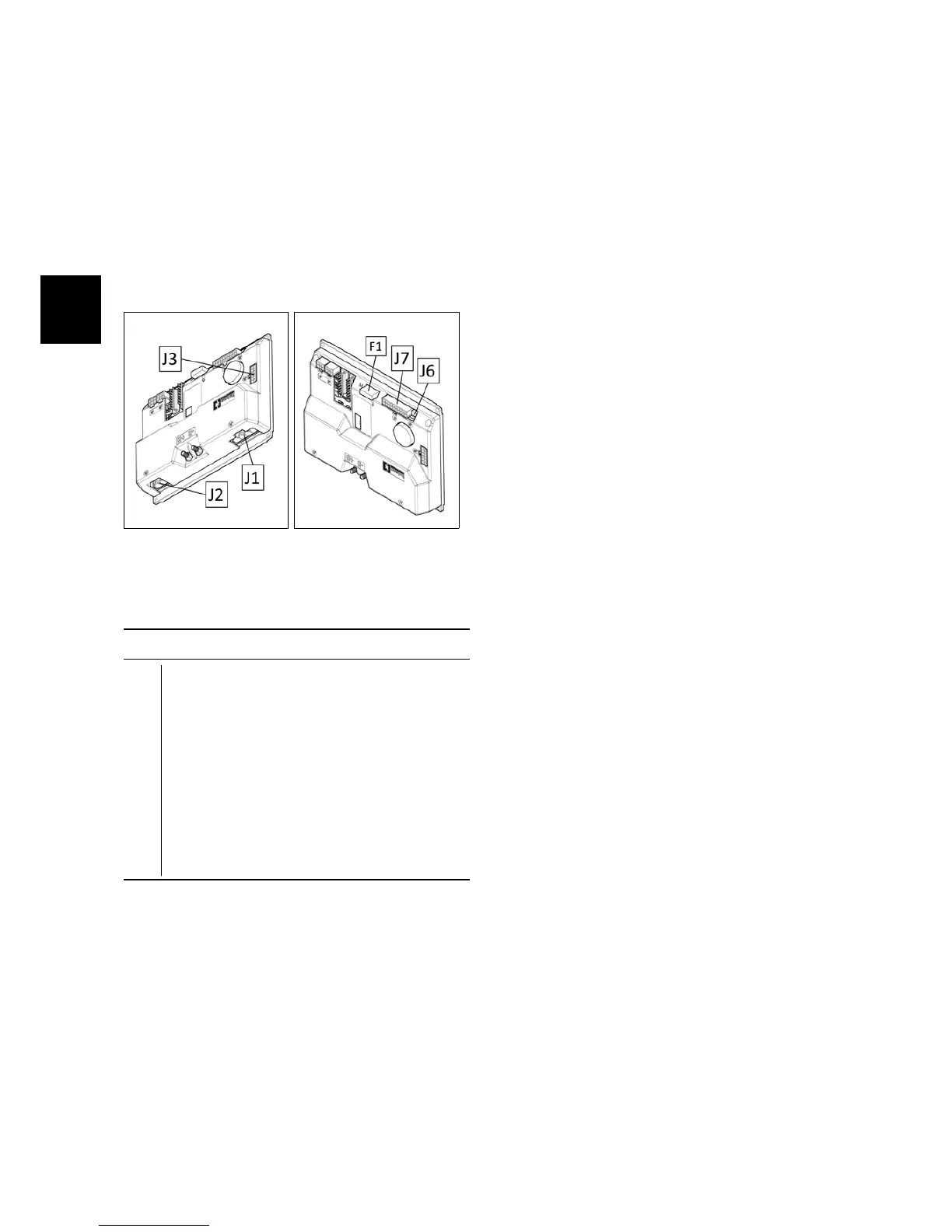
5.3.1 Main Card
The Main Card is the heart of the ma-
chine and, depending of the input infor-
mation, decides how to use the devices
of the machine during normal work. On
the table here below, is possible to iden-
tify the input/output signals of the card.
5.3.1-69 5.3.1-70
Input & Output Signals
F1 Key general fuse (3A).
J1 Vacuum motor and Brush motor.
J2 Traction motor.
J3 Solenoid valve, electrobrake, blinking
light.
J6 Dashboard control buttons.
J7 Limit switch: squeegee, brush deck,
curve speed reduction, inhibition of re-
verse, deadman switch, traction con-
trol, battery charger, potentiometer.
5.3.2 Dashboard and Control
card
Functions of Dashboard:
• Manage and set up the main func-
tions and command of the machine
during the normal work.
• Check the alarm code in order to de-
tect a possible malfunction.
• Enter in three different menu:
– The “user menu” to check the
status of the batteries and the
hourmeter of the machine (de-
pending of the set up into “user
menu”). If a defect is detected
on the machine, this menu
show a short message concern-
ing the alarm.
– The “operator menu” contain-
ing the basic adjustment, acces-
sible by the user of the machine.
– The “advanced menu” where is
possible to modify the set up of
the machine by expert techni-
cians.
ATTENTION: THE “OPERATOR MENU”
IS ACCESSIBLE WITHOUT ANY RESTRIC-
TION, WHEREAS TO ENTER INTO THE “AD-
VANCED MENU” A PASSWORD IS NEEDED.



 To Next Page