10-78
• Reconnect the battery cables and
proceed to a functional check of the
machine with a brush attached to
the base.
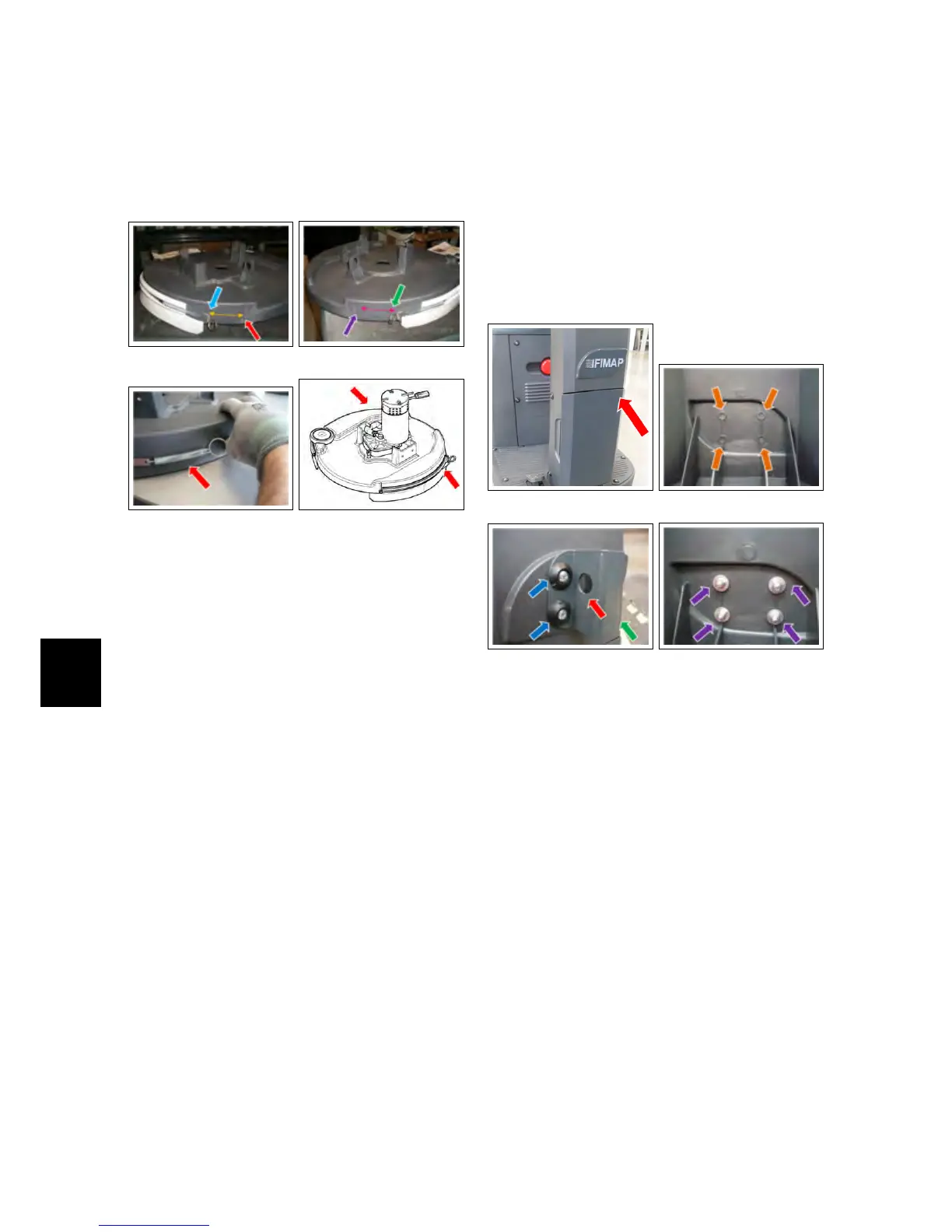
10.4.2-133 10.4.2-134
10.4.2-135 10.4.2-136
10.5 Cleaning Accessories
Kit - 222472
10.5.1 Description
The set of the cleaning accessories al-
lows to equip the machine with a cou-
pling system for many accessories for
manual cleaning. These can signifi-
cantly reduce downtime while increas-
ing the productivity of the machine and
make it much more comfortable the
working shift of the operator.
10.5.2 Installing instructions
• Unplug the power cable of the bat-
teries.
• Remove the front carter of the ma-
chine by removing the six support
screws.
• Drill four holes Ø5 at predispositions
on the back of the front carter.
• Place the front support bracket as
shown in the image (upwards slot
of the bracket). Secure the bracket
with the four M5 provided screws.
• Tighten the screws with the washers
and locking nuts included in the kit.
Restore the front carter of the ma-
chine.
10.5.2-137 10.5.2-138
10.5.2-139 10.5.2-140



 To Next Page