5-35
Functions and Commands
During the normal working, the display
shows the hourmeter and the battery
control card (in percentage). When the
charge of the batteries goes down to a
fixed value, the battery control card dis-
able the brush motor and, after that, the
vacuum motor; in particular, the battery
control card disable the brush motor
(vacuum motor and traction motor still
work) when the remaining charge of the
batteries are 20% and disable also the
vacuum motor when the remains charge
of the batteries are 10%.
5.3.2-71 5.3.2-72
Entry into “Operator Menu” and “Ad-
vanced Menu”
The dashboard could be used like a pro-
gramming console. If you press a deter-
minate combination of buttons you can
enter into two menu:
• “Operator Menu”.
• “Advanced Menu”.
The structure of the menu can be shown
in the section (see section 5.7.1 at page 45):
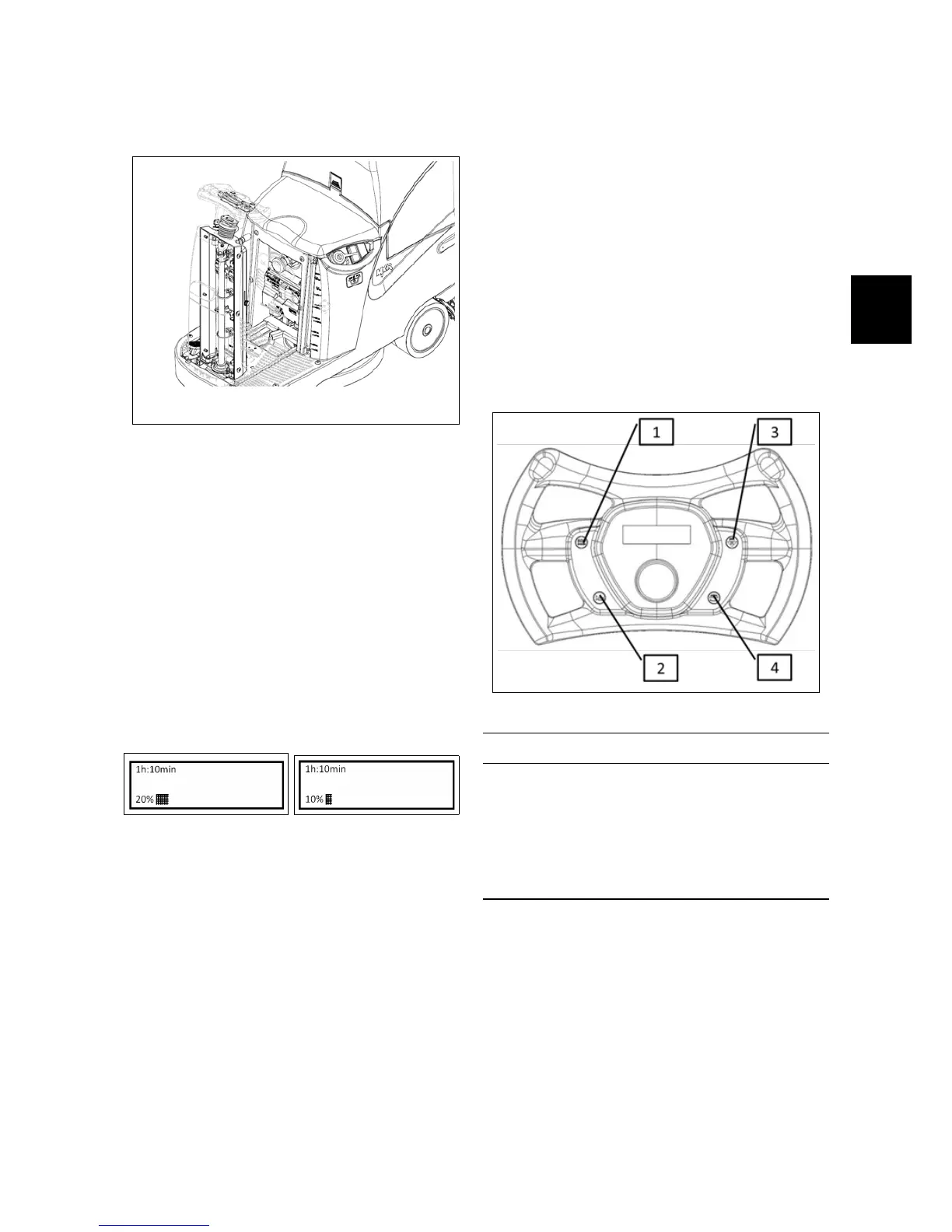
Function of the buttons
1 Not Used
2 ENTER (Confirm)
3 SCROLL UP/PLUS (Scroll up and In-
crease)
4 SCROLL DOWN/MINUS (Scroll down
and Decrease)



 To Next Page