MNL004_EN rev. F
Pag. 30 di 56
4.3.3.3 How to change temperature alarm limits
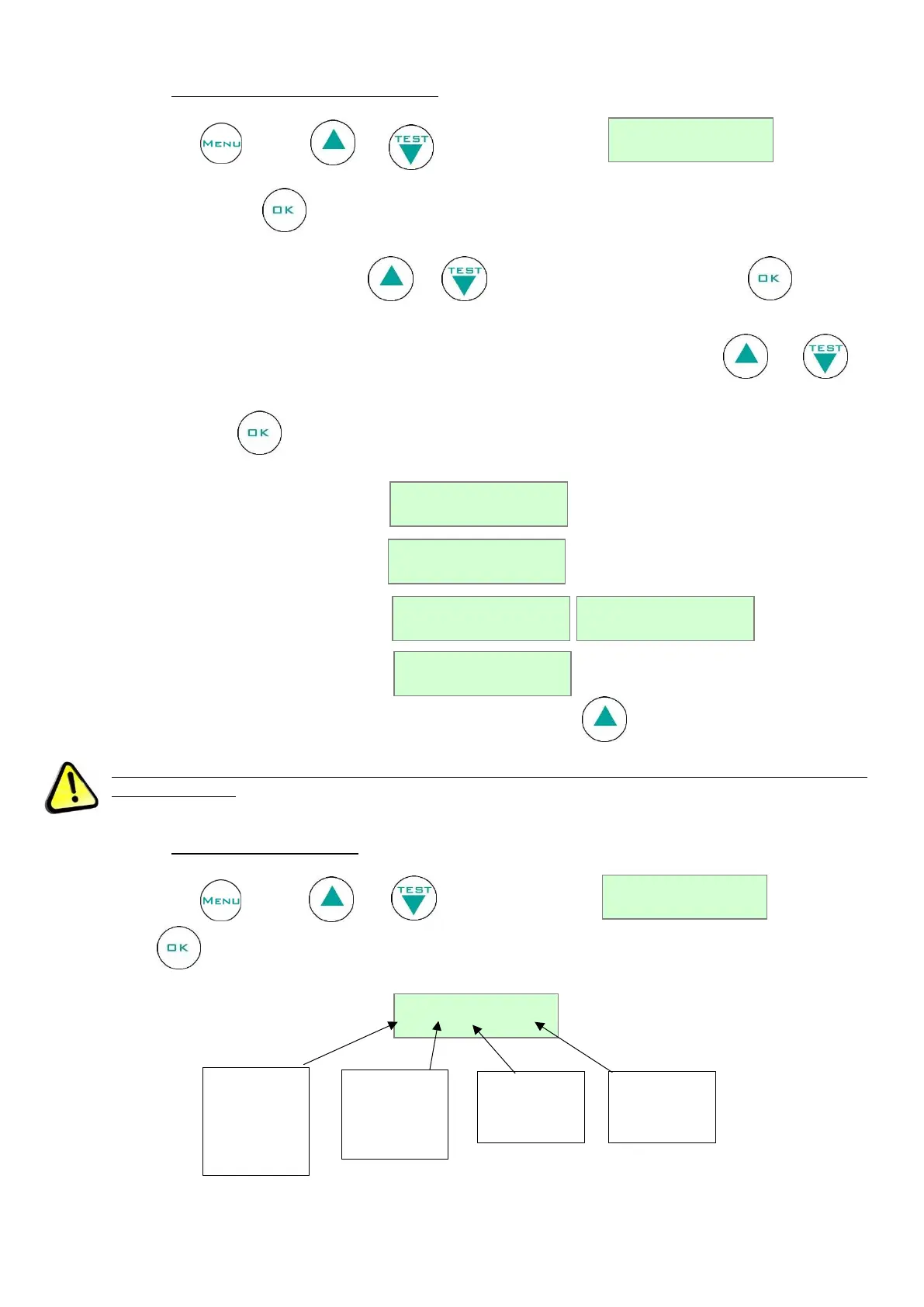
Press the button , then use or till the following string .
Confirm with the button . The pre-set temperature alarm limits will be visualized and the lower limit will be
blinking too. Change it using the buttons and , then confirm by pressing the button . After the
lower limit modification, the high temperature alarm limit will start blinking: use the buttons and to
modify it and confirm .
Sequence with one probe (a):
Sequence with two probes (a – b):
To instantly visualize the pre-set limits press for some seconds the button .
For the models equipped with the ballasted product simulation temperature probe (standard only for
Medical devices): for single temperature models equipped with no. 2 probes in the chamber, Sa refers to the
product temperature simulation probe, whereas Sb refers to the air temperature probe.
4.3.3.4 Door openings visualization
Press the button , then use or till the following string . Confirm with
the button . The display visualizes the last recorded door opening:


 To Next Page