MNL004_EN rev. F
Pag. 32 di 56
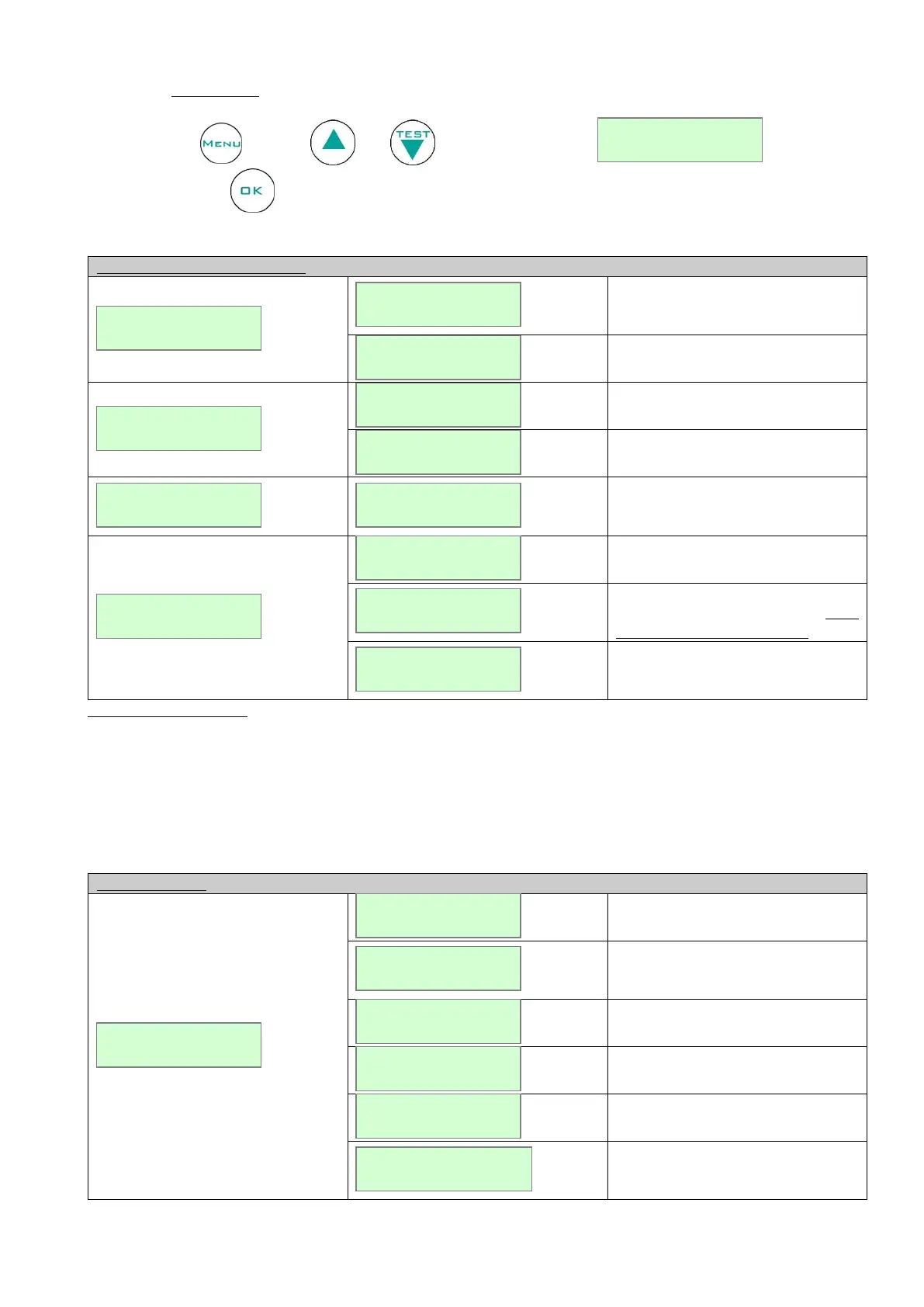
4.3.3.7 Printer menu
Press the button , then use or till the following string .
Confirm with button to access to the print-out customisation:
How to customise the menu:
It switches off the printer (“*”
message will appear near STATUS
OK)
It switches on the printer.
It sets the print resolution in
continous or historical mode 1-5-10-
15-…etc min.
It enable/disable the automatic
weekly report at 00:00 every Monday
It enable/disable the automatic daily
report at 8:00 o’clock every day (only
if alarms have been detected)
It enable/disable the continuous
report, accordingly to the pre-set
resolution and mode.
Default configuration:
STATUS: PRINTER ON
MODE: TABLES MODE
RESOLUTION: 30 min.
SETTINGS: WEEKLY: yes
DAILY: yes
CONTINUOUS: no
Weekly report with 60 min slot.
Daily report selected from the menu
according to the pre-set mode and
resolution.
Report of all the alarms recorded in
the ALARM LIST.
Report of all the failures recorded in
FAILURE LIST.
Print-out of all the set parameters.
Report of all the door openings
recorded in DOOR OPENINGS
menu.


 To Next Page