MNL004_EN rev. F
Pag. 33 di 56
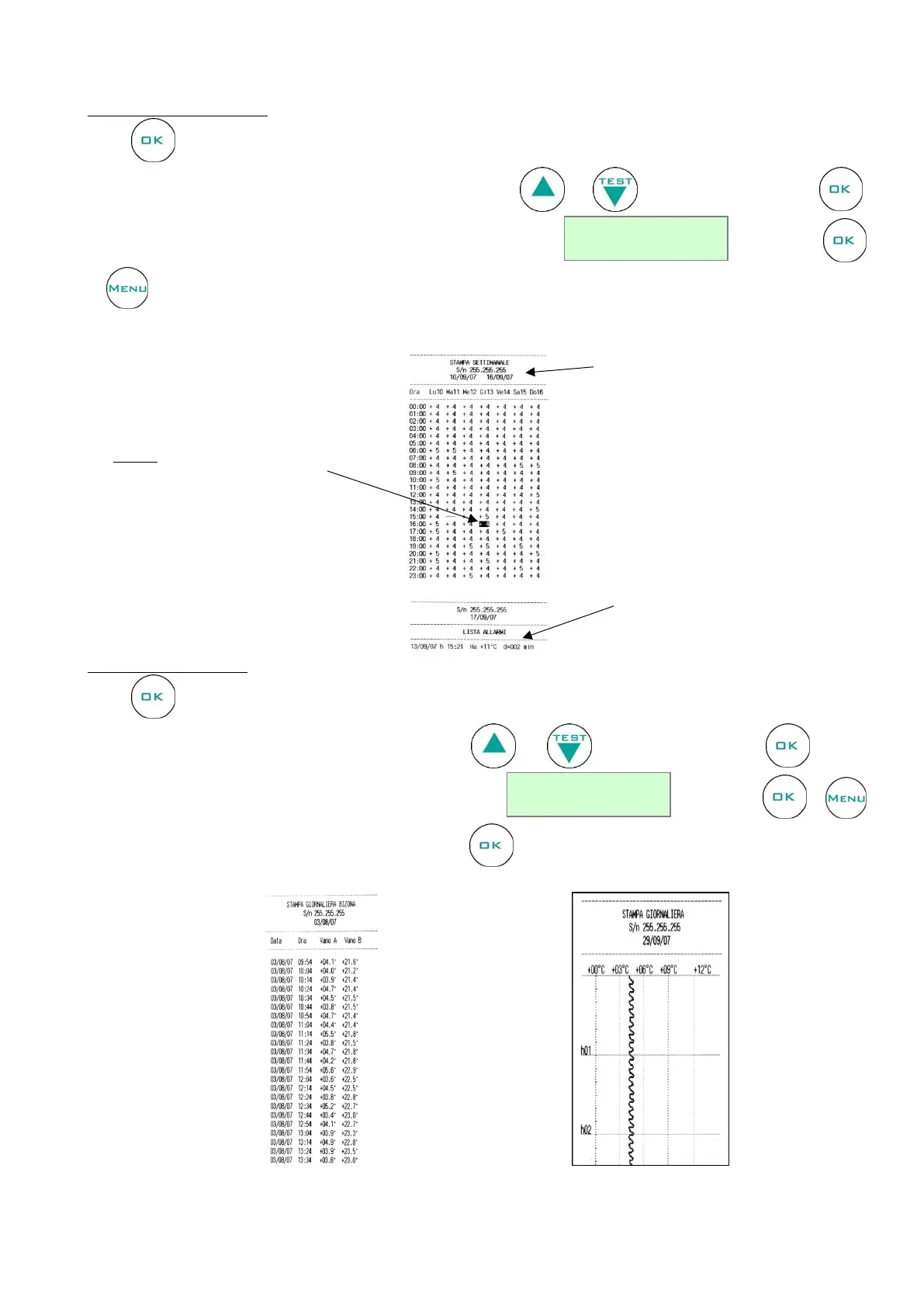
PRINT LIST: WEEKLY
Press to enter in the Weekly print menu.
Type the beginning date of the report. Start setting the day using and ; then, confirm by pressing .
Follow the same procedure to set the month and the year till visualizing . To print use
or to cancel the operation
Report example:
PRINT LIST: DAILY
Press to enter in the Daily print menu.
Type the date you want to print. Start setting the day using and ; then, confirm by pressing . Follow
the same procedure to set the month and the year till visualizing . To print use or
to cancel the operation. To print another day, press again and repeat the above steps.
Report example:
Alarms list identified by: Alarm
code, date and hour, maximum
temperature reached and alarm


 To Next Page