MNL004_EN rev. F
Pag. 42 di 56
MODEL 100-140-280 2T
PHASE 1
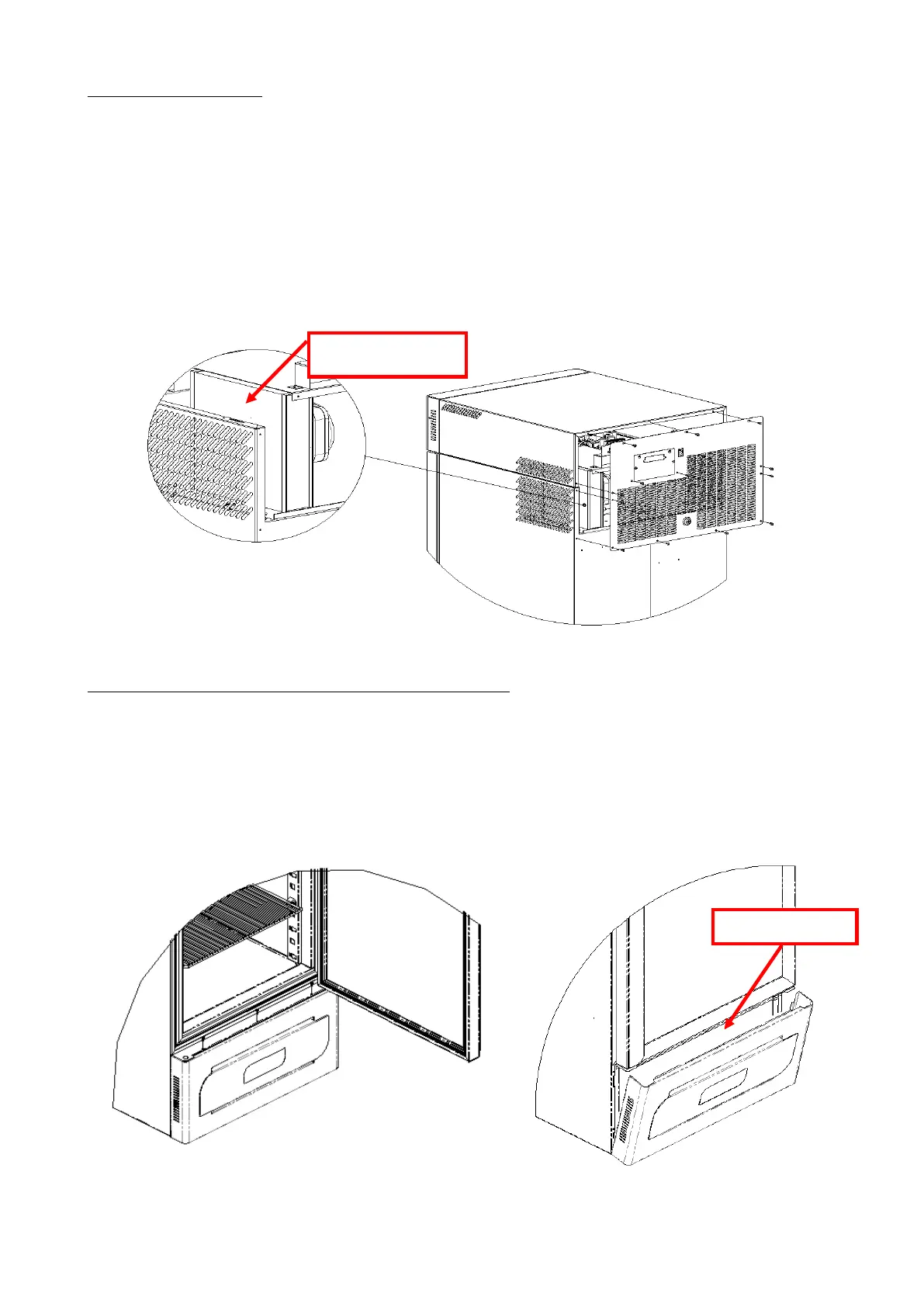
Use a Phillips head screwdriver to remove the cover (if the battery pack cover is present, do not remove the screws to
the right and left of the terminal board or those for fixing the cover itself).
For model 280 2T, also remove the rear electrical wiring cover channel.
PHASE 2
Use a vacuum cleaner or air jet to remove any dust on the condenser fins.
Perform this procedure backwards to restore correct fastening of the rear cover.
PHASE 3
Restore the electrical current and switch back on the device.
MODEL 130-170-200-250-300-600 2T-400-500 ( 1T and 2T )
PHASE 1
Use a Phillips head screwdriver to remove the guard (3 screws).
PHASE 2
Use a vacuum cleaner, air jet, or a long bristle brush to remove any dust on the condenser fins.
Perform this procedure backwards to restore correct fastening of the guard.
PHASE 3
Restore the electrical current and switch back on the device.


 To Next Page