Commissioning HyPower-Geko
112 FläktGroup DC-2014-0022-GB 2018-05/R5 • Subject to modifications
7.12 Functional characteristics for the use of MATRIX
7.12.1 Fans with MATRIX 2001 to 4001
Fan control depends on the configured control type and selected operating mode on
the control panel. The following fan modes can be set:
– Manual fan control
– Automatic fan control
– Automatic fan control in “mute” mode
Irrespective of the selected mode, the fan is deactivated if one of the following errors
has occurred:
– Motor thermal monitoring triggered
– Insufficient operating data due to sensor error
– Defective hardware
Automatic
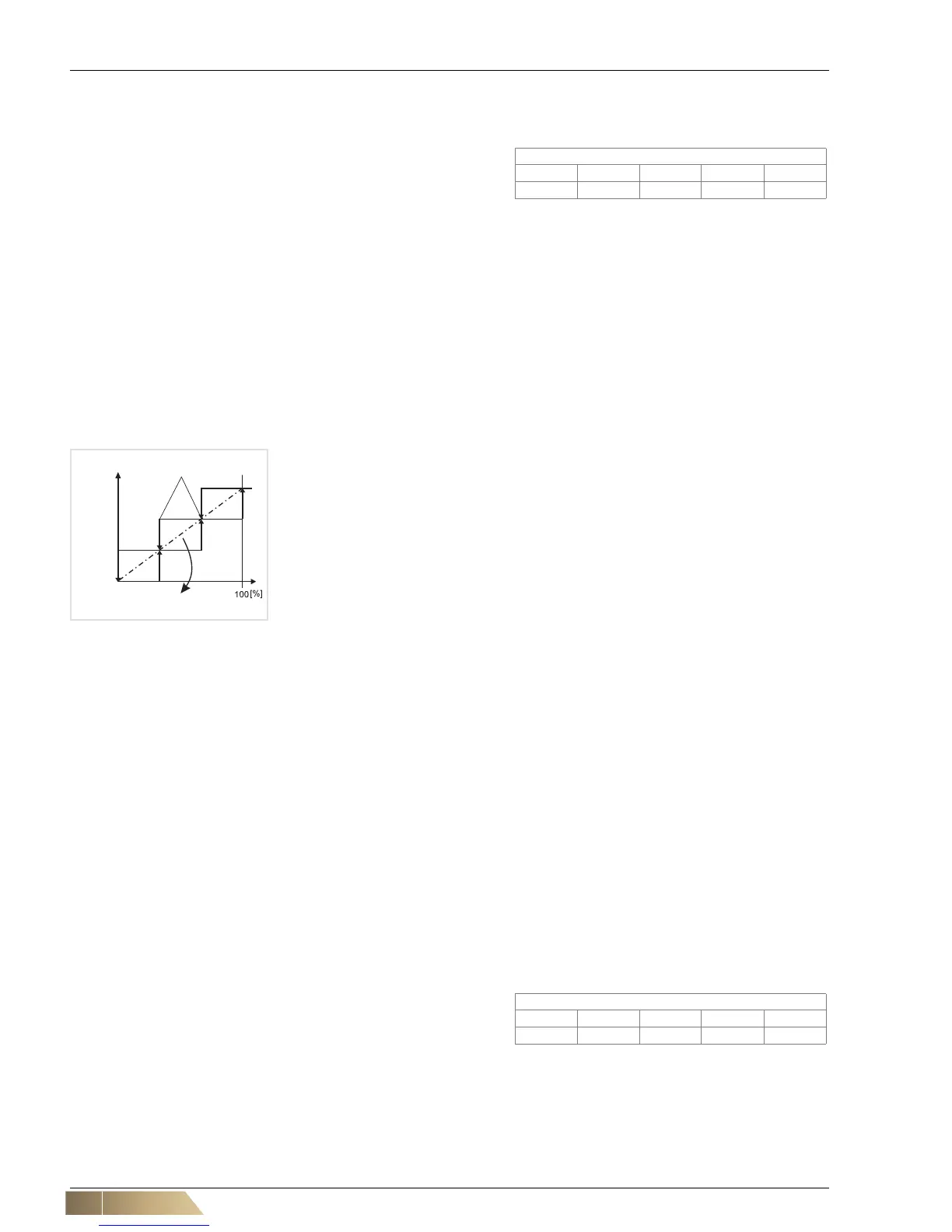
The fan is regulated depending on the difference from the setpoint (temperature).
In "mute" mode the highest fan speed is blocked for stage fans. If the unit is fitted with
EC fans, the speed - specified as "mute" value - is not exceeded.
The fan stages or speed are controlled on the basis of the difference between actual
and setpoint readings. Both size and duration of the current difference influence the
control performance. With stage fans the switch points are determined by differential
gaps. The number of available fan speeds or continuously variable fans depends on
the unit type.
Possible configurations:
– Speed number: 0 ... 3 - speed-stage fan
– Fan speeds 0 ... 5 (only MATRIX 4000 with IO add-on card)
– Stageless: minimum speed ... 100 % (only MATRIX 3000, 4000)
Manual
The fan is operated at the pre-set fan speed. The fan speed can be pre-set via control
panel, building management system or external modules (e.g. MATRIX.DI digital input
module).
Air change function
This function enables the fan to operate irrespective of the selected control system and
regardless if the setpoint temperature is reached. In this case the fan stage must be
selected manually. This should provide an optimal air change in the room. This function
can only be selected using the MATRIX OP50 and MATRIX OP51 control panel or the
MATRIX.PC service software.
Enabling
If faults occur, e.g. frost risk, the unit is blocked. To enable the unit, set the speed selec-
tion switch to "0" or "Off" position, wait a few seconds and switch back on again. With
control panels with display perform the above-mentioned settings in the "fan mode"
menu.
Start up function
With mixed-air units the fan is acti-
vated with delay, and the valve is
opened immediately, if ambient
temperatures fall below a preset value (default 10 °C). (external sensor is required for
this function).


 To Next Page