Multi-DENCO Installation
FläktGroup DC-2013-0101-GB • Subject to modifications • R5-08/2020 47
5.4.3 Removing doors and panels
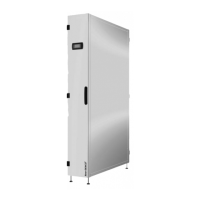
• To open the front doors, use the key supplied with the unit to release the 1/4 turn
locks.
• Before removing a door with a display, remove the cable between the controller and
the display.
• Open door to full width and lift it up. Reinstall door in oposite procedure.
• For removing right narrow doors for unit size 018 release the upper hinge retainer
and remove doors.
To reinstall the doors, first lift the doors and clip into the bottom retainer. Release the
top retainer, shift the doors upwards to the unit and clip into the top retainer.
• The rear and side panels can be removed by removing all the screws from the panel.
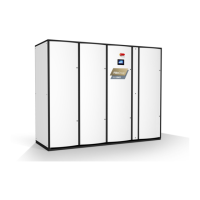
The W-Version side section has the same removable door and panels as the main unit,
where they can be removed by either the key for the door or by a screw driver for the
panel.
5.4.4 Ductwork
On units where ductwork is to be fitted, ductwork connections must be completed
before any pipework and electrical connections are made.
Doors and panels can weigh up to 11 kg and easily tip and fall.
• Ensure panels are held in place when fixings are being removed.
• Ensure doors are properly attended when being removed.
• Use access platforms for units that are installed above floor height.
Note!
If the removal of some panels is needed, ensure that while mounting the panels to
tighten the screws enough to prevent any air leakages.
Note!
Care must be taken when fixing ductwork to the unit that all panels and metal plates
can be removed and are not impeded by rivets and other fixings!


 To Next Page