7 Connection
FLUXUS G801 7.4 Serial interfaces
75
UMFLUXUS_G801V1-0EN, 2020-06-26
7 Connection
7.4 Serial interfaces
7.4.1 Service interface RS232
The service interface RS232 can only be connected outside of an explosive atmosphere because the housing has to be
opened.
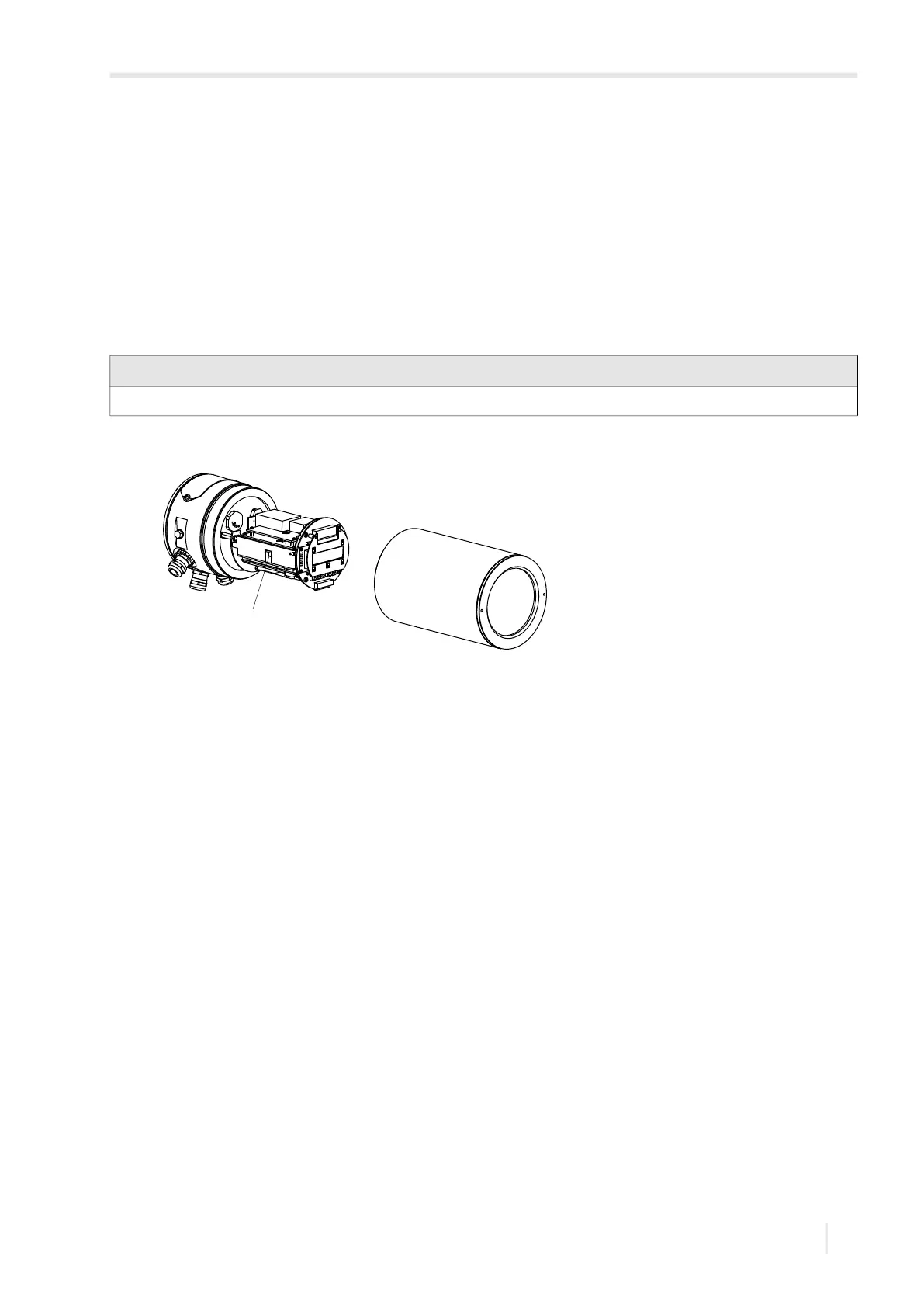
• Insert the RS232 adapter into the socket in such way that the colored lead of the cable is on the marked side of the
socket.
• Connect the RS232 cable to the RS232 adapter.
• Connect the RS232 cable to the transmitter and the serial interface of the PC. If the RS232 cable cannot be connected to
the PC, use the RS232/USB adapter.
The RS232/USB adapter and the RS232 cable are part of the serial data kit (optional).
7.4.2 Process interface RS485
The transmitter can also be equipped with a process interface RS485 (option).
For the connection of the RS485 cable to the transmitter, see section 7.2.1, Fig. 7.14 and Tab. 7.9.
Notice!
If a problem occurs when using the RS232/USB adapter for connection, contact your system administrator.
Fig. 7.16: Transmitter
1 – service interface RS232
1









 To Next Page