62
G BG B
G BG B
G B
BLITZ
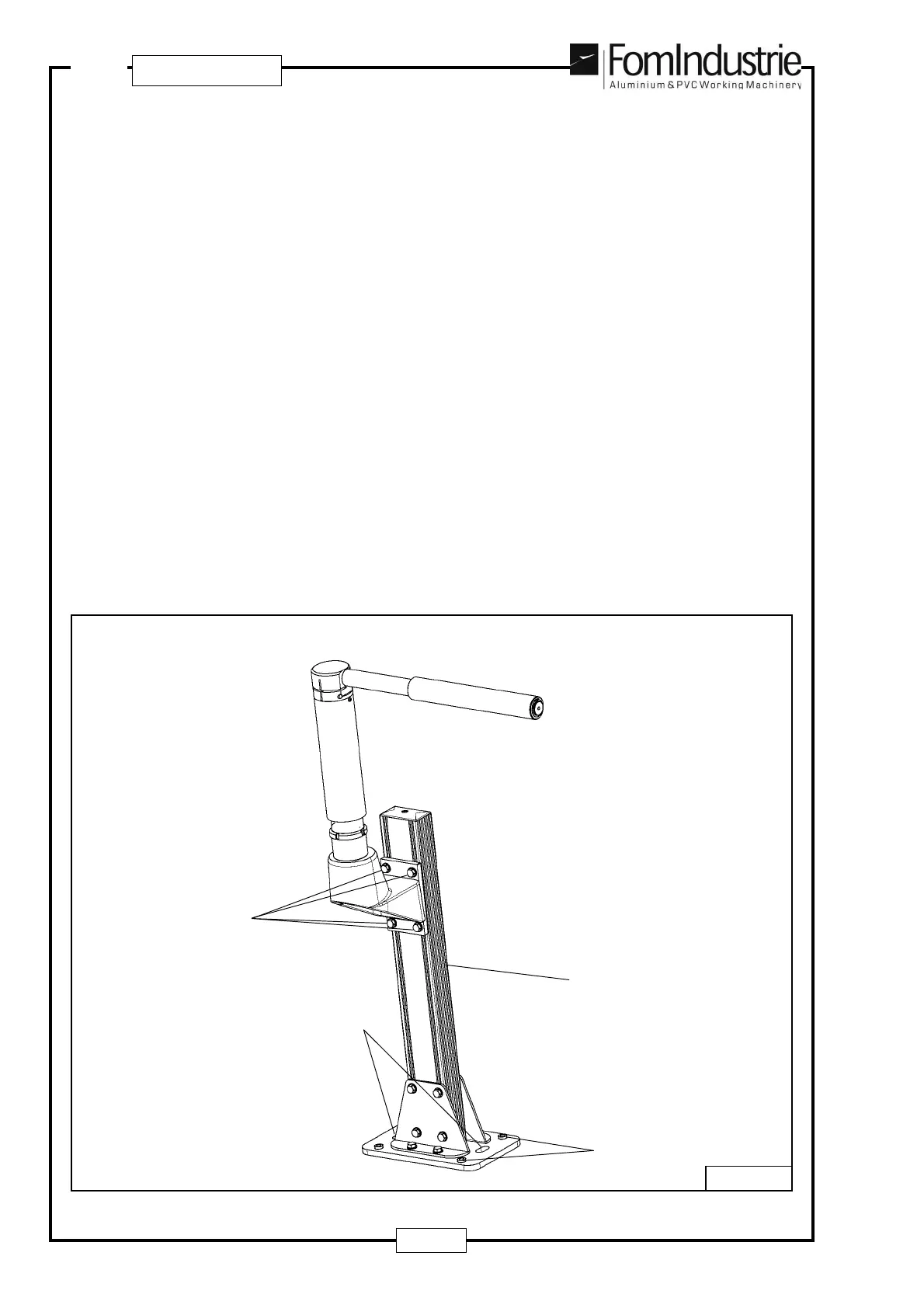
The RH profile support for the 5 m version only, should be fitted externally (see Fig. 09-28). It can be fitted up
to a max. distance of 4 m from the end of the base.
Once the support has been levelled on the relative foot using the 4 screws ‘A’ - Fig. Fig. 09-28, a check must
be made to see that it is aligned horizontally and vertically with the other profile supports on the machine.
To adjust the height, turn the 4 screws ‘B’ - Fig. 09-28 so that the support can run along extrusion ‘C’ - Fig.
09-28 up to the set height.
Lastly, it must be fixed to the ground by inserting 2 STOP plugs at points ‘D’ - Fig. 09-28.
09-28
B
D
A
C
To enable from the program the retractable support that has been fitted, proceed as follows:
- Press the emergency button.
- From the program’s main menu, press ‘Parameters’ and then ‘Machine Configuration’.
- Type in the password (0546) and press Enter.
- Move to the relevant ‘Profile support’ field and select the ‘YES’ option, pressing the left or right arrow keys
as necessary.
- Press the following keys in the order given: HOME => HOME => HOME to return to the main menu.
NOTE: For an explanation of the significance of the touch-screen buttons, press key ‘i’.
- Reset the emergency button


 To Next Page