EasyManua.ls Logo

FOR-A MFR-3100EX - User Manual

FOR-A MFR-3100EX
86 pages
Print Icon
To Next Page IconTo Next Page
Loading...
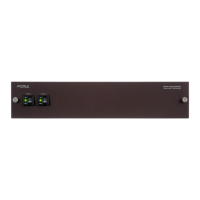
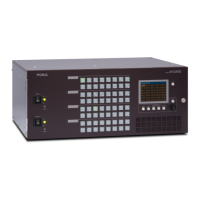
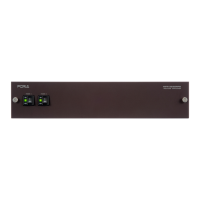
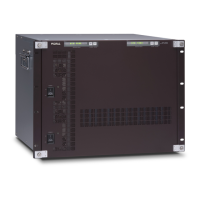
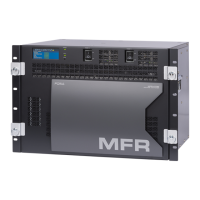
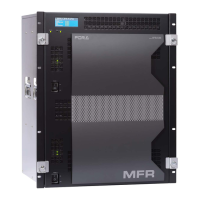
MFR-3100EX
Multi Format Routing Switcher
MFR-GPI
MFR-TALM
1
st
Edition Rev. 1
USER MANUAL

Table of Contents

Questions and Answers

  • L
    Lisa HollowaySep 9, 2025
    How to fix no image output on FOR-A MFR-3100EX Switch?
    • D
      David OrtegaSep 9, 2025
      If you're experiencing a 'no image output' issue with your FOR-A Switch, first ensure that video signals are correctly input to the video input connectors. Also, verify that all cables are properly connected for the signal inputs. Finally, make sure that the crosspoint is set correctly. These steps should resolve the issue.
  • R
    robert20Sep 12, 2025
    What to do if the secondary CPU is active on FOR-A MFR-3100EX?
    • A
      Ashley ChristianSep 12, 2025
      If the secondary CPU is active on your FOR-A Switch, ensure that both MFR-LAN 1 and MFR-LAN 2 are properly connected to the network. Check both the cable and Ethernet hub connections. If the network connections are correctly made, try turning the unit power off and then on again. If the secondary CPU is still active after restarting, consult your FOR-A reseller.
  • K
    Kara McdanielSep 13, 2025
    What to do if there is no image output from my FOR-A MFR-3100EX?
    • M
      Megan JohnsonSep 13, 2025
      If you're not getting any image output from your FOR-A Switch, first ensure that video signals are being input to the video input connectors. Check that the cables are properly connected for the signal inputs. Also, verify that the crosspoint is set correctly.
  • D
    Darryl LopezSep 15, 2025
    Why I am unable to control FOR-A Switch using the remote control panel?
    • J
      Jerome HillSep 15, 2025
      If you cannot control your FOR-A Switch using the remote control panel, ensure that the LAN cable is properly connected. Also, check the RU Info page in the Web-based Control to see if it indicates 'NG'. If it does, check the item indicated as 'NG'; however, if the Voltage is indicated as 'NG', contact your FOR-A agent.
  • C
    Charles MataSep 17, 2025
    What to do if I cannot control FOR-A Switch using the remote control panel?
    • S
      Savannah MitchellSep 18, 2025
      If you are unable to control your FOR-A Switch using the remote control panel, ensure that the LAN cable is properly connected. Additionally, check the RU Info page in the Web-based Control to see if it indicates 'NG' for any items. If 'Voltage' is indicated as 'NG', contact your FOR-A agent.

FOR-A MFR-3100EX Specifications

General IconGeneral
BrandFOR-A
ModelMFR-3100EX
CategorySwitch
LanguageEnglish

Related product manuals