Monitoring Signals
104
VM200 User’s Guide
Solo Safe Function
The VM200 features a Solo Safe function that enables you to desig-
nate specific channels as “solo safe.”
You can monitor solo safe channel signals that are sent to the stereo
buss regardless of the channel’s
[SOLO]
key status. This function is
available when Solo Mode is set to M-Solo (see page 98).
1.
Press the Setup
[SYSTEM]
key four times (from start of cycle).
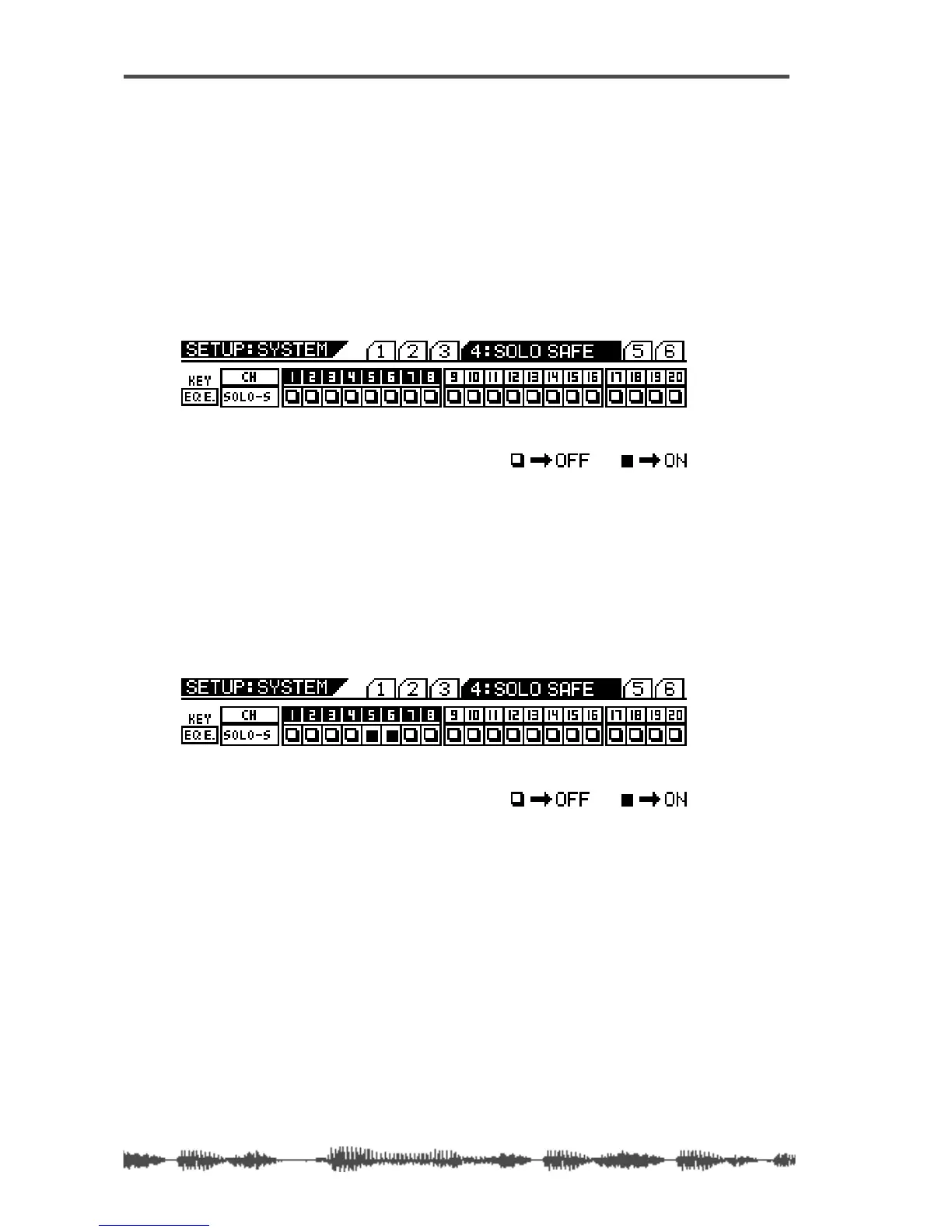
The VM200 displays the
SETUP:SYSTEM
4:SOLO SAFE
function page. All
[EQ EDIT]
keys flash.
2.
Select the desired channel layer using the
[1–8 ANALOG IN]
,
[9–16 ADAT IN]
, and
[17–20 EFF RTN]
Page Select keys and press
the
[EQ EDIT]
key of the target channels.
The
[EQ EDIT]
keys of the solo safe channels light up, the
[EQ
EDIT]
keys of the non-solo safe channels continue to flash.
The boxes of the solo safe channels are highlighted (dark) on the
display.
In the example above, channels 5 & 6 are designated as “solo
safe” channels. In this case, pressing the channel 1
[SOLO]
key in
M-Solo mode will enable you to monitor not only the channel 1
signal, but also the channels 5 & 6 signals from the stereo buss.
Other channels will be muted.
3.
Press the
[EXIT]
key or the
[CHANNEL/METER]
key to return to
Channel Edit mode.



 To Next Page