6
1. Getting Started
Congratulations on your purchase of the FOXPRO X24 digital game call!
To get the full advantage of the X24 and its array of capabilities, please
read and understand the operating instructions in full.
1-1 X24: First Glance
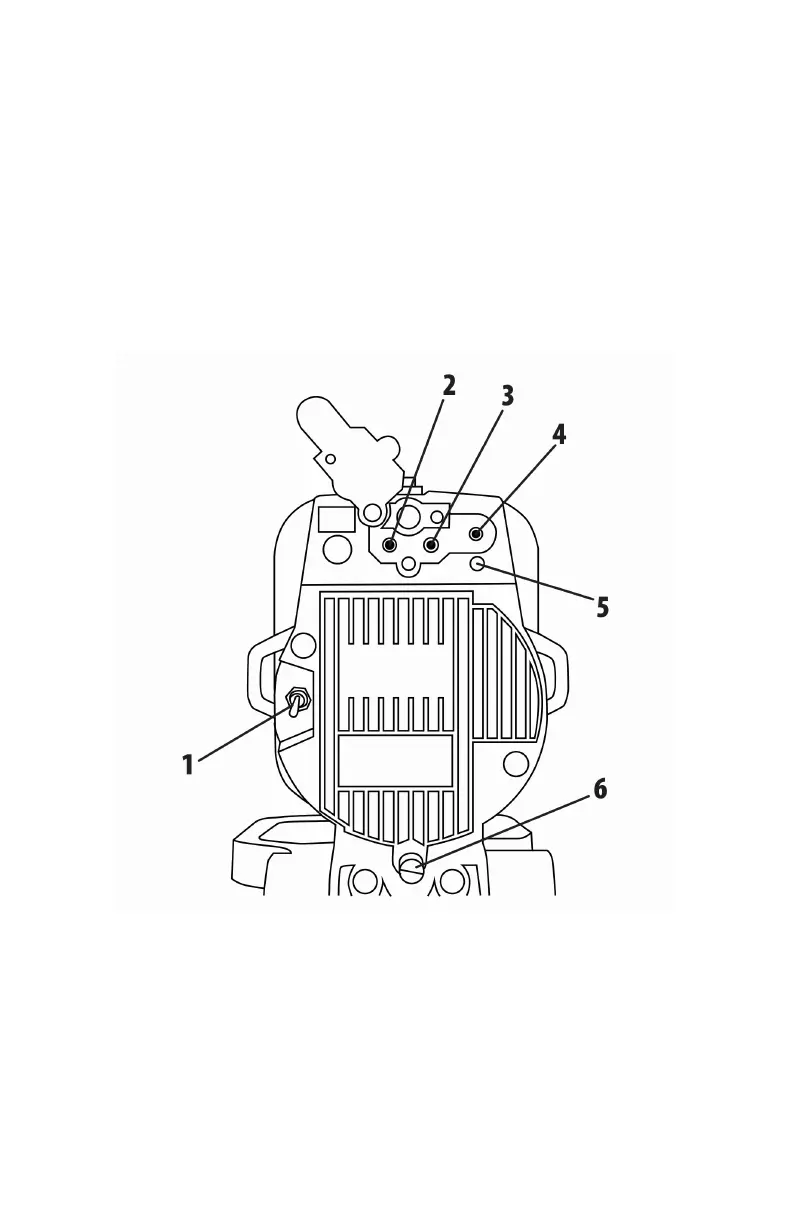
The following graphic corresponds to the list below that highlights the
main features of the X24 caller.
Figure 1 Image of the X24
1. On the back left side is the power toggle switch.
2. On the back, along the top, the external speaker jack is located
farthest to the left.
3. To the right of the external speaker jack is the auxiliary device jack.
4. The jack to the far right is the charge jack.



 To Next Page