19
allows you to access the X24 Remote configuration options as well as
navigate back one level in the menu system.
5-4 Understanding the X24 Remote Display
The X24 Remote display can be viewed as three main segments: top
status line, primary display area, and bottom status line. The top and
bottom status lines are static meaning, they will always be present. The
primary display area is dynamic and will change upon what operation
you are performing.
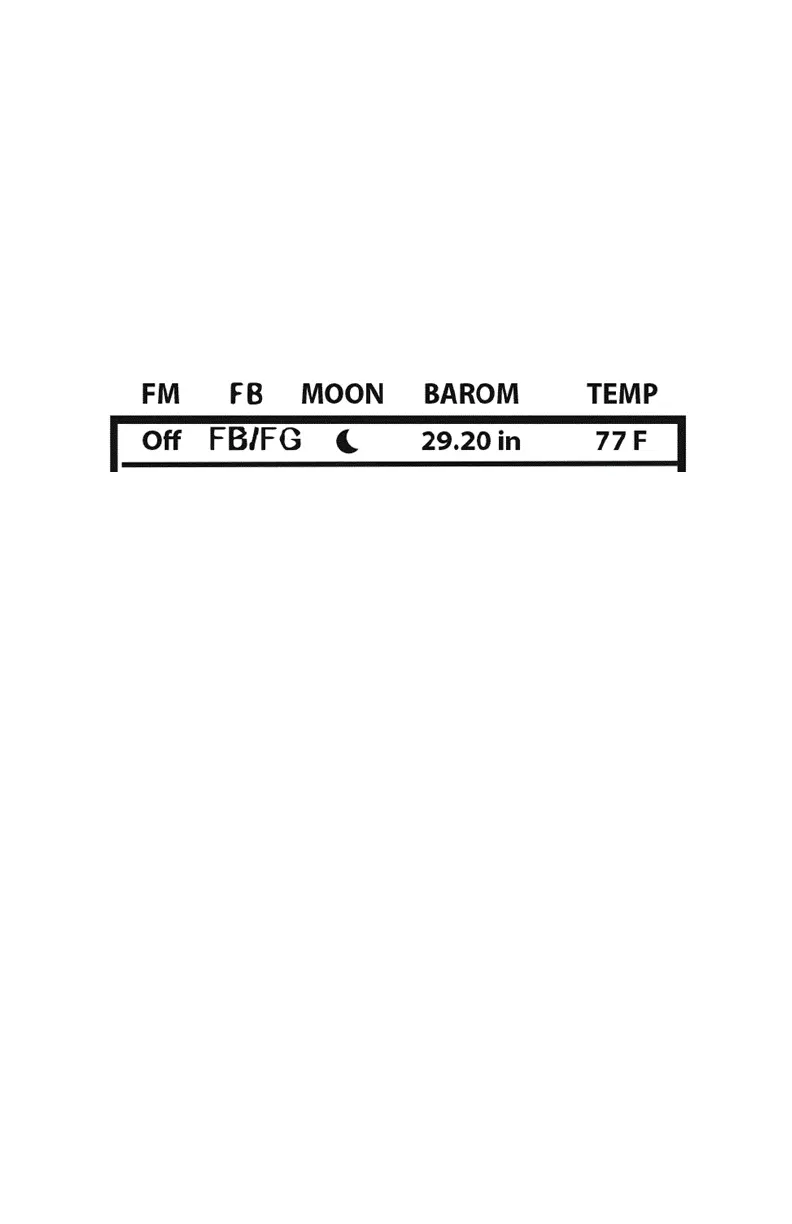
• FM: FOXMOTION status indicator. Displays either On or Off.
• FB: FOXBANG status indicator / FOXGRIP status indicator.
Displays “FB” if FOXBANG is activated. Displays “FG” if FOXGRIP
is activated. Displays “FB/FG” if both FOXBANG and FOXGRIP are
activated.
• MOON: Moon phase indicator. Displays an icon depicting the
current moon phase. Correct moon phase display requires
proper date and time configuration.
• BAROM: Barometer. Displays the barometric pressure in either
inches or millimeters depending upon configuration. When
enough measurements have been taken, an arrow showing
trend (up/down) will appear. When elevation is set correctly,
this value is automatically adjusted.
• TEMP: Thermometer. Displays the current temperature in either
C or F depending upon configuration.



 To Next Page