9
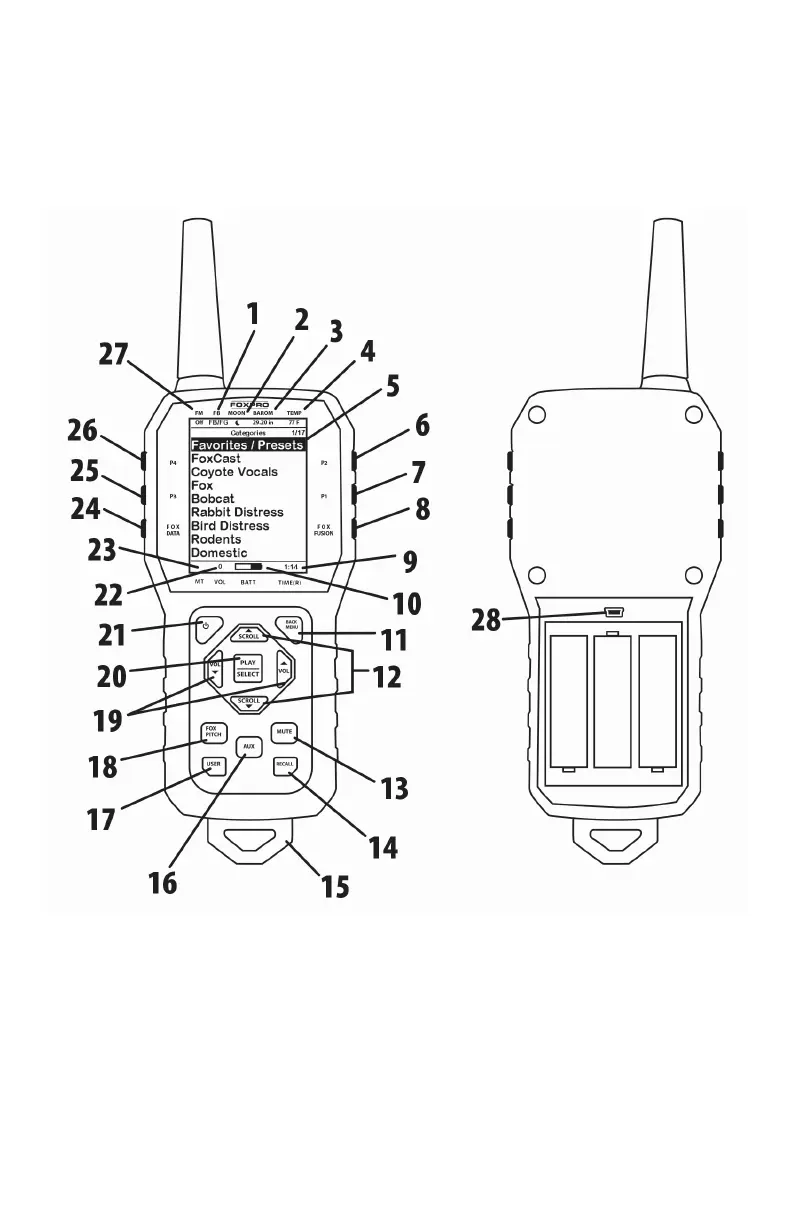
marked with a number which corresponds to the chart defining that
element.
Figure 2 Image of the X24 Remote Control
1. The second item from the left on the top status line is the
FOXB
ANG/FOXGRIP status indicator.
2. Next item to the right is the moon phase indicator.
3. The next item to the right is the barometric pressure indicator.
4. The last item to the right is the temperature indicator.



 To Next Page