46
Installation Manual
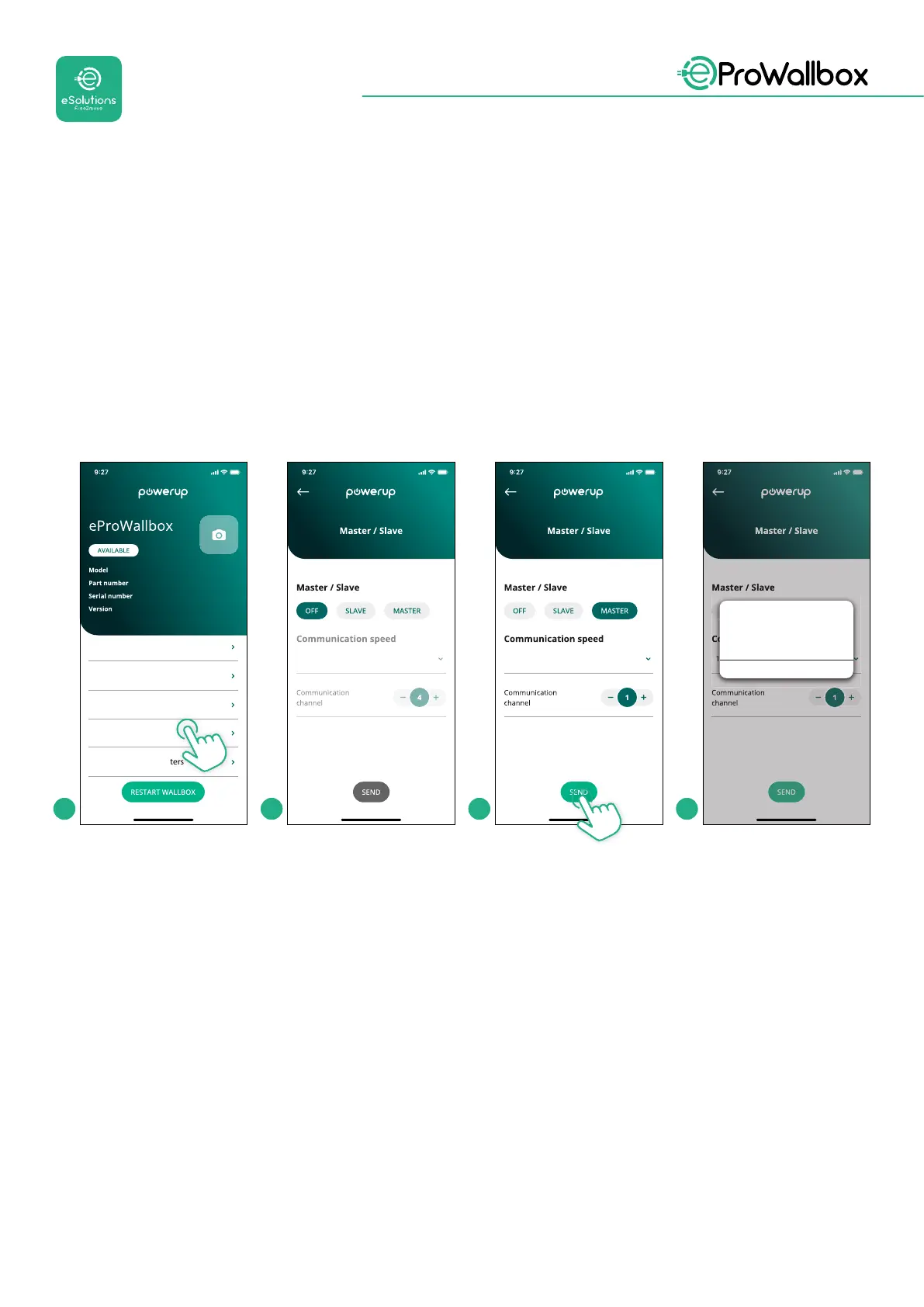
• Complete the installation with PowerUp.Thecongurationmustbedone
for every eProWallbox installed in the Master/Slave group:
• On PowerUp scan the QR code of eProWallbox
• Click on Master/Slave from the menu
• The function is OFF by default, proceed to set:
• “Master” for eProWallbox Master
• “Slave” for eProWallbox Slave connected to the Master
eProWallbox
F2ME.EPROXXXXXXXX
0000AB0123456789
2.9.1
Country settings
Operating mode
Wi-Fi settings
Master / Slave
Internet mobile pameters
115200
115200
1152001
OK
Alert!
To congure the power, go
to DPM page
1 2 3 4



 To Next Page