The AutoShift system consists of the following com-
ponents:
•
The SmartShift control paddle on the steering
column. See
Fig. 14.1.
•
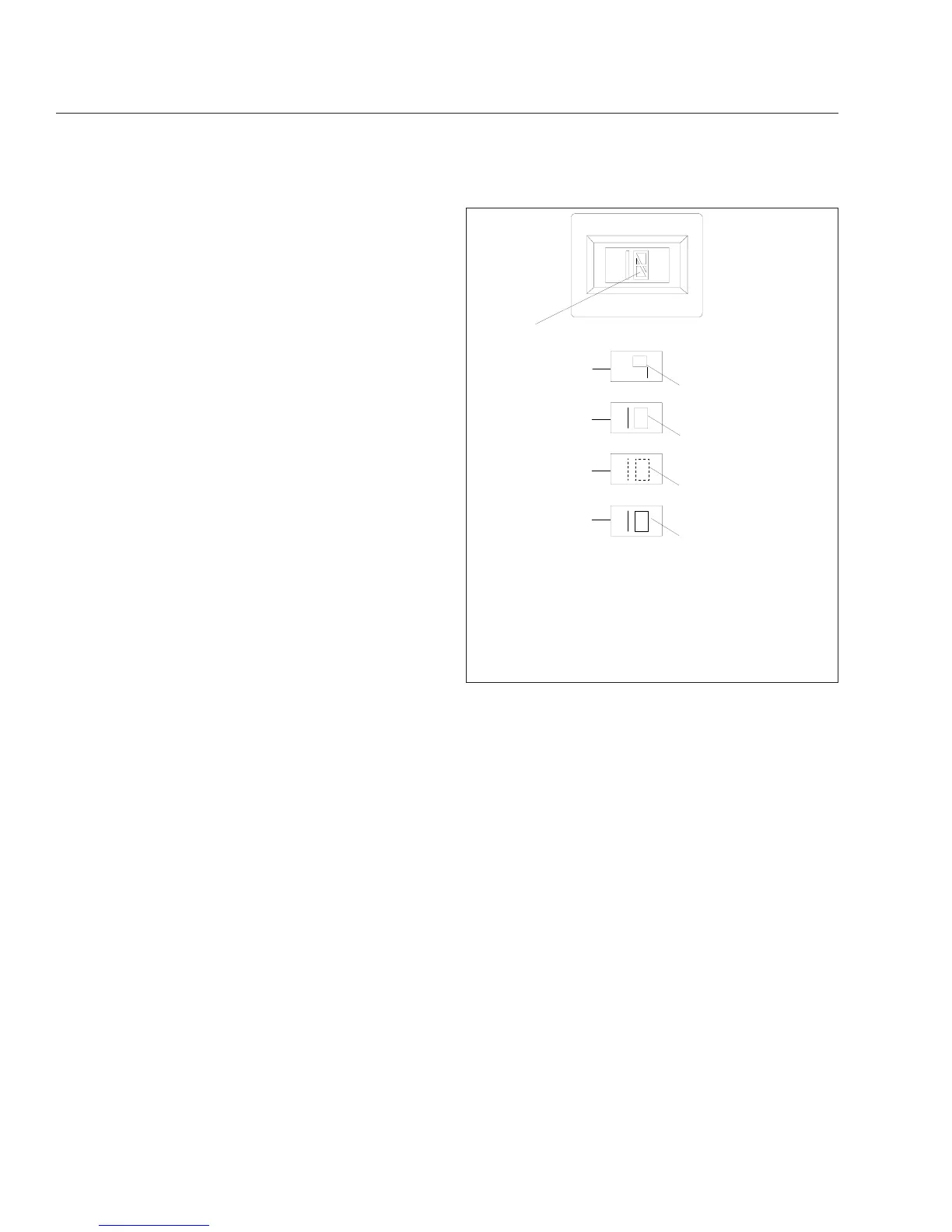
The gear display module mounted on the
dashboard indicates the current gear position
or transmission status. The display also flashes
the next gear to be engaged while the trans-
mission is in neutral during a gear change. See
Fig. 14.8.
•
The shifter mechanism performs shifts at the
front portion of the transmission. It preselects
the shift to neutral and completes the gear
change after driver input.
•
The Electronic Control Unit (ECU) includes two
controllers: a transmission ECU and a system
ECU. The transmission ECU controls all trans-
mission shift functions and the system ECU
manages all vehicle interfaces for transmission
shift functions.
•
An electronic range valve, controlled by the
transmission ECU, is used to perform range
shifts.
Operation, AutoShift with SmartShift
Automatic and Manual Modes
A two-position slide switch (forward driving mode
switch) is located near the end of the SmartShift con-
trol. See
Fig. 14.1. The switch positions are labelled
MAN (manual shift mode) and AUTO (automatic
drive mode).
NOTE: In automatic drive mode, upshifts and
downshifts require no driver interaction. Move
the selector switch to the drive (D) position, dis-
engage the clutch to engage the gear selected,
engage the clutch and drive the vehicle. In
manual shift mode, upshifts and downshifts re-
quire either a pull upward or push downward on
the control.
Driver Message Center
Gear information is presented to the driver via a LCD
display on the dash. In automatic drive mode, the
number of the forward gear currently engaged ap-
pears continually on the message display screen
when in drive (D). In manual shift mode, the current
gear is displayed until a new gear is requested.
When neutral (N) is engaged, "N" will appear on the
message display screen. When reverse (R) is en-
gaged, either "RL" or "RH" will appear on the mes-
sage display screen.
IMPORTANT: The information shown on the
message display screen indicates the state of
the transmission only, not the state of the
SmartShift control.
Neutral Position
Select neutral by sliding the selector switch to the
"N" position.
NOTE: Neutral is always available during opera-
tion. When in neutral, upshift and downshift re-
quests are ignored. If the mode selector switch
is moved from neutral (N) to drive (D) while the
vehicle is moving, the transmission will shift into
a gear causing the engine to go to a high torque
level, under the engine’s rated torque.
1
4
5
SOLID
SOLID
FLASHING
02/17/98
f270062
3
2
SOLID
A
B
A. Gear Display Module B. Module Detail
1. Current Gear
2. 9th Gear Engaged
3. In 9th Gear, Preselected Toward 10th
4. Out Of Gear, Waiting For Engine/Transmission RPM
To Synchronize
5. 10th Gear Engaged
Fig. 14.8, Gear Display Module
Automated and Automatic Transmissions
14.11








 To Next Page