•
defog mode
•
the selection between defog mode and defrost
mode
•
defrost mode
NOTE: To prevent the buildup of fumes or
odors, and to prevent oxygen depletion inside
the cab, the system switches from full-
recirculation mode to partial-recirculation mode
after 20 minutes. In extremely dusty or smoky
conditions, the partial-recirculation mode can be
overridden by pressing the recirculation button
twice to obtain full-recirculation mode. This ac-
tion resets the 20-minute timer.
Bunk Override
The bunk-override switch allows the driver to re-
motely set the fan speed and temperature settings
for the sleeper. See
Fig. 7.1.
When the override switch is not activated, adjusting
the climate control in the cab does not affect the
sleeper settings. Activating the bunk-override switch
causes the cab controls to override the settings on
the sleeper HVAC control panel, and the sleeper
HVAC will mimic the cab settings. An amber LED in
the switch is illuminated when the bunk-override
switch is activated.
Adjusting the sleeper HVAC controls at any time, or
pressing the switch, will cancel the override mode
and the sleeper HVAC will be controlled by the
sleeper-control panel. The amber indicator in the
bunk-override switch will be off.
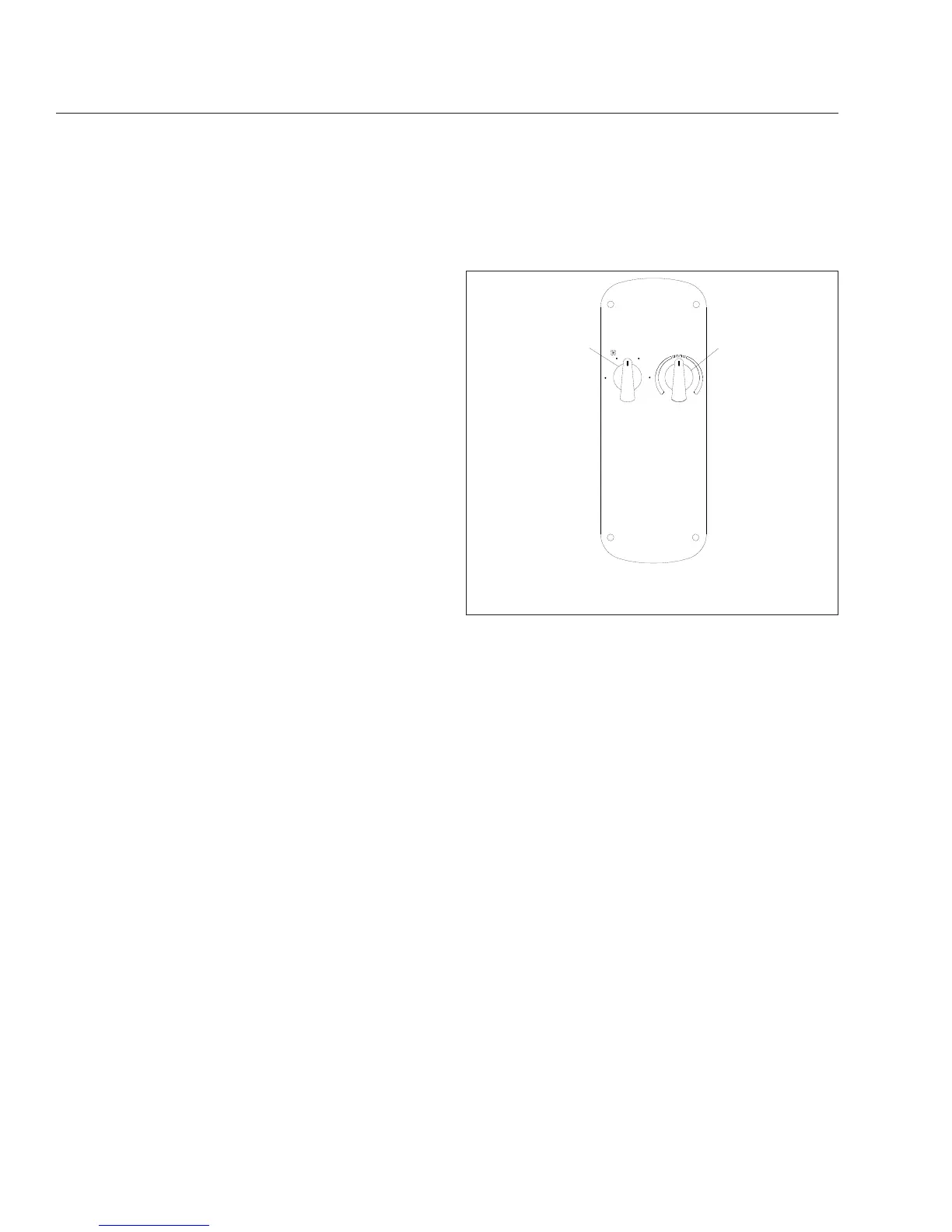
Sleeper Climate-Control Panel
The sleeper HVAC system features Constant Dis-
charge Temperature Control (CDTC). The CDTC
maintains a constant temperature of airflow in the
sleeper regardless of outside air temperature, se-
lected fan speed, engine coolant temperature, or en-
gine coolant flow. Once the temperature-control
switch is set to the desired temperature, no other
adjustments are necessary.
Fan Control
The fan switch controls the sleeper HVAC system fan
speed. It has 8 fan-speed settings, and an OFF posi-
tion. To increase the airflow, turn the switch clock-
wise to a higher number. To decrease the airflow,
turn the switch counterclockwise to a lower number.
See
Fig. 7.5.
NOTE: When the cab A/C is on, even though
the sleeper fan switch may be in the OFF posi-
tion, the sleeper fan will operate at low speed.
This is necessary to protect the evaporator in
the sleeper HVAC system from freezing.
Temperature Control
The temperature-control switch is used to set the de-
sired temperature in the sleeper. Turn the switch
clockwise, to the red area, for warm air. Turn the
switch counterclockwise, to the blue area, for cool
air. The sleeper A/C automatically turns on when
necessary, to maintain the selected temperature. The
CDTC system is disabled when the temperature-
control switch is in the maximum cool or warm
positions.
Accessory Heaters
Optional accessary heaters are available from the
factory in several configurations. Familiarize yourself
with the equipment on your specific vehicle, and fol-
low the manufacturer’s operating and maintenance
instructions.
06/21/2001
f610503
1
2
3
4O
1
2
1. Fan Switch
2. Temperature-Control Switch
Fig. 7.5, Sleeper Climate-Control Panel
Climate Control
7.3








 To Next Page