i.
Trip distance
ii.
Trip hours
iii.
Outside temperature
iv.
Back to odometer
Stationary Access Screens
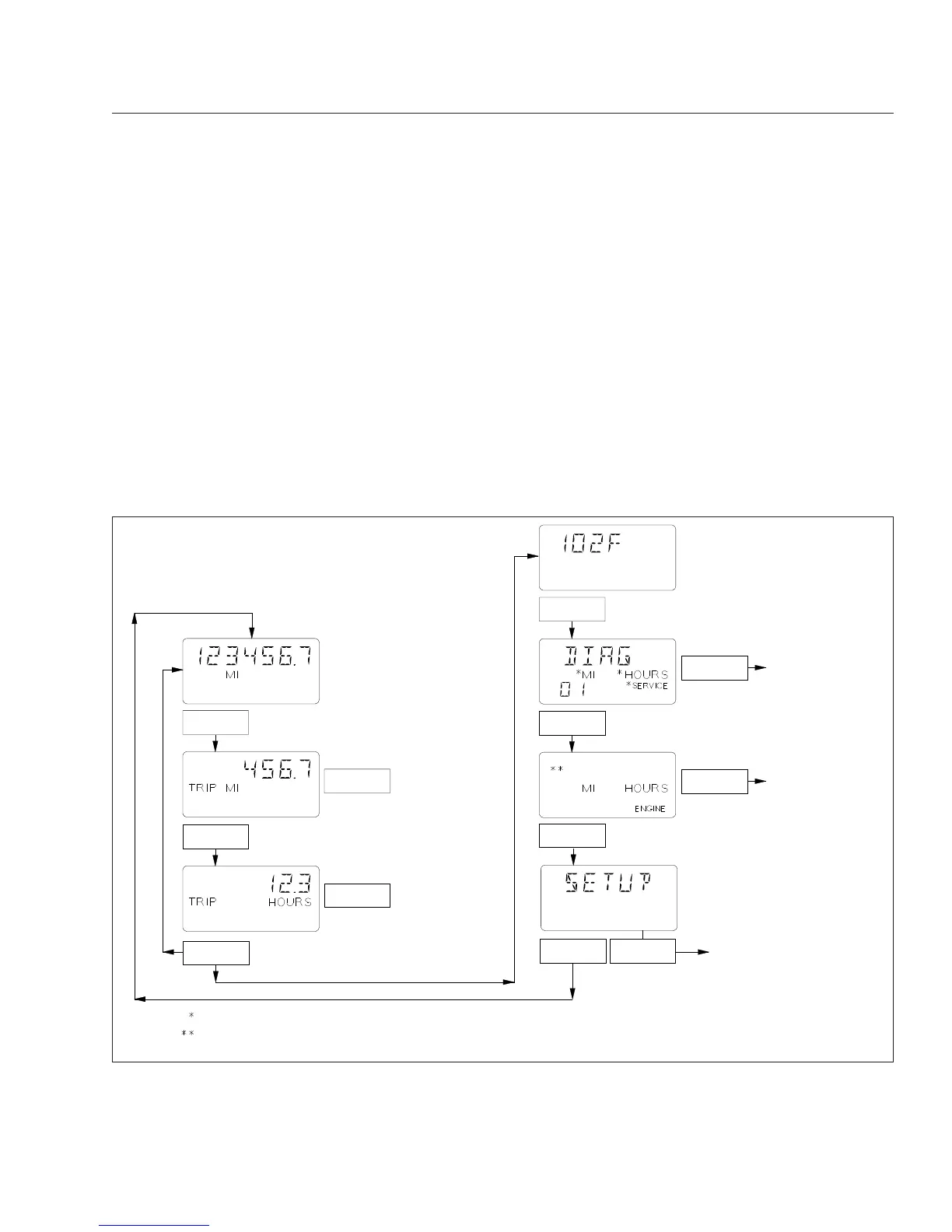
When the parking brake is set, pressing the mode/
reset button will scroll through the stationary access
screens. See
Fig. 4.7.
i.
Odometer
ii.
Trip distance
iii.
Trip hours
iv.
Outside temperature
v.
Select screen
vi.
Temperature alert screen
vii.
Diagnostic screen
viii.
Clear screen (with less than 254 miles)
ix.
Engine miles
x.
Engine hours
xi.
Setup screen
Trip Information
Trip information allows you to view trip mileage and
time.
When the odometer reading is displayed, press the
mode/reset button once for trip distance. Press the
f040756
Push
With park brake off
Go to the Diagnostic
and Engine Display
Screens figure.
Hold
If "SERVICE" is displayed Service Cycle screens are enabled and either "MI" or "HOURS" is also displayed.
On some vehicles "OIL LVL" appears in the top row of the display, if equipped and enabled.
Default Odometer
Display Screen
To Reset Trip Miles
To Reset Trip Hours
Hold
Hold
Hold
Push
Push
Push
Push
Push
Hold
For setup screens.
Go to the Diagnostic
and Engine Display
Screens figure.
With park brake on
Push
02/06/2007
Fig. 4.7, ICU4 Stationary Access Screens
Instruments
4.12








 To Next Page