Start-Up
1.
With the parking brake applied, press the clutch
all the way down to the floor.
2.
Start the engine.
3.
Check to make sure the transmission is in neu-
tral.
4.
With the transmission in neutral, release the
clutch.
NOTE: This allows the speed sensor on the
input shaft to get a reading.
5.
Press down on the clutch again and release the
parking brake.
6.
Select the desired starting gear.
7.
Release the clutch.
Reverse
1.
To engage reverse (R), slide the selector switch
upward to the next position above the neutral
position and disengage the clutch.
NOTE: AutoShift transmissions have a dual-
range reverse. Reverse low (RL) is the default
reverse gear.
2.
Select reverse high (RH) by pulling upward on
the control.
NOTE: Reverse may be engaged below a pro-
grammable forward speed in order to rock the
vehicle. If reverse is selected above the pro-
grammed forward speed, an audible warning will
sound and a message indicating that the gear is
not available will appear on the message dis-
play screen.
Low Gear Operation
Use low (L) when descending steep hills and using
compression braking. Engine speed will be increased
by 200 rpm and shift points will be offset by 200 rpm.
The efficiency of the exhaust brake will be maxi-
mized.
Using the Clutch
Use the clutch to start and stop the vehicle.
Allison Automatic
Transmissions
Refer to the Allison website for additional information,
www.allisontransmission.com.
General Information, Allison
HD-series automatic transmissions have six forward
speeds and one reverse speed. See
Fig. 14.9.
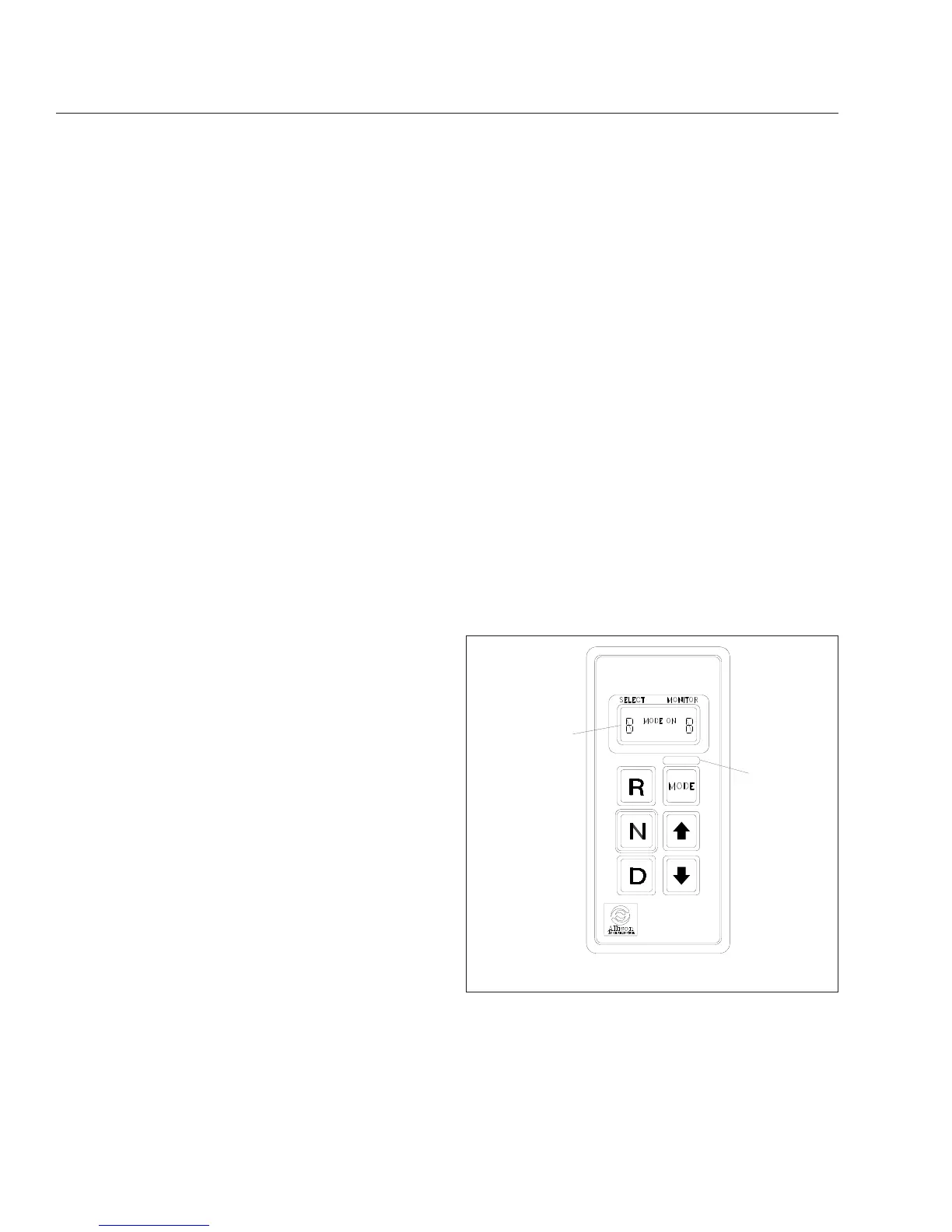
These transmissions have electronic shift controls
that can be programmed to allow the use of different
numbers of geared speeds. For instance, the trans-
mission can be programmed to operate as a
4-speed, 5-speed, or 6-speed unit in the "primary"
shift mode. If needed, a "secondary" shift mode can
be programmed to provide another shift configuration
to optimize vehicle use under different operating con-
ditions. To activate a secondary shift mode, or other
special function programmed into the electronic con-
trol unit (ECU), depress the Mode button. "Mode On"
is displayed in the indicator panel just above the
push buttons. A label just above the Mode button
identifies the special function.
NOTE: Each time a push button is depressed
on the shift selector, a short beep will be heard.
This indicates that the ECU has received input
to change operation.
10/31/94
f600369a
1
2
1. Indicator Panel 2. Mode ID
Fig. 14.9, Allison Push Button Shift Selector
Automated and Automatic Transmissions
14.13








 To Next Page