Operation manual P328S
14
© 2018 FROMM Holding AG
All rights reserved. Reproduction and duplication - also in extracts - are not permitted.
7 Settings
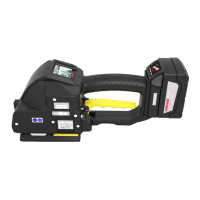
The strapping tool is equipped with a touchscreen. Active areas on the touchscreen with a function are
described as “keys”. The keys start functions or open menus. The keys are activated by tapping or pressing.
Grey symbols are currently not active.
To prevent undesired changes to the settings, access to the adjustment menu can be blocked.
See 7.5 Activate/Deactivate the Key Block
7.1 Adjustment menu
• In the work menu, tap to open the adjustment menu.
When the key block is activated:
• Enter user PIN 37666 and confirm with
.
- After 4 seconds without an entry, return to the work menu.
Shift key for work menu
The active work menu is highlighted optically.
• Tap to switch between the menus ADVANCED and CLASSIC.
Shift key for operation mode
The active operation mode is displayed in green.
• Tap to switch between the operation modes.
There are three possible operation modes:
MAN - Manual
SEMI - Semi-automatic
AUTO - Automatic
Home -Key
• Tap to change to the work menu.
Shift key for key block
The current status of the key block is displayed.
See 7.5 Activate/Deactivate the Key Block
Strap tension and welding time setting
The current set tension and welding time is displayed.
See 7.2 Set Strap Tension and Welding Time
Strap database key
The active dataset is displayed.
• Tap to open the strap database menu.
See 7.4 Strap Database
Service menu
• Tap to open the service menu.
Only for service access only with service PIN.
Info key
• Tap to open the information menu.
Information on the status of the tool is displayed.
If a warning appears when the adjustment menu is opened, instead of the information symbol, the
warning symbol is displayed.
• Tap to open the information menu.
See 7.6 Information Menu


 To Next Page