Operation manual P328S
18
© 2018 FROMM Holding AG
All rights reserved. Reproduction and duplication - also in extracts - are not permitted.
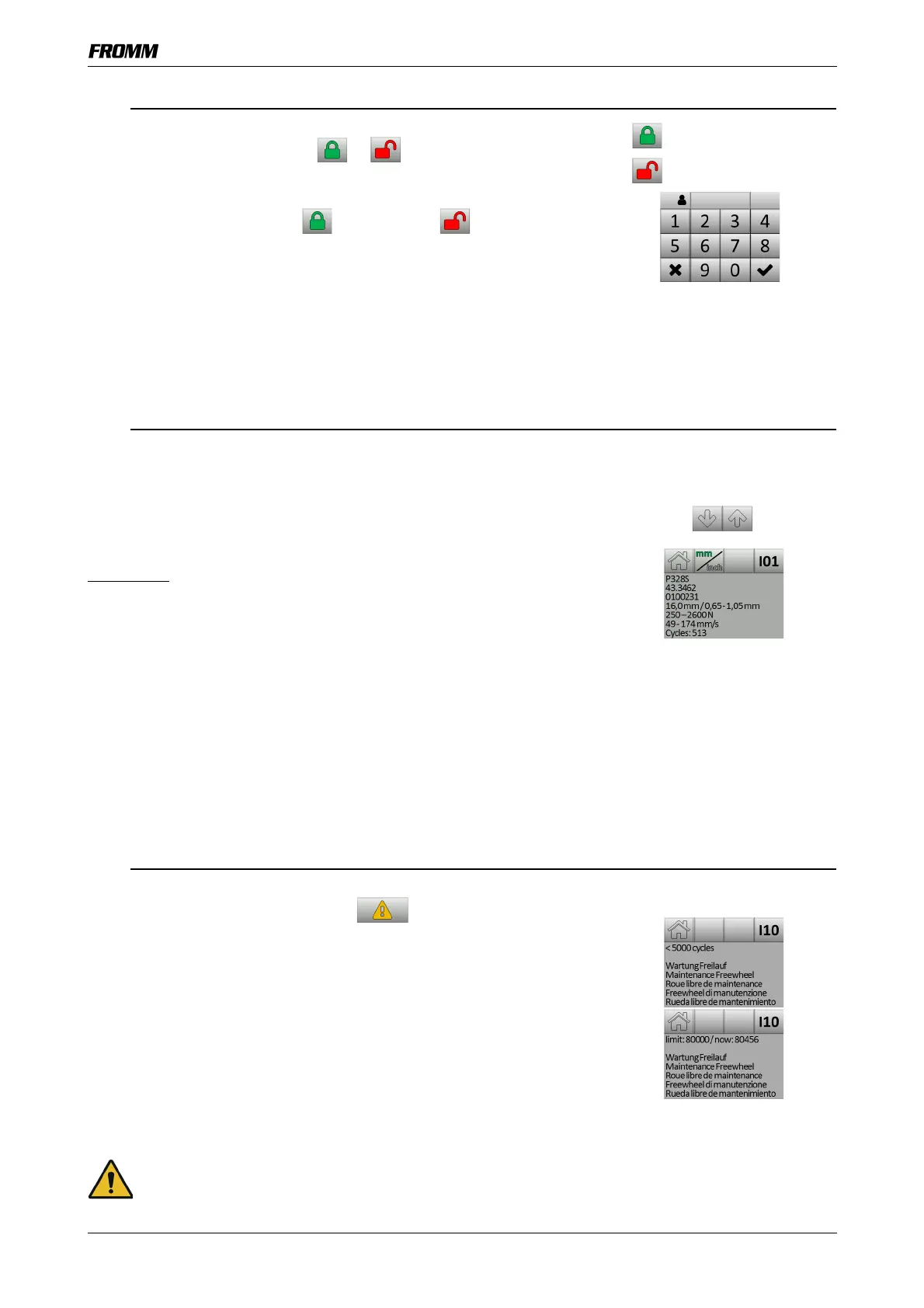
7.5 Activate/Deactivate the Key Block
The current status of the key block is displayed in the adjustment menu.
• In the adjustment menu, tap or .
- The control switches to the PIN request.
• Enter user PIN 37666 and confirm with
.
The key block is activated or deactivated .
- After 4 seconds without an entry, return to the adjustment menu.
7.6 Information Menu
The Information menu shows information on the status of the tool and any
messages.
• If there are several messages - scroll with the arrow keys.
- Return to the work menu with the home key.
Display I01:
Line 1: Model description
Line 2: Part number
Line 3: Serial number
(the first two numbers of the serial number are the version number)
Line 4: Strap dimensions (width x thickness)
Line 5: Tension range
Line 6: Tension speed
Line 7: Number of strapping cycles (if activated).
7.7 Request Maintenance
If 75,000 strapping cycles is reached since the last maintenance, when the
battery is inserted, the warning symbol appears on the
touchscreen.
• Tap to open the information menu
Display I10:
<5000 strapping cycles left until maintenance.
If 80,000 cycles is exceeded since the initialization or the last maintenance,
the following is displayed:
Limit 80 000 / now: “Number of strapping cycles since the last maintenance.”
NOTICE Non-adherence to the maintenance intervals can lead to massive malfunctions and
damage to the tool. After 80,000 strapping cycles, the sleeve hub on the motor shaft must be
replaced.
= Key block active
= Key block deactivated


 To Next Page