Operation manual P328S
© 2018 FROMM Holding AG 17
All rights reserved. Reproduction and duplication - also in extracts - are not permitted.
7.4.2 Save Data Set
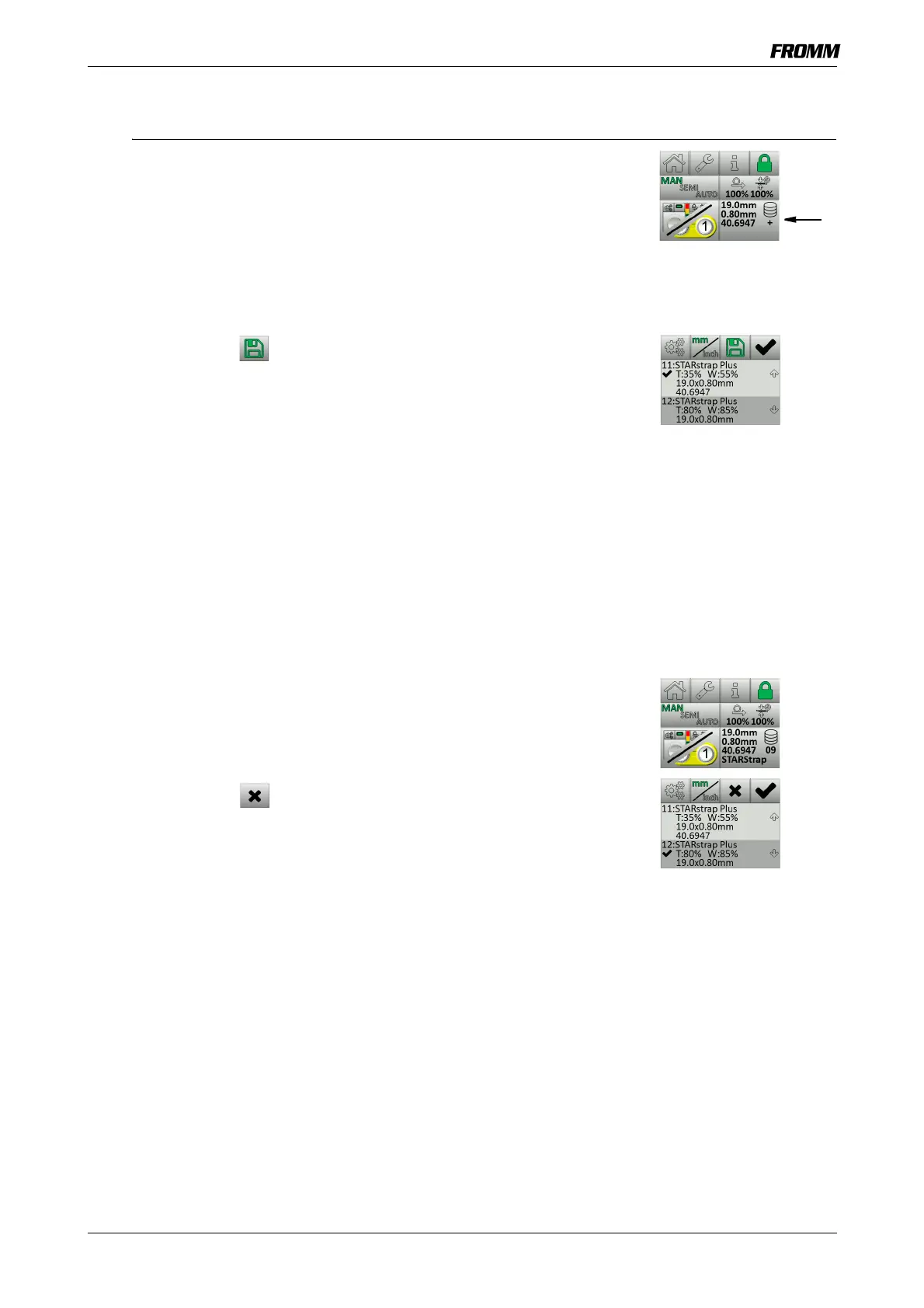
If the tension setting or welding time for the active dataset is changed, the
strap database button under the database symbol will display a
+ character.
This setting can be saved as a user-defined data set under the data set
numbers 11-20.
• Tap the strap database to open the strap database menu.
• Select an empty or an existing data set.
• Tap the save key .
- The new setting is saved to the data set and the data set is activated.
- After 2 seconds, return to the adjustment menu.
With the OK key you can, without saving the changed setting, activate
the active dataset with the original setting or activate a different data set.
7.4.3 Delete Data Set
User-defined data sets can be deleted when they are not marked as an
active data set (
).
• Tap the strap database to open the strap database menu.
• Select the data set to be deleted.
The delete key is only displayed for user-defined data sets.
• Tap the delete key .
- The highlighted data set is deleted.


 To Next Page