Fax
4
4 Fax
214
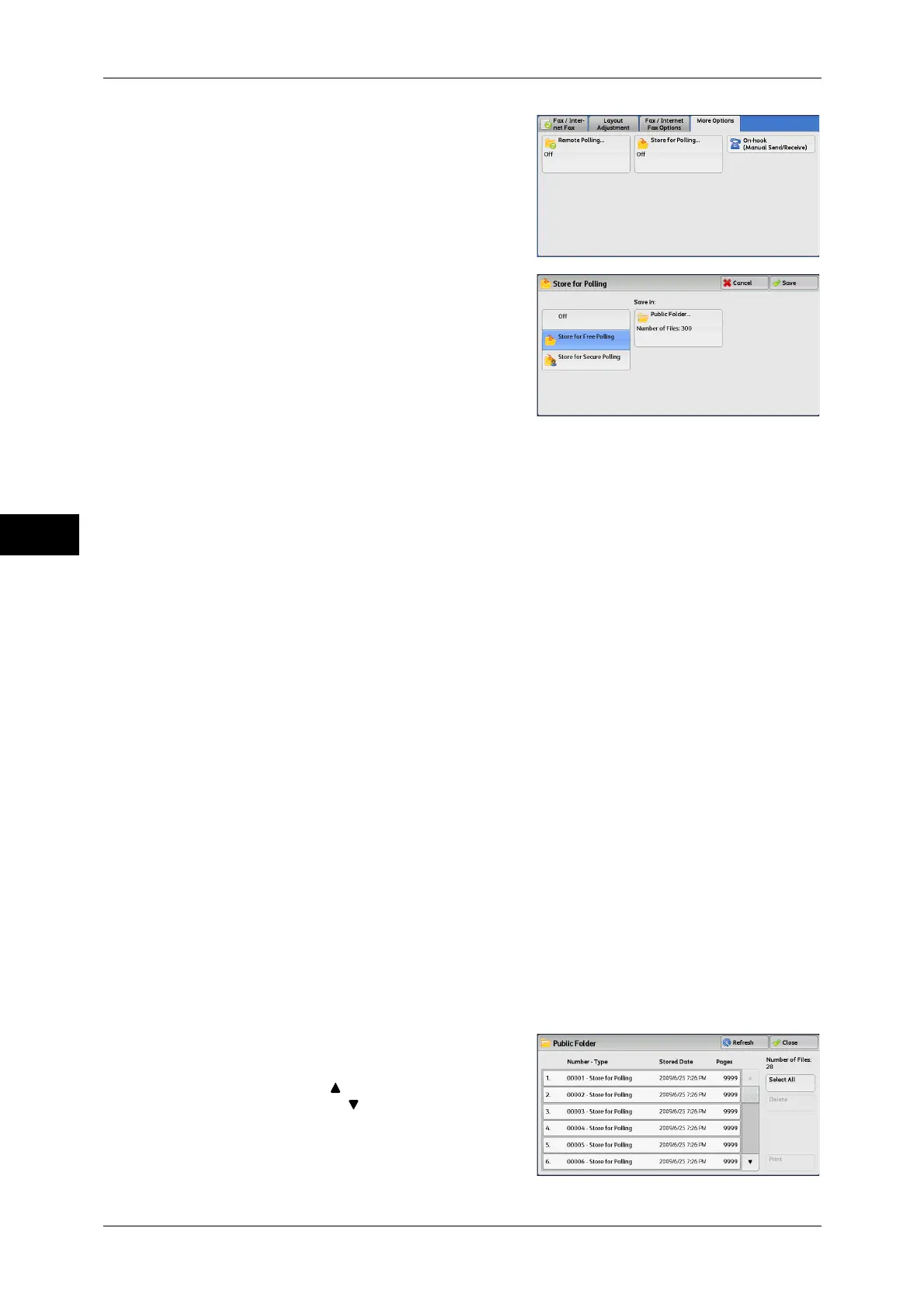
1 Select [Store for Polling].
2 Select any option.
Off
Disables the Store for Polling feature.
Store for Free Polling
Stores a file in a public folder on the machine. The file in the public folder can be
retrieved by a remote machine.
Store for Secure Polling
Stores a file in a private folder on the machine. If the folder is passcode-protected, the
file can be retrieved by a remote machine confidentially.
You need to create a private folder in advance. For more information on how to create a folder, refer to
"5 Tools" > "Setup" > "Create Folder" in the Administrator Guide.
Save in:
z
When [Store for Free Polling] is selected
The [Public Folder] button is displayed. Selecting this button displays the [Public
Folder] screen.
Refer to "[Public Folder] Screen" (P.214).
z
When [Store for Secure Polling] is selected
The [Private Folder] button is displayed. Selecting this button displays the [Folder]
screen. Select a folder to store files in for Secure Polling.
For information on how to select a folder, refer to "Selecting a Folder" (P.298). For information on how
to check files for Secure Polling, refer to "Checking/Operating Files in a Folder" (P.299).
3 Press the <Start> button.
[Public Folder] Screen
This screen allows you to print and delete files stored for Free Polling.
1 Select the file to be printed or deleted. You
can select either one file or all files.
Note • Select [ ] to return to the previous
screen or [ ] to move to the next screen.



 To Next Page
 Loading...



