Maintenance 221
Removing the Toner Cartridges
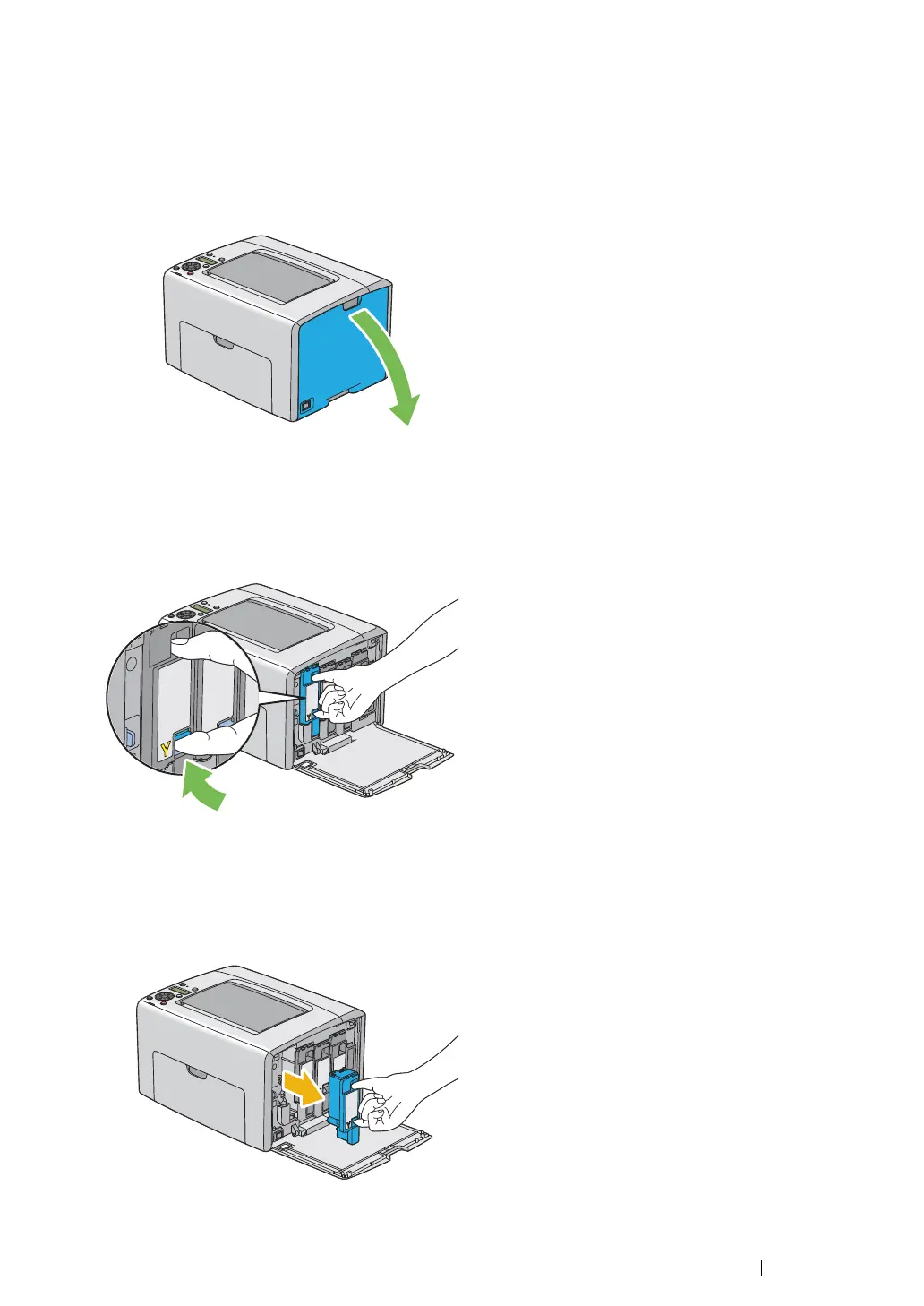
1 Turn off the printer.
2 Open the toner access cover.
3 Spread a few sheets of paper on the floor or table where the removed toner cartridge is to be
placed.
4 Pinch the toner cartridge firmly as shown in the illustration.
5 Pull the toner cartridge out.
IMPORTANT:
• Always pull the toner cartridge out slowly so you do not spill any toner.
6 Place the toner cartridge slowly on the sheets of paper spread in step 3.



 To Next Page
 Loading...







